Category: Tech Stack | Apptechies

  • Top 10 Web Application Examples in 2026

    blog featured image

    An online web application example is a program running in your web browser. This allows you to do specific tasks online without the need to install anything on your device. In the modern world of connectivity, there is a possibility that you have already used an example of a web app before you finish your morning coffee. If you want to build a web app, then partnering with the best web app development company is your perfect decision.

    Whether you are working with your team checking your emails, or streaming your favorite shows, popular web apps. These examples of web based programs have had a huge impact on industries and daily life. But what exactly is a website application? How does this work? And what are the best web applications that shape the digital landscape? In this blog, we will dive deep into a web app, and list of web based applications that are not only functional but also globally popular.

    What is Web Application & How it Works?

    A web application is a software or program that you can access online using a web browser. Unlike traditional software, that you downloaded on your computer. Web apps use your browser to access features that are hosted on the remote server.

    How Web Applications Work?

    Pros & Cons of Web Application

    Like any technology, the web app comes with its sets of benefits and boundaries. Let’s find out both:

    pros & cons of web application

    You can read also: Top 10 Best Startup Accelerator Programs

    What Are the Main Types of Web Applications?

    Static Web Applications

    Static web applications are the simplest form of online web based solutions. HTML, CSS and sometimes minimal JavaScript are used to create these apps. It provides predefined materials that are not changed until they are manually updated by the app developer. There is no database interaction or real-time user interactivity. They are light, fast loading and extremely safe due to the absence of the server’s side.

    Common examples of web based programs in this category include basic landing pages, portfolios, and brochures. They are ideal for companies that require direct web based softwares with little updates.

    Dynamic Web Applications

    Dynamic web applications are interactive and are linked with the database and backend server. These apps update the data in real time based on user features or inputs. Techniques such as PHP, Node.js or Python are often used to create such applications. They let users do tasks such as logging in, posting content or getting customized information. Social media platforms, online forums and e-learning platforms are the major web app examples. For content or user-centered websites that need frequent updates, dynamic applications are perfect.

    Single Page Applications (SPAs)

    Single Page Apps (SPAs) loaded a single HTML page and updated the content dynamically without updating the entire page. It provides a smooth and fast user experience similar to an original mobile app. JavaScript frameworks such as Reacts, Angular or Vue are usually used to develop the SPAs. Gmail, Trello and Google Maps are popular examples of web based applications in this category. SPAs are best suited for applications that require real -time interaction and fast navigation like dashboards and productivity tools.

    multiple page application

    Content Management System (CMS)

    Content management systems are known as web applications, it is simple for users to generate, manage and publish digital content easily, often without any code. Popular web application examples are WordPress, Joomla and Drupal. These platforms are very flexible and scalable, making them suitable for blogs, news sites and marketing sites. The CMS web app frequently comes with admin panel, plugins, and themes that let non-technical users easily handle posting schedules, layout, and SEO.

    eCommerce Web Applications

    eCommerce web applications are especially created for buying and selling online. These apps include product catalogs, payment integration, shopping carts and storage control. Widely used examples of web based programs designed for eCommerce are Shopify, Magento and WooCommerce. These feature-rich platforms can support everything from small shops to a large-scale marketplace. They also include customer management, tracking orders and promotional opportunities, which makes them important for online stores.

    Animated Web Applications

    Animated web applications use movement graphics, transitions and interactive elements to attract users. These apps provide an engaging user experience. They are developed with technologies like, HTML5, CSS3 animation, JavaScript, SVG or WebGL. They are usually used in creative portfolio, product display or storytelling sites. As they are visually appealing, these apps require careful performance adjustment and are often heavier than standard web apps. They are ideal for brands focused on design, innovation and user engagement.

    Rich Internet Applications (RIAs)

    Rich Internet apps (RIAs) are advanced web apps that provide similar functionality to desktop software, but work in a browser. These apps rely on client-side processing using tools like Ajax, Flash (out of date). Silverlight, JavaScript, or JavaFX are examples of modern frameworks. Features such as drag-and-drop, offline use, real-time data synchronization and multimedia. Advanced online editors such as Canva and collaborative platforms like Google Workspace are two web app examples. RIAs is best suited for complex features such as graphic design, project management or interactive data visualization.

    Progressive Web Applications (PWAs)

    Progressive Web Applications (PWAs) bridges the native mobile apps and the traditional web app. These web applications work offline, load immediately and can be installed on the user’s home screen without using the App Store. PWAs are created with modern web technologies such as responsive design, service workers, and web app manifests. Popular web app examples are Pinterest, Twitter lite, and Starbucks PWAs. PWAs is best for businesses looking to improve mobile accessibility without investing on separate Android & iPhone app development.

    Cloud-Based Web Applications

    Cloud-based Web Applications are run on remote servers and are accessible through browsers on any device with internet connection. These apps are scalable, affordable and ideal for collaboration. Google Docs, Dropbox and Microsoft 365 are few examples. Cloud-based web apps may vary from simple file storage programs to company level software such as CRM and ERPs. They are often made with cloud platforms such as AWS, Google Cloud or Microsoft Azure. These applications are perfect for those organizations and teams that prefer remote work, data accessibility and real-time collaboration.

    portal web application

    You Can Read Also: Top Trending App Ideas for Startups

    Top 10 Web Application Examples

    Here, we are sharing a curated list of web based applications. These top 10 web application examples are not only innovative, but which are deeply inherent in our professional and personal lives. From creativity to cooperation, these are the most popular web apps to redefine modern productivity and convenience.

    Google Workspace (Docs, Sheet, Drive)

    When it comes to cloud-based productivity Google Workspace is at the top of the list of web app examples. Google Drive, Sheets and Docs are all web-based applications. This web app is important for remote teams, schools and workplaces. Documents allow real-time editing and collaboration, which makes teamwork uninterrupted with commenting features and version history. Google Sheets offers spreadsheets with proficient functions from formulas to data visualization. The Drive connects everything, provides safe cloud storage and easy sharing. The integration with AI for suggestions and automation Gmail and other Google tools creates a complete ecosystem to handle digital work, which is available anywhere from any browser.

    Microsoft 365 Online (Word, Excel, Teams, Outlook)

    Microsoft 365 has successfully transformed its classic software as a collection of web-based applications. Word, Excel, Outlook and Teams are all available in Microsoft 365 Online. Users can create documents, analyze data and collaborate and work together in real-time. Its integration with OneDrive ensures safe file access and sharing anywhere. AI Copilot now assists with writing and data modeling. For educational organizations, professionals and businesses, It is an ideal web-based software solution. It depends on the reliability of Microsoft’s environment.

    Netflix Web App

    Netflix is more than a simple video platform, it’s a powerful example of a web application. According to the Statista study, with millions of daily users accessing entertainment worldwide. Netflix provides a smooth experience in any modern browser. AI-powered Netflix web app proves that rich media content can be smoothly delivered. Netflix offers HD playback with adaptive streaming, multi-profile support and personalized recommendation.

    Canva

    Professionals used to be the ones who could design, but Canva, a drag-drag-based web app software and generative AI features, made it easier for everyone. From Instagram posts to business presentations Canva is used as a most popular designing tool. Canva provides thousands of templates and real-time collaboration features. Nowadays, Canva is the most common website application for content creators, marketers, teachers and entrepreneurs looking for fast, beautiful designs without installing software.

    Zoom Web App

    In 2026, virtual meetings are common as e-mail, and the Zoom web app makes it much easier than before. No download required, simply join the meeting from your browser by clicking on a link. Screen sharing, group meetings, live captioning and AI-powered summaries are all supported by the Zoom website application. For communication, it is the most effective web app example. It’s perfect for teams, events planners, and educators, seeking smooth, browser-based conferencing.

    Trello

    Trello is one of the most widely used web applications for managing projects. Its visual boards, drag-end-drop cards and real-time updates simplify the tasks. Team collaboration, due date, checklist, AI tagging and advanced integration with tools such as Slack and Google Drive are supported by Trello. For professionals seeking simple, but effective monitoring tasks. Trello is the most user-friendly web app program for both individuals and businesses.

    Figma

    For collaboration design, Figma is the latest online web-based software. Designers, developers and product teams can create and review wireframes, UI elements and prototypes in a browser tab. Real-time interaction, commenting and developer handoff features. For UI/UX design Figma is the favorite tool preferred by designers. As an example of a web app to change the creative space, Figma proves that powerful software no longer needs to be installed.

    Spotify Web Player

    Spotify is one of the best free offline music apps. The browser version of Spotify provides a comfortable experience with AI-curated playlist, mood-based recommendations and future discovery. Its artificial intelligence (AI) ​​engine understands your taste, activity. It also schedules serving you the right soundtrack at the right time. Whether you work or rest, Spotify’s web application ensures smooth and personalized listening experience.

    Uber Web App

    The Uber web application has developed into a fully-function platform with AI features. Users can book rides, check the estimated price, track driver sites and manage payment settings from all browsers. It is especially useful for users who want a quick ride without waiting. This Taxi booking app is popular and serving in several countries. The Uber web app maintains a smooth, spontaneous design similar to the mobile app which makes it a very highly accessible web app.

    Slack Web App

    Slack uses AI for workplace communication powerhouse, smart message summary, automatic workflow and priority alert. Now improved with generative AI in Slack. Slackbot detects emotions, draft replies, task scheduling in team discussions. As a top web application for team collaboration, Slack enables smart communication and works through its browser-based platform.

    Alternatives of Web Applications

    Coursera

    A leading online education provider. Coursera provides online access to certified courses from top universities and companies. Best for students or working professionals.

    Airbnb

    Airbnb offers short-term or long-term holiday homestays. Through its responsive web platforms, travelers can browse listings. You can chat with hosts and make reservations all within the browser. Best for travelers or tourists who are seeking luxury or affordable stays at your favorite city.

    Notion

    Notion adds notes, tasks and databases into a single workspace. AI assistants summarize the notes, auto-tag content and create content blocks based on indications. Best web app between authors, developers and teams that require flexible and smart documentation.

    Facebook

    Facebook is a well-known social media platform. Its web application plays an important role in social connection. This platform offers short-form video content, live streaming, group and Facebook Marketplace. Users can manage their profiles, page and advertising campaigns directly in the browser.

    Medium

    Medium is a powerful online publication platform. This is best for authors, bloggers, journalists and writers. Its clean, writing-centered application for websites lets users publish blogs and stories and get in touch with readers globally.

    WhatsApp Web

    WhatsApp Web allows web users to send messages, share photos and videos, voice calls and manage group chats from your web browser. It is the same as a mobile app by syncing real-time messages and creating a smooth communication experience. Especially useful for professionals and multitaskers. With end-to-end encryption and support for voice messages and status updates, it is a must-have web communication app.

    Reddit

    Reddit is a discussion forum and platform, where people gather, discuss and share their knowledge of interest. Its web app offers feeds, subscriptions, real-time threads, voting systems and AMAS (ask me anything sessions). Reddit has increased its web experience. With more dynamic content, native videos and better moderation tools. Reddit is the best community-driven web application. Reddit offers both entertainment and knowledge sharing.

    Dropbox

    Dropbox is a cloud-based web application for sharing and storing files. The Dropbox web app allows users to upload, manage, preview and share documents directly through the browser. It also includes facilities such as file comments, version history and Dropbox Paper to create documents. Its safe infrastructure and easy to use interface. It is ideal for both individuals and companies to manage large versions of digital assets.

    Gmail

    No list of top web apps will be completed without Gmail. As Google’s flagship email platform. Gmail is famous for smooth connection with its speed, smart inbox, advanced spam filter and other Google services. Gmail AI-driven e-mail suggestions, smart answers and dynamic setups features. Whether for business or personal use, Gmail is one of the most reliable and effective online communication platforms on the Internet.

    What Are the Functions of Web Applications?

    Web applications are made to do a lot of variety of things. They help users interact, manage and communicate through a browser. Let’s find out the most common and useful features of web applications in everyday life.

    User Authentication & Authorization

    One of the most basic but important tasks of a web application is to let the user register, log in and reach the information. This includes different user roles such as password security, secure access and administrator or guest. Whether it’s your Gmail account or online shopping profile, the first step is log in.

    Data Collection & Management

    Web apps are very good at handling data. Users can fill out the form, upload the document or submit feedback and the app can save their data safely. Think about booking a hotel, searching online jobs or updating your profile. The app collects your information and processes it in real time.

    Real-Time Communication

    Many web applications let users chat, make video calls or leave comments. Apps like Zoom, Slack or Microsoft Teams are created for this. Without the need to install anything, you can message your coworkers, have a quick call or live collaboration.

    Content Management

    Web apps allow users to create and manage content such as blog posts, articles or images. Tools such as Blogger, WordPress or Note allow you to write, edit and share content within your browser. Without a developer you can publish your content professionally.

    E-commerce Transactions

    E-commerce web apps such as Amazon allows users to browse products, compare prices, shop and track delivery. They handle the payment safely and provide users updates on their orders. These features are now required by each online store.

    Collaboration Tools

    Web apps make teamwork super simple. Web applications examples like Trello and Google Docs. People can work on similar tasks or documents from anywhere in the world. You can assign activities, leave comments, upload files and check updates, all in one place.

    Data Visualization & Reporting

    Some web applications are created to analyze and visualize data. For example, it shows performance-based graphs and charts on the sales dashboard. This visual report helps people make decisions as soon as possible, without examining them through a spreadsheet.

    Search & Navigation

    Most web applications are made with a search function to find out what they need faster. Whether you search movies on Netflix or look for clothes on the shopping app. Web applications help you filter the results, use categories and get whatever you want quickly.

    Media Streaming

    Apps like Spotify or Netflix are designed to stream the content directly on your browser. Whether it is movies, songs, live events or podcasts. These web applications provide users a smooth experience with minimal loading and high-quality playback. Without downloading these apps you can access them freely.

    Notification & Alerts

    Web apps often send push notifications, emails or notifications in the app to keep users informed. Whether it’s a reminder of a meeting or an upcoming sale from your favorite store, these are helping people involved and updated.

    Why Developing a Web Application is a Better Option?

    • Users can open a web app on any device, desktop, mobile phone, or tablet by only using a browser.
    • It is not necessary to download or install anything, which saves time and storage.
    • You just need to make it once, and it works on all platforms, which makes it cost-effective.
    • Web apps can be developed and launched faster, which is perfect for startups and MVPs.
    • Updates are simple, make a change on the server, and all users see it immediately.
    • Great for real-time teamwork and collaboration, such as editing documents or tracking tasks at the same time.
    • Web apps can be visible on the search engines, which can help more people search for your business.
    • With the correct security practice, your web app can be safe and reliable for all users.
    • Web applications grow easily with your user base, so you don’t have to rebuild your business scales.

    Final Thought

    The given list of top web applications examples shows that all you need is a browser to access powerful digital tools. From productivity and design to communication and learning. The most popular web apps simplify, speed up and connect people in several ways. These examples of web based programs highlight the future of online software, scalable and safe.

    Whether you are a business owner and want to streamline workflows, a student participating in virtual classes or a creator designing your next big idea, integrating modern website applications is the key to digital success. It’s best to work with a web app development company like Apptechies that ensures your project runs smoothly and meets the business goals.

    Frequently asked questions​

    1. What Sets a Website Apart From a Web Application?

    Although we used to access both the websites and the web applications that are run in browsers, they serve very different purposes.

    A website is mostly used to present the content. Consider a news portal or blogging sites. Visitors come to read, browse and consume information.

    However, a website application is interactive. This allows users to take action. For example, registering, making content, sending messages or managing data. Platforms such as Google Dox, Trello or Canva are well-known web app examples.

    2. How to Build a Web Application?

    The creation of a web app begins with a clear idea of what you want to achieve. Here is a simplified observation:

    Step 1: Plan your app, define its purpose, users and features.

    Step 2: User interface (UI) and user journey design.

    Step 3: Select your stack of technologies (frontend, backend and database).

    Step 4: Start Development, this includes both coding to the user side and the server side.

    Step 5: Test on different devices to fix the error and improve performance.

    Step 6: Launch the web app and monitor how it works.

    If you are not sure where to start, Consider Apptechies, a top web development company that can handle everything for you.

    3. What Sets a Web App from a Native App?

    A web application is run in a browser and works on all devices without download. While a native app is specially designed for iOS or Android, and it must be installed from the App Store. Native apps provide intensive integration with device features such as GPS or camera, but they take more time and cost more to develop. Web apps are fast, more cost-effective and easy to maintain, making them ideal for startups or businesses. A web app development company like Apptechies can help you decide which option is best for your goals or even build both over time.

    4. What is the Cost of Web App Development?

    Its complexity, functions and designs determine the cost of developing web applications. The cost of a basic web app with minimum functionality can cost between $ 3000- $ 7000. A mid-level app with user accounts, dashboards and third-party integration can range from $ 8,000 to $ 20,000. And a fully-functional web app with AI features can exceed $ 25,000 to $ 70,000. These figures may vary depending on the development team’s experience, location and the timeline of the project. A trusted web development company will assess your goals and provide a customized estimate and help you get the best price for your budget.

    5. How much time is needed to build a Web Application?

    The timeline to create web applications can vary from 1 month to 5 months, depending on how complicated it is. For example, simple tools such as contact form or task trackers may take 3-4 weeks. However, if you are building a large system of user accounts, dashboards, payment or third-party integration, it may take 10-16 weeks or more time. The development time also includes design, testing and customer reviews. While partnering with experienced web app development companies like Apptechies, you will find a clear project plan, regular update and a realistic delivery date.

    6. How Can Web Apps Help for Business Growth?

    Web applications can increase business growth with more accessible, automated operations and customer engagement. Whether you need to handle orders, make online sales or manage tasks, a web app improves productivity and smooth workflow. It works on all devices, gives customers 24/7 access to your services, and valuable data insights for direct decision-making. By collaborating with a professional web app development company like Apptechies. They create customized digital tools that not only meet current needs but also grow.

  • Top AI Features Must have in Your Taxi Booking App like Uber & lyft

    Are you planning to build a taxi booking app like Uber or Lyft? But don’t know about the must-have taxi app features to include. You are not alone. The taxi industry is growing rapidly, but to stand out in this competitive market, your taxi app just needs more than basic app functionality. It requires advanced AI-powered features that provide convenience, safety, speed, and a smooth user experience. Understanding the ride-hailing app features is necessary to create a well-designed, fully functional, and user-friendly cab booking app.

    Whether you are an entrepreneur or digitize your fleet services. In this guide, we will discover top must-have features for a successful taxi app, why your cab business needs the best taxi app, and how to find the right taxi app development company that drives growth to your business.

    Taxi Booking App Market Overview

    According to Statista, the ride-hailing and taxi industry is estimated to reach revenues of $ 179.70 billion by 2025, with more than 1.45 billion users worldwide. By 2030, with 2.34 billion users, it is expected to reach $229.98 billion. With the demand to increase urban mobility, widespread use of smartphones, and preference for transport on request, ride-hailing apps are now necessary. Although there is intense competition, there is a huge chance for success. To build a successful taxi business, your taxi app requires more than basic taxi booking app functionality. If you are thinking of stepping into the taxi industry, now is the right time to start a taxi business.

    List of Key Features for Taxi App Development in 2026

    If you are committed to making a high-performing taxi app, choosing the right taxi app features is important. It is the foundation of long-term growth, while creating an iOS app or an Android app. The success of a best taxi app like Uber depends on various factors. From smooth UI/UX design to location intelligence and secure payment, here is the list of top key features that your taxi app needs to compete with industries such as Uber and Lyft.

    Use-friendly Interface

    The foundation of any profitable taxi app is an easy-to-use UI. A smooth UI/UX design assures that users can easily browse the application. Whether they book a ride, pay, or track the driver. A simple and smooth user experience leads to better retention as well as involvement. Good design is not just a visual. It improves the function of the taxi app by eliminating friction and reducing the number of taps to complete an action. Prioritize the responsible layouts, intuitive icons, and platform-friendly navigation to provide a smooth experience on Android and iOS devices.

    Real-time tracking

    Real-time GPS tracking allows passengers to monitor the driver’s live location and ETA on a map. It creates faith, improves security, and improves communication. This main function helps to reduce the uncertainty during pickups and ensures that riders remain informed throughout the journey. This feature is necessary for modern taxi booking apps to offer visibility and control in real time.

    Multiple Payment Options

    Give users the freedom to pay with their favorite method, credit/debit card, mobile wallet, UPI or cash. Providing safe, flexible payment options improves the convenience, increases the riding order, and serves a wider audience. It also improves the user’s satisfaction and reduces cart abandonment during the payment process.

    Multiple Payment Options

    Ride Scheduling

    Ride scheduling allows users to book rides in advance for a future time or date. This feature is convenient, reliable, and ideal for business travel or airport pickups. It also helps drivers to optimize their time and allows the platform to manage resources more efficiently for peak-hour requirements.

    Driver & Vehicle Details

    Displaying the driver’s name, photo, ranking, and car information (model, license plate) adds a layer of openness and trust. The passenger feels safer by being aware of who is picking them up. This allows users to identify vehicles at overcrowded pickup points, which increases both safety and efficiency.

    Wait Time Charges

    If a driver has to wait beyond a specific time frame, it can add the charge automatically into your booking system. It encourages pickup on time and prevents drivers from wasting time or earnings. This motivates riders to be on time, promotes fairness, and better coordination between riders and drivers.

    Ride Booking History

    Allow users and drivers to access information about their entire riding history. This taxi app features include the previous travel details, fare summary, and payment modes. This helps users monitor expenses and provide transparency, while drivers can check completed rides and revenues. It is useful for both commitment and convenience.

    Ride Booking History

    Rider & Driver Registration

    A safe, streamlined registration process lets riders and drivers onboard easily. With taxi app features such as mobile verification, document upload, and creating a profile. It ensures authenticity and compliance. It creates faith in the platform and prevents unauthorized access or fake accounts.

    Geo-Location

    Geo-Location automatically detects the current location of the user, simplifies pickup requests, and ensures accurate navigation. This speeds up the booking process and helps drivers reach the exact location effectively. This is a must-have feature for taxi apps that depend on real-time, location-based services.

    Route Tracking

    This feature uses live traffic data to customize routes and avoid overloaded roads. This reduces the fuel cost, delay, and travel time. Both the user and the driver benefit from early and more efficient trips. Real-time route tracking also adds a security layer to your taxi booking system by letting users share the progress of the journey.

    Fare Summary

    After every journey, give passengers a detailed fare breakdown that includes distance, duration, basic fare, and extra fees. A transparent pricing model creates confidence, reduces disputes, and helps users feel more in control of their expenses. It is an essential factor of user satisfaction.

    In-App Messaging

    Enable private chats in the riders and drivers app to easily communicate without sharing personal contact information. This ensures better coordination and reduces confusion, especially at unknown pickup sites. Messages in the app are also safer and more professional than relying on external message apps.

    Safety Features

    Include SOS buttons, emergency contact alerts, and ride-sharing options to increase user safety. These properties ensure users, especially on late-night or long-distance trips. Prioritizing security increases user trust and makes your taxi app stand out in the competitive market.

    Security-Related Features

    Provide data protection with safe login, two-factor authentication, and encrypted payment. Protecting user and driver data increases reliability and compliance with privacy laws such as GDPR. A safe taxi app creates security and reduces the risk of fraud or privacy violations.

    In-App Voice & Video Call Features

    Provide safe voice and video calls for better coordination, especially for premium services or complex pickup. It reduces the cancellations and wait times while maintaining privacy. It also improves professional experience for both the rider and the driver in the app.

    Features & Filters for Discovery

    Help users find the right trip with filters such as fare estimate, vehicle type, AC/non-AC, and driver review. Customized discovery improves the user’s satisfaction and increases their booking rates. This is an easy but effective way to improve the experience of riding choices.

    Monetize & Subscription Model

    Generate revenue through commission, advertisement in the app, driver membership, and premium plans. A flexible monetization strategy ensures long-term growth and stability by offering added value to both users and drivers through exclusive features and benefits.

    Analytics & User Feedback

    Monitor important data via an analytics dashboard, such as booking, cancellation, peak hours, and driver performance. Collection of user feedback helps to refine services, fix problems, and improve user satisfaction. This app is required to improve and make data-driven decisions.

    analytics & user feedback

    Why Your Taxi Business Needs a Taxi Booking App?

    Your taxi business becomes more efficient, smart, and customer-friendly with the help of a taxi booking app. Users can book rides immediately, track drivers in real time, choose payment options, and see all the fare details from their phone. These AI-powered taxi app features improve the user experience, create confidence, and increase customer retention. If you want to know how a taxi booking app works, then check this out: Taxi Booking App Live Demo.

    Businesses save time and money by using apps to automate ride dispatch, fare calculation, and driver tracking. With the underlying analysis and response, you can monitor performance, improve service, and increase revenue. Additionally, a personalized taxi app also improves brand visibility and gives you a significant edge over competitors in the ride-hailing industry.

    How to find the best taxi booking app development company?

    For taxi business owners, finding the best and trusted taxi booking app development company is important. Start by evaluating the company’s experience in developing a taxi booking app. Check their portfolio for similar projects, user reviews, and case studies to assess their expertise and success rates.

    Look for a team that offers end-to-end services from UI/UX design and development for testing, launch, and support after launch. Make sure they understand the most major features, such as tracking in real time, safe payment options, and route optimization. The right mobile app development company should offer customized solutions, use modern tech stacks, and prioritize scalability, performance, and data security. There should also be transparent prices, open communication, and continuous support.

    Why Choose Apptechies For Your Taxi Booking App Development?

    Whether you are a startup or a well-established fleet business, Apptechies helps you stay ahead in the ride-hailing market with innovative, future-ready custom solutions. We ensure that your taxi booking app is fast, safe, and scalable.

    Why Choose Apptechies

    White Label App Development

    Market speed is a major advantage of developing a white label app. Our tailor-based custom taxi app solutions help you launch quickly while maintaining your brand identity.

    AI-Powered Features

    We integrate smart technologies such as AI-based price prediction, automatically assign drivers, and route optimization to improve riding efficiency and user satisfaction.

    Skilled Developers

    Our highly skilled developers build high-performing and cross-platform taxi apps using modern technologies like Flutter, Kotlin, and Node.js.

    Affordable Pricing

    Wondering about the development cost of a taxi app like Uber? Apptechies helps you to provide an affordable taxi booking app development solution within your budget. Mostly, the cost of an app is based on your specific features, platforms, and business models.

    24/7 Support

    Our technical support team is available 24/7. We ensure that your app remains safe, up to date, and completely functional even after the launch day.

    Conclusion

    Understanding what your users need is more important than copying others while developing taxi apps like Lyft or Uber. By integrating the taxi app features listed above, you will be on your way to start a taxi app that is functional, user-friendly, scalable, and ready to disrupt the market. If you are clear about the features and want to create an app like Uber, consider Apptechies, the best taxi app development company in the USA.

    Frequently Asked Questions

    Q. How to build a taxi app like Uber?

    Ans: Start by identifying the targeted market to develop a taxi app like Uber. By specifying essential features such as ride scheduling, payment integration, driver management, and real-time GPS tracking. Create a user-friendly UI/UX design for both the rider and the driver app. Choose a reliable tech stack and rent the best mobile app developers to create scalable, safe backend systems. Test well before launching your taxi booking app on platforms like Android and iOS.

    Q. What are the benefits of a taxi booking app?

    Ans: A taxi booking app provides real-time riding requests, cashless payment, GPS tracking and fast communication between riders and drivers. It improves the user’s convenience, operational efficiency, and scalability. For taxi owners and startups, it provides a customized cab booking app with complete control. Improved customer data and regular income opportunities. It is important in modern taxi booking app development.

    Q. What technologies are used in taxi app development?

    Ans: Taxi app development typically consists of technologies such as Swift or Objective-C for iOS. Java for Android and frameworks like React Native or Flutter for apps across platforms. Backend technologies include Node.js, Python, or PHP, while Firebase, AWS, or Azure support scalability. Payment gateways and tracking API in real time and maps (Google/Mapbox) are important to ensure a spontaneous taxi booking system and excellent app functionality.

    Q. How does the taxi app work?

    Ans: A taxi app like Uber connects riders with nearby drivers using GPS. Users book a trip, track the driver in real time, pay through the app, and leave a rating. The taxi booking system manages riding requests, tracking routes, payments, and feedback, which ensures a seamless experience through smart app functionality and clean UI/UX design.

    Q. How to choose the best mobile app developers for taxi apps?

    Ans: Look for experience in taxi app development, knowledge of scalable architecture, and specialization in creating UI/UX design when choosing the best mobile app developers for taxi apps. They should be skilled in both iOS and Android platforms, API integration, and real-time features. Check their portfolio, review, and technical road maps before you are hired.

  • What is the Role of  AI in Mobile App Development?

    What is the Role of  AI in Mobile App Development?

    In today’s modern digital world, the power of AI in mobile app development is growing rapidly. Over time, Artificial Intelligence has become the most important part of mobile app development. Have you ever wondered? Whenever you use a mobile app, how do you get what you are looking for? Whether it’s your shopping app or a music app, you get a notification or suggestion of your favorite product that you need. It’s not just magic, it is AI working behind the mobile app evolution, making apps smarter, more intuitive, and highly efficient.

    Every business is implementing AI in mobile apps for a better user experience and successful growth. Nowadays, AI is a technology trend that every business needs. Market.US studies indicate that by 2034, the market value of Global AI in Mobile Apps is projected to grow approximately $354.09 Billion. Revenue In 2024 is expected to rise $21.23 Billion with Compound Annual Growth Rate of 32.5% from 2025 to 2034.

    Artificial Intelligence is completely changing how we use our mobile devices. From real-time image recognition and voice assistants like Siri to intelligent chatbots like ChatGPT and customized recommendations. Businesses are integrating AI in the mobile app development process to fulfill users’ needs. In this blog, we will discuss the role of AI in mobile app development, its advantages, how to find the right AI-powered mobile app development company and the best AI tools for app development.

    What is Artificial Intelligence?

    Artificial Intelligence (AI) is the science of making machines smart to carry out activities like humans by learning human intelligence. AI is the combination of computer science, deep learning, machine learning and natural language processing (NLP), computer vision, robotics, and neural networks. It allows apps or computers to analyze data, identify patterns and adapt user behavior. Instead of following a pre-set of rules. That means, like human machines are capable of making decisions and can do multiple tasks more quickly.

    Why use AI in App Development?

    The demand for Artificial Intelligence is rising in the digital era. Using AI in app development elevates the performance of the app, making it smarter, quicker, and more adaptable. AI improves customer satisfaction by letting apps learn and adapt from user behavior. This is why many companies integrate artificial intelligence in mobile apps to stay ahead in a competitive market.

    Additionally, it also helps to reduce manual efforts and improve decisions with future prediction analysis. However, the cost to build an AI ​​mobile app is based on a number of aspects. Increases in customer retention and ROI are noticed by businesses who invest in Artificial Intelligence app development.

    Benefits of using AI in Mobile App Development

    How the integration of AI in mobile app development has changed how apps work, interact with users and give advantage to companies. Artificial Intelligence improves the performance, purpose and intelligence of mobile apps in different industries. Below are the major benefits of using AI in the development of mobile apps:

    Personalized User Experience

    AI allows Apps to understand user activity, preferences and use patterns to give customized suggestions. This results in a more attractive user experience, high satisfaction and better engagement. For example, AI-based shopping apps recommend products according to the history of searching and buying behavior.

    Intelligent Chatbots and Virtual Assistants

    AI chatbots enable real-time customer help without human interference. These bots can understand and respond, handle complaints and help with tasks. This improves communication and reduces operating costs. Voice assistants such as Google Assistant and Siri are examples of AI in app development.

    Predictive Analytics

    The AI ​​system can analyze user data history to predict future activities. This helps businesses make informed decisions, such as the priority of providing or personalized information. Predictive analysis also improves marketing efforts and meets users’ needs.

    Enhanced Search Capabilities

    Artificial Intelligence improves app’s search tasks’ accuracy and productivity. Through functions such as voice search, processing of natural language, and auto-complete. It makes it easier for AI users to find out quickly and accurately what they exactly need.

    Improved App Security

    AI contributes a major role in mobile apps safety by identifying suspicious activities and potential real time threats. This can monitor the user activity to identify and prevent fraud. Biometric authentication systems, such as face identification and fingerprint scanning, are operated by AI algorithms.

    Automation of Routine Tasks

    AI makes it possible to automate timing and repetitive processes such as customer service, generating content, and data collection. This allows businesses to increase operating efficiency and manage resources more efficiently, and maintain accuracy and stability.

    Cost Efficiency and Better ROI

    While the AI ​​app development costs may be higher in the beginning, the return is often higher in the long term. AI-driven apps reduce the requirement for manual processes, improve customer interaction. This also streamlines operations, which can increase revenue and lead to low maintenance costs.

    Real-Time Language Translation

    AI-based translation tools enable apps to support many languages ​​by translating real-time materials. This helps companies reach a global audience and meet users with different linguistic backgrounds without the need for other versions of the app.

    Deeper User Insight

    AI can process and understand large datasets to detecting trends and preferences in user activity. This insight helps companies to better adjust the app features, content, and marketing strategies to the user’s needs and expectations.

    Competitive Advantage

    Integrating artificial intelligence in mobile apps lets companies separate themselves from their competitors. Apps with AI-powered features are smarter and easier to use. It helps to improve brand image and user satisfaction. In a crowded app marketplace, this makes you stand out from others.

    Latest AI Trends in Mobile App Development

    Hyper-Personalization

    AI in mobile apps allows the distribution of highly personalized experiences by analyzing user data. Unlike simple customization, personalized uses machine learning to estimate what users need. AI examines large amounts of user data like places, preferences, internet surfing and real-time behavior.

    For instance, shopping apps can display products based on recent activity or interest. Streaming platforms can suggest things that fit the user’s taste. This accuracy level improves the user interest, engagement and general satisfaction.

    AI-Powered Chatbots & Voice Assistants

    AI chatbots and voice assistants change how users interact with the mobile app. These tools can now understand complex language inputs, respond with relevant and real-time solutions 24/7. Without the involvement for human interaction.

    Integrated with smartphones, such as voice assistants, is now common in finance and e-commerce apps. By using simple voice commands, they manage tasks like navigation, scheduling or customer service.

    AI for security and fraud detection

    Safety is one of the most important areas where AI has a major impact. With increasing cyberthreats and data breaches. AI in app development helps to identify suspicious behavior, prevent fraud, and secure data through real-time monitoring.

    AI algorithms analyze patterns, identify deviations, and trigger security protocols immediately. Artificial Intelligence is faster than humans in identifying any type of threat. Mobile banking, payment portals and health platforms are implementing AI-based biometric authentication, facial recognition and behavioral insights for strong security.

    Super apps and AI in AR/VR

    Super apps are all-in-one platforms that offer multiple services under a single interface, such as messages, payment, shopping, and ordering. AI plays an important role in managing these services by activating smart navigation, relevant recommendations and personalizing cross-functional.

    AI-powered Augmented Reality (AR) and Virtual Reality (VR) apps provide interactive, intelligent, and user experiences. AI makes AR/VR apps smarter and more attentive by AI-object detection, scene understanding, and tracking of movement in games, virtual shopping, education, and real estate.

    Real Examples of AI in Mobile Apps

    ChatGPT (by OpenAI)

    chatgpt logo

    ChatGPT is one of the most well-known app in recent times. By using advanced natural language treatment (NLP) to engage users in human conversations. Whether users are looking for general information or need coding help, ChatGPT responds accordingly. With over the time learning from user guidelines and modifying the results.

    Using NLP and Machine learning to handle complex questions. Adaptive learning of user behavior. This indicates how artificial intelligence app development can create a versatile assistant for both personal and business use.

    Snapchat

    Snapchat continues to innovate by integrating AI and AR (improved reality) into their mobile experience. From real-time identification of faces to interactive Augmented Reality filters. AI is used by the Snapchat app that captures facial features, detects gestures and smoothly uses animated effects.

    snapchat logo

    Real-time object and face identification. AR Lens using machine learning for customization. Recommend relevant filters. Featuring Artificial Intelligence in app development and AR/VR for compelling and real-time experiences.

    Google Lens

    Google Lens lets users find the real world through their camera. Whether it is identifying plants, translating the text in real time or scanning the QR code. Google Lens uses Artificial Intelligence to scan images, identify objects and provide immediate action-rich insights by using Artificial Intelligence.

    Google Lens logo

    Computer Vision and Image recognition. Using NLP for real-time translation. Visual search based on reference and environment. Integrating several AI fields such as a scale, vision, language and search in artificial intelligence.

    Replika

    An AI chatbot called Replika is designed for mental health and companionship. It uses deep learning and context AI to offer emotional support, personal reflection and human interactions. Is it unique that the user has their ability to learn and develop based on user interaction and modify responses. It becomes more sympathetic and attractive.

    Replika logo

    Emotional intelligence imitation. Individual conversation. Continuous learning according to users tone and emotions. A great example of Artificial Intelligence in the development of mobile apps focusing on mental health.

    Amazon Shopping App

    AI plays a major role in the Amazon app, especially in its product recommendation engine. To suggest products that match the user’s interest by analyzing the user’s history, buying patterns, location and search results. Even before the user searches for them.

    Amazon Shopping logo

    Using analytics to predict recommendations. User categorization and behavior modeling. Optimization of stocks and price adjustments. A powerful use of AI in Mobile app development in e-commerce increases the customer experience and drives sales.

    Cost of AI in App Development

    The cost of AI ​​mobile app development might be between $10,000 and $150,000. App development costs include the complexity of the app and the type of artificial intelligence elements you plan to include.

    For example, a basic app that uses AI for features such as chatbots or product recommendations can cost between $10,000 and $25,000. Mid-level apps that include voice recognition, Natural Language Processing (NLP) or image analysis, usually in the $25,000 to $60,000 range. On the other hand, high level AI apps like real-time data analysis, face identification or integration with AR/VR can be more than $100,000 or more.

    Many factors affect the AI ​​app development costs, including the depth of AI integration. Whether you use pre-informed models or the customized machine learning algorithms, and the platforms you are targeted (iOS, Android or both). Other additional factors to consider are Backend infrastructure, data size and whether your app needs to work in real time. Design complexity, user experience and development team or expertise also plays a major role. To manage costs, many companies start with MVP using the existing AI API before scaling for more advanced abilities.

    How to Calculate App Development Cost?

    Here is the formula to calculate the mobile app development cost is given below;

    Time required to develop an App * Developer’s per hour charge = Total App Development Cost

    calculate the mobile app development cost

    Conclusion

    AI in apps is no longer a choice for businesses, it becomes a need. As the user’s expectations increase, AI in mobile app development ensures that your app is intelligent, relevant and future-ready.

    Whether you are a startup founder or a growing business, artificial intelligence app development is one of the most smart decisions you can make. And with the right partner, like Apptechies, you can create AI-driven Android or iOS App that impress your customers. It also gives you an advantage in the digital market. So what are you waiting for? The future of apps is here, and it is powered by AI.

    Frequently Asked Questions 

    Q. What is Meant by AI in Mobile App Development?

    Ans: The Artificial Intelligence in mobile app development to integrate technology such as AI, machine learning, NLP and computer Vision in apps to enable smart features such as privatization, automation and intelligent decisions-making.

    Q. What is the future of AI in mobile application development?

    Ans: The future of AI in mobile apps, prioritize super-personalization, conversational AI, real-time automation, emotion detection and AI-in AR/VR. This will drive futuristic apps that learn, adapt and develop with user behavior.

    Q. What challenges come in adding AI in mobile apps?

    Ans: Common challenges are, high AI app development cost is high, privacy problems, integration complexity, quality datasets and real-time performance without eliminating mobile resources.

    Q. What is the role of artificial intelligence in modern app development?

    Ans: AI plays an important role in enabling intelligent user interaction, automating regular tasks, analyzing user data for insight, increasing security and providing real-time, personal experience.

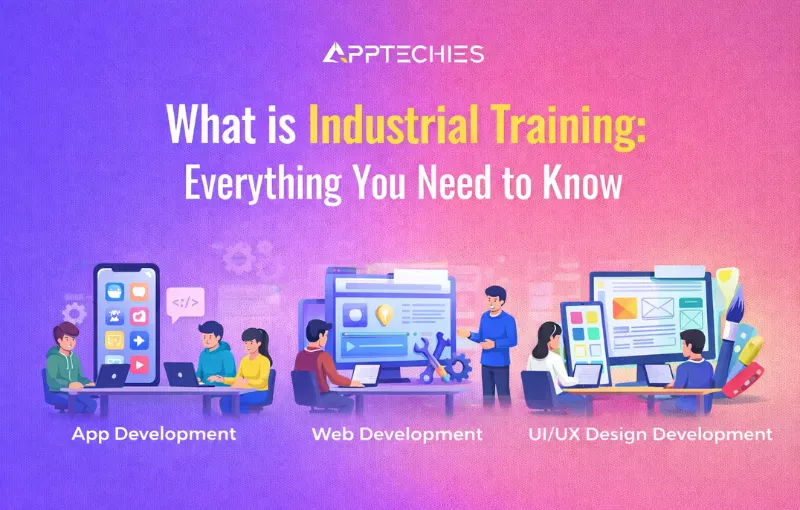
  • What is Industrial Training: Everything You Need to Know

    In today’s fast-changing world, the IT industry is key to driving new ideas and shaping different parts of the economy. In order to succeed in this competitive area, aspiring professionals must be equipped with the knowledge and abilities necessary to keep up with the ever-evolving technological environment.

    Where theoretical knowledge plays an important role in education, practical training or industrial training in Chandigarh plays a specific role in job placement. Especially in the IT industry, you must have practical skills to gain stunning opportunities for your career.

    In this blog, we will explore what it actually is industrial training, how it matters in the modern world, and their goals to succeed in their career. We’ll also review the industrial training courses you need to check out. So, let’s get begin!

    What is Industrial Training?

    Industrial Training is defined as a program designed to offer organized, practical training within a specific time range. Government agencies and private sector companies both offer this training.

    Industrial training helps students become the best and most successful professional engineers by providing them with valuable practical knowledge and skills. The main goal of industrial training is to give students the best and most relevant theoretical knowledge in a set time frame. Students complete their industrial training in 12 to 14 weeks and must pass an assessment to graduate.

    industrial training

    It offers an opportunity to work on live projects and internships to select career paths with various work settings and exposure to the newest technology. Also, it’s being utilized by a significant and pertinent industry, among other things.

    Why Does Industrial Training Matter In The Modern World?

    Industrial training is crucial in today’s fast-paced world because it bridges the gap between theoretical knowledge and real-world application. It provides the hands-on experience that is essential for career success. Here’s why it matters:

    Skill Enhancement

    Industrial training helps to boost your practical skills on live projects. It makes sure students are ready for the challenges of their future careers by exposing them to the newest technology, techniques, and industry best practices.

    Career Enhancement

    Industrial training has long been seen as a key way to develop new engineering graduates. It’s a common method for shaping talented engineers into skilled professionals who are ready to excel in their fields.

    Technological Advancements

    With rapid technological changes, industrial training helps individuals to stay updated with the latest tools, machines, and technologies. This ensures that the workforce can efficiently use modern equipment and software. Also, this leads to increased productivity and innovation.

    Better Job Opportunity

    While doing industrial training in the IT domain, you will gain significant skills that help you get a job. This training not only shapes your practical skills but also improves your soft skills like communication, presentation skills, problem-solving skills, and many more. This will surely open your door to new opportunities that help you succeed in your career.

    Practical Projects and Case Studies

    At Apptechies, we focus on hands-on learning with practical projects and real-life case studies. Participants work on industry-specific projects that simulate real work situations. This helps them to develop problem-solving skills and critical thinking abilities. Moreover, our unique learning sessions will help you to gain skills according to your learning ability.

    Placement Assistance

    The industrial training program aims to equip you with the knowledge and skills necessary to land your ideal job and provide training. This training offers work opportunities and places candidates who are prepared for employment. Moreover, we have created a course syllabus that will make sure you get the most out of your internship.

    What Will You Study During The Industrial Training Course?

    At Apptechies, we offer excellent, unique courses for your industrial training in the IT sector. Our training program is tailored for high school graduates, college students, dropouts, small business owners, and individuals starting their careers.

    During industrial training, we offer various development courses and IT service-based courses such as PHP, MySQL, MERN, MEAN, Mobile App development, company internships, marketing and sales, and HR and recruitment. Participants also gain hands-on experience with live projects.

    Let’s have a brief look at some courses

    PHP

    • Introduction to PHP
    • PHP Syntax and Variables
    • Control Structures
    • Functions in PHP
    • Arrays in PHP
    • String Manipulation
    • Forms and User Input
    • Working with Databases
    • Object-Oriented Programming (OOP) in PHP
    • AJAX and jQuery in PHP
    • Web Services and API Integration
    • Advanced Security Practices
    • Testing and Debugging Strategies
    • Content Management Systems (CMS) Development

    Python

    • Introduction to Python
    • Python Basics
    • Data Structures
    • Object-Oriented Programming (OOP) in Python
    • Advanced File Handling
    • Concurrency and Multithreading
    • Networking and Socket Programming
    • Database Connectivity and ORM
    • Python and the Web (DJANGO)
    • Python and the Web (FLASK)
    • Data Analysis and Visualization
    • Introduction to Machine Learning with Python

    Java

    • Introduction to Java
    • Java Basics
    • Object-Oriented Programming (OOP) in Java
    • Exception Handling
    • File Handling
    • Collections Framework
    • Multithreading
    • Java Database Connectivity (JDBC)
    • GUI Programming with Swing
    • Networking in Java
    • JavaServer Pages (JSP) and Servlets
    • Introduction to Spring Framework
    • Hibernate Framework
    • Introduction to RESTful Web Services
    • Project Work and Real-world Applications

    Full Stack Web Development

    • Introduction to Web Design
    • HTML
    • CSS
    • Responsive Web Design
    • JavaScript
    • User Experience Design
    • Web Design Tools and Technologies
    • Web Animation & Design Project
    • Introduction to React
    • JavaScript Frameworks
    • React Advanced Topics
    • Node.js Fundamentals
    • Express.js Fundamentals
    • MongoDB Fundamentals

    Digital Marketing

    • Introduction to Digital Marketing 
    • Learning WordPress
    • Search Engine Optimization (SEO) 
    • Social Media Optimization & Marketing
    • Google Analytics 4
    • Google Tag Manager (GTM) 
    • Content Marketing
    • YouTube Marketing
    • App Store Optimization (ASO)
    • Google My Business (GMB)
    • Google Ads
    • Facebook Ads
    • Email Marketing
    • Online Reputation Management (ORM)

    Final Thoughts

    Industrial training is an important part of aspirants’ education, offering more than just theory. It gives individuals a comprehensive understanding of their field, enhancing both technical skills and professional preparation.

    At Apptechies, we provide top-notch industrial training with a range of IT courses. Experience a FREE DEMO CLASS where you can join live sessions with industry experts to discuss your syllabus, clear doubts, and explore our learning materials. Why wait? Enroll in industrial training at Apptechies in Chandigarh today! Reserve your spot for the free demo class now.


    Top 5 Mobile App Development Trends to Watch in 2026


    Industrial Training Enroll Now

  • React VS Vue: Everything You Need to Know

    In the dynamic realm of web development, choosing the right structure is crucial for creating apps. It facilitates developers’ production of the most striking and responsive online output.

    These days, mobile app development companies in the USA want to develop high-quality web apps quickly. The number of tools and frameworks available is growing, and the web continues to gain popularity and demand.

    You can choose from a wide variety of React JavaScript frameworks available today to build a high-quality online application. In the web world today, React and Vue are acknowledged as two of the most well-liked frameworks. However, a fundamental question frequently arises: Which of the two frameworks is the best?

    This blog post offers you a clear overview, covering basics, stats, features, examples of apps using each option, brands that use them, and their pros and cons. It also highlights key similarities and differences. If you’re a business owner looking to hire mobile app developers, this guide will help you make the best choice.

    What is React And Vue?

    Choosing between React and Vue for your web app development can be tough, as both are popular technologies. To make the right decision in the React VS Vue debate, it’s important to understand what each technology offers individually for web development.

    Below, we mentioned some basic explanations of both technologies:

    What is React?

    A JavaScript library called React is open source and used to develop complex user interfaces for online apps. Facebook developed it in 2013 as a tool to design dynamic user interfaces for different websites. React is based on the virtual DOM, which is a representation of DOM elements created with React components.

    React lets developers create custom reusable components, speeding up development. Additionally, its quick page loading helps with search engine optimization.

    What is Vue?

    Vue.js, commonly referred to as Vue. It is an open-source, progressive JavaScript framework. It builds user interfaces and web apps. It was created by Evan You in 2014 as an alternative to heavier frameworks like AngularJS and React. It is available as an open-source project. Developers prefer Vue.js over React for its simplicity and flexibility. So, it has a higher adoption rate.

    Also, Vue.js’s adaptability makes it ideal for both new web apps and existing ones. Also, web apps’ detaching features and customizable modules let developers expand their functionality.

    Why React and Vue are So Popular in 2026?

    React

    React popularity has grown in the last five years. React has at least 1644 contributors and 216K+ stars on GitHub. React used to develop over 13.55 million live web pages, due to its extensive community of contributors. Also, React.js got 42.87% of the votes in the 2023 StackOverflow survey on web frontend tech.

    Below are the benefits of React that make it a top choice for developers in 2026:

    Key Features of React

    Let’s explore the top-notch benefits of the React.js for your web app development:

    Simple UI library

    React’s popularity is evident, with over 13.55 million live websites built using it. Unlike other front-end frameworks, React is easy to use. It has a component-based design and a clear lifecycle. It uses a specific syntax known as JSX. This allows it to use both HTML and JavaScript.

    Dynamic Web Development

    React.js uses JSX to display code components more easily. JSX is a JavaScript extension that supports HTML quotes and syntax. Also, React uses HTML strings and machine-readable code. It builds dynamic web apps.

    Reusable Components

    React.js is comprised of several parts, each executing short, reusable HTML code lines with its own logic and controls. Thus, you can easily construct and manage your web application by utilizing its components wherever needed. To construct intricate applications, you can even make nested components.

    Enhanced Web App Performance

    The virtual DOM that React.js uses to work with HTML, XML, or XHTML helps to speed up your web application. The finest part is that its virtual DOM runs in memory and updates code there, resulting in extremely fast applications.

    Large Community: React is an open-source JavaScript library. It has a global developer community of over 14.7 million. They work to improve ReactJS and help other developers.

    SEO-Friendly

    React has confirmed that JavaScript frameworks are typically not search engine optimization-friendly. React JS frontend also functions on the server side, and with the help of the Next.js script, the Virtual DOM is shown in the browser as a standard web page.

    Drawbacks of React JS

    Act as a library, not a framework

    Although React is a leading front-end JavaScript library, it does have some drawbacks. Its flexible code structure can be beneficial but may also lead to inconsistent code. This makes it harder for developers who aren’t familiar with the project to grasp it.

    Tricky Syntaxes

    ReactJS uses JSX, which necessitates writing code by assembling JavaScript and HTML into components. While it has its advantages, some could view it as a drawback, particularly for novices.

    Continuous Updates

    React is updated frequently, so developers need to keep up with new changes and what’s being removed. This means staying actively involved with the latest React.js developments.

    Vue.JS

    Vue.js has emerged as a top framework in 2026. With a Reddit community of 99k members, it ranks in the top 5% by size. According to BuiltWith, over 1.6 million live websites use Javascript Vue, and it’s the 4th most popular JavaScript library among the Top 10k sites. According to StackOverflow, about 18.82% of developers worldwide prefer Vue.

    Benefits of Vue

    Simplicity

    Vue.js uses a single-file component system that combines HTML, CSS, and JS in one file. This makes it easier for developers to test, understand, optimize, and fix specific app parts.

    Variety of Support Tools

    It is incredibly powerful and has a wide range of tools, yet it has a small file size. To be more specific, Vue CLI, a globally installed npm package, makes it possible to scaffold a new project quickly using Vue Create.

    Lightweight

    The Vue.js framework only weighs about 20 kilobytes. As a result, it takes up little space on your computer and is easy to download and install.

    Integrates with other Frameworks

    Vue.js has no issues with other frontend tech, like Angular and React, in a micro-frontend web app. Also, Vue.js works well with these two front-end technologies. It lets you modify your app’s UI to meet project specs.

    Drawbacks of Vue.js

    Lost in Translation

    Most people in the Vue.js community are from China, where the framework was developed and launched. As a result, developers who wish to use it face a language barrier. Most of its documentation is not translated into other languages.

    Less Expertise

    Vue.js is still evolving, so it has fewer contributors, and you might find it challenging to hire Vue.js developers who meet your needs.

    Limited Plug-ins

    The Vue.js framework uses plug-ins less frequently than competing frameworks. Furthermore, this can be a little difficult for developers who are used to having access to support tools.

    Frequent Updates

    It gets upgraded too quickly, compared to other front-end tech. This makes it hard for novices to learn and explore.

    In-Depth Comparison of Rect vs Vue

    Vue.js and React.js share many similarities, but choosing between them depends on their key differences. Let’s look at these differences to help you make a decision.

    Data Flow Scale

    React.js

    Smart components in React.js manage state. Dumb components decide what to do in specific scenarios.

    Since their main duty is to “present” items to the DOM, dumb components are also known as presentational components. A React.js application can operate more quickly with these elements, which lets intelligent React components run in the virtual DOM.

    Vue.js

    Vue uses a system similar to React’s Vuex for managing state, with a one-way data flow. It also supports two-way reactive data binding, which makes managing data easier by automatically handling updates. Vue’s built-in reactivity system makes it simple to track changes and update the DOM.

    Performance in React Vs Vue

    In ReactJS, updating the state triggers a re-render of the entire component subtree. ReactJS handles replacing the state with a new object quickly and has faster startup performance. It also performs well with large tables and many simple cells. However, to optimize performance, you may need to manually update shouldComponentUpdate or use pureRenderMixin.

    When it comes to any type of in-place data mutation, VueJS is unquestionably the finest. There are exactly as many triggers as there are changes. It takes a little longer if new objects replace the entire state. However, VueJS excels at creating complicated, multi-component apps because it optimizes runtime performance by default.

    Popularity in React vs Vue

    Over the last five years, ReactJS has grown in popularity. However, VueJS has not grown very quickly but has remained steady. It remains in the game. Remarkably, just a few significant nations utilize ReactJS, whereas Vue has users practically everywhere in the world. If you compare the two in terms of users, ReactJS comes out on top. ReactJS and VueJS are merely four steps apart.

    Community Support

    Being open-source, ReactJS benefits from a large and active global contributor community. It also has a greater content library than Vue. In 2021, 70% of the community cast ballots in support of it. In contrast, VueJS requires more contact and problem-solving. There is a robust community supporting VueJS.

    Vue is very popular on GitHub, although it’s not widely used. This suggests that those who have tried it are happy with it and would recommend it. Plus, the VueJS community focuses heavily on developing and building new features.

    React makes it easier to create interactive UIs. It refreshes and shows only the needed parts when your data changes. This is important if you design simple views for each app phase.

    Mobile Development in React vs Vue

    Vue is working with NativeScript to create cross-platform apps. Meanwhile, React lets developers easily build native iOS and Android apps with React Native.

    React Native was released by Facebook with a special emphasis on mobile app development. Because you can share up to 90% of the code across many OSs, developers often rank it as a top cross-platform framework.

    On the other hand, Vue is not a strong alternative to React Native. It supports mobile app frameworks like Weex and NativeScript. But, it is less recognized than Facebook’s invention. Additionally, we have discussed a thorough comparison of React and React Native. As a result, you can understand these new technologies quite well.

    State Management in ReactJS and VueJS

    In ReactJS, dynamic properties are managed through state. There are four main types of states: local state, global state, server state, and URL state. Each React component has its own dynamic data store. You can manage the state using popular libraries like Redux, MobX, or the native context API. MobX is the easiest option.

    In Vue, state management is a self-contained system with three main parts. The state is the core data that drives the app. The view is a clear display of this state. Actions are how the state changes in response to user interactions with the view.

    Application Size in React vs Vue

    When comparing React vs. Vue JS, basic React apps tend to be larger (1-2 Mb), whereas Vue apps are typically smaller (50-100 kb).

    React does not create smaller apps despite being a library rather than a full-fledged framework. However, the React team has been working on it, and in the most recent version, they successfully reduced the app’s size by 30%.

    On the other hand, due to the lightweight framework, Vue apps are incredibly minimal. Developers can reduce the code size and improve load times by using lazy loading components.

    Things to Consider Before Choosing React and Vue

    When considering the use cases for Vue, React, and other JavaScript frameworks, each of them offers impressive capabilities. Let’s look at some specific use scenarios where Vue or React might be better suited so you can make an informed choice:

    React.js Use Cases

    Mobile App Development

    React Native makes use of React’s components. It enables you to reuse code between online and mobile applications if your project involves developing mobile apps.

    Large-Scale & Complex Apps

    React is a powerful competitor for complex and large web applications, especially those involving substantial data processing, because of its performance and scalability.

    High-Performance Apps

    React’s virtual DOM and state management features are ideal for high-performance applications like data dashboards and real-time systems.

    Enterprise-Level Apps

    React’s ecosystem provides the tools required to build enterprise applications with scalability and a wide range of features.

    Established & Large Communities

    React JS frontend is advantageous for projects that need extensive community support, third-party libraries, and a wide range of solutions.

    Vue.js Use Cases

    Single-Page Applications (SPAs)

    Building SPAs is an ideal application for Vue’s component-based design, as code modularity and maintainability meet essential requirements.

    Projects with Tight Deadlines

    Vue can be used for projects with tight schedules because of its mild learning curve, enabling developers to be more productive quickly.

    Small to Medium-Sized Apps

    Vue is a great option for smaller apps when speedy development and little overhead are essential because of its simplicity and decreased bundle size.

    Prototyping

    Vue is the best tool for prototyping and trying out new concepts because of its rapid development capabilities and ease of understanding.

    Growing Startups

    Vue can be an excellent choice for startups because it achieves flexibility and scalability without being overly complex.

    What Should You Consider For Your Next Project?

    Any requirements and needs can be met by implementing both web development technologies. With their assistance, you can create user interface elements, web apps, and single-page applications.

    You can use React and Vue components in the same app. There are scenarios where one technology may be more suitable. Below is a comparison table to help you choose between React and Vue.js based on various factors:

    Conclusion

    In conclusion, Vue and React are both effective technologies for building complex web applications. Their development has advanced significantly. Both technologies have been improved in new versions, which aid developers in their jobs and enhance user experience.

    If you still have any queries, don’t hesitate to contact the web experts at Apptechies. With a proven track record of delivering innovative solutions, Apptechies can be your trusted IT partner. We provide full-service solutions, covering everything from design to development.

    Share your requirements with us today, and let’s turn your investment into valuable returns for a brighter business future.

    Frequently Asked Questions

    Q. Can I Use Vue With React?

    Ans: You can seamlessly incorporate Vue components into your React application, blending the advantages of both frameworks. Similarly, React components can be seamlessly added to your Vue.js projects, opening up new possibilities and enhancing your development workflow.

    Q. What Is The Main Difference Between Vue & React?

    Ans: React exclusively uses JSX, while Vue also utilizes HTML templates. Its team has produced many widely-used tools, and Vue offers a range of community-made solutions. All of React’s functionality is contributed by its community; it just supplies components and DOM manipulation.

    Q. Does Facebook Use Vue or React?

    Ans: Facebook primarily uses React. React was created by Facebook and is extensively utilized across their platforms. This includes Facebook itself, Instagram, and WhatsApp. Vue is not used by Facebook. It is a separate framework created by Evan You and is used by other companies and projects.

    Q. Why Do People Prefer Vue Over React?

    Ans: People prefer JavaScript Vue over React for its simplicity, easier learning curve, clear documentation, and straightforward integration. Vue’s intuitive design makes it ideal for quick development and smaller projects.


    25 Best Augmented Reality Apps: Step Into The Future

  • What is Custom Software Development: A Complete Guide

    In today’s fast-changing business world, using technology has become essential. Custom software development is now a key tool that helps companies stay ahead and succeed. Custom software can help. It can simplify operations, boost customer engagement, and give you a competitive edge. It will let you innovate and transform your business.

    Recent studies show that about 90% of businesses are now digital. This trend will grow due to tech giants’ multibillion-dollar investments in big data, ML, IoT, and AI. Additionally, the global market for custom software development is anticipated to grow at a compound annual growth rate (CAGR) of 22.3% between 2022 and 2030, reaching USD 24.46 billion.

    This guide will delve into custom software development, comparing it with off-the-shelf solutions and highlighting its benefits. You’ll discover various types of custom software and the essential stages of the development process. Understanding custom software will help you make smart choices that advance your business. Let’s explore how custom software development can become the cornerstone of your technological success.

    You Can Read Also: Top Trending App Ideas for Startups

    What is Custom Software Development?

    The process of developing specialized computer software exactly suited to a person or business’s needs is known as custom software development. It entails taking the concepts and specifications of a client and turning them into a software program that precisely satisfies their needs.

    Custom Software Development

    No matter the industry or type of business, customized application software development helps improve operations, boost customer experience, and stay ahead of the competition. It also helps understand customer pain points and predicts future needs.

    Unlike off-the-shelf services, this agile software development is custom-built to match the client’s needs. Custom software development is growing in popularity. It allows businesses to provide unique solutions that generic software cannot.

    What Are The Types of Custom App Development Solutions?

    The needs of your organization and your industry should help you choose the right custom software. Consulting with a seasoned custom software development company is a key initial step in this process.

    Here are some of the most popular custom software apps to consider:

    Industry-specific Software

    Custom software is made to fit the specific needs of industries like healthcare, education, finance, manufacturing, or retail. These solutions usually include features and rules specific to each industry.

    Content Management System (CMS)

    A content management system (CMS) lets you update your website’s content, like posts and blogs, without needing a web developer. As a result, it makes fundamental activities easier for businesses to handle and improves the main sections of their websites. You may add new pages to your website with a content management system (CMS) without starting from scratch with coding. It also saves a lot of money that would otherwise be spent on handling other important tasks, storing images, and building web pages.

    Operations Management Software

    Operations management software lets businesses run many processes at once. It can also automate manufacturing. However, this software aims to ensure efficient, successful procedures. It seeks to provide the best outcomes for clients.

    SaaS Development

    Software as a service (SaaS) is one of the computing industry’s fastest-growing categories. According to IT, the SaaS industry will be valued at over $700 billion by 2030.

    This eliminates the need for costly and intricate hardware administration and enables SaaS providers to grant their customers access to web applications. Adopting a suitably designed solution can easily meet any SaaS customer’s unique requirements.

    Customer Relationship Management (CRM)

    Customer Relationship Management (CRM) software, as the name implies, enables organizations to keep track of individuals, including vendors for the marketing and sales department, customers, and referrals. Additionally, keeping your customer information organized in one place helps you manage customer relations more effectively. As it automates routine activities, tracking performance and productivity is simple.

    Video Streaming Software

    In today’s fast-changing digital world, streaming platforms are very popular and widely used. They let people watch content offline after downloading it without an internet connection. A well-known example is Netflix, which offers movies and series exclusively for its users. Another example is YouTube, where users can watch videos and upload their own content.

    Fintech Software

    Fintech software helps manage banking, digital wallets, crowdfunding, and crypto. It benefits both financial institutions and their clients. Secure fintech solutions can greatly improve user experience at financial firms. They can also protect clients from fraud and data theft.

    Healthcare Software

    Healthcare software is a great solution for both medical professionals and patients. It helps manage patient records, book appointments, create personalized treatment plans, and schedule doctor visits. Developing custom software makes it easier to handle many tasks, improving efficiency and care.

    What is the Difference Between Custom Software and Off-the-Shelf software?

    Every company is different from the next in terms of size, nature, and mode of function. These are the issues that every business faces. Prepackaged off-the-shelf software solutions are insufficient to address the particular problems that every firm faces.

    For instance, some businesses need a solution for data analysis or workflow automation, while others want an application to handle their e-commerce shipping and fulfillment.

    Here’s a quick comparison of off-the-shelf vs. custom software to guide your decision-making:

    off-the-shelf vs. custom software

    Who Requires Custom Software Solutions?

    Developing custom applications is a great way to blend business creativity with your company’s expertise. If you know what you want and how to get it, creating corporate or custom software will be simple. Companies considering software development outsourcing want to assess prospective technology partners according to their capabilities.

    When choosing an outsourcing partner, consider past performance, tech skills, and how well they understand your business needs. Let’s review some key factors to consider.

    Startups

    Custom software solutions help startups quickly create software tailored to their unique and evolving needs. Since startups often have specific requirements that change, custom software is a great way to meet these needs efficiently.

    Small and medium-sized businesses (SMBs)

    SMBs may not have the budget for expensive off-the-shelf software. Custom software offers more affordable and specialized solutions tailored to their needs.

    Enterprises

    If you want to boost your productivity, automate tasks, and make your workflows more efficient, custom software is an excellent solution! It will surely help you improve overall performance and organization.

    Nonprofit organizations

    Custom software assists nonprofits with limited budgets by simplifying tasks like fundraising, scheduling volunteers, and processing donations, making their operations more efficient and tailored to their needs.

    Government agencies

    Custom software helps government agencies cut costs, increase efficiency, and enhance services for citizens. By using tailored solutions, they can streamline operations and better meet the needs of their communities.

    Pros & Cons of Custom Software Development

    Pros of Custom Software

    Custom software solutions do have some limitations. As a leading mobile app development company in the USA, we know a lot about both off-the-shelf and custom software. We’re here to help you decide which is better for your business. Keep reading to find out the main benefits and drawbacks of custom software development!

    Custom-Made Solution for Your Business Needs

    Custom-made software has a key benefit over off-the-shelf options. It lets you create exactly what your business needs.

    This indicates that you can address a particular issue instead of serving a broad market. As a result, your company will stand out from the competition and gain a competitive advantage. Also, you will have complete control over the software. It will let you add important features, modify it, and incorporate user input.

    More Customer Personalization

    The modern user prefers a customized experience over a service with a generic appearance. In fact, 80% of consumers prefer companies that offer personalized service. This is a result of customers’ desire to be treated like individuals.

    Custom software development improves business-customer interactions. It allows for more personalized solutions. Customer happiness, retention, and loyalty will all rise as a result.

    Boost Your Return on Investment

    In the long term, custom software offers a greater return on investment despite its high cost. Payment for unnecessary hardware or needless functionality won’t be required. Regardless of price, your program is a wise purchase if it is valuable.

    Scalability and Flexibility

    Every business wants to grow, but using off-the-shelf solutions can keep you in place. It’s almost impossible to adjust these off-the-shelf solutions to fit your company’s growth or new market needs. They’re not flexible, and changing them might violate licensing agreements.

    Scalability and Flexibility

    However, custom software development evolves to meet the changing requirements and needs of your business. You can upgrade to new technologies, adjust as needed, and do maintenance.

    Improved Security

    You are in charge of software security because you are starting from scratch and can incorporate it. Off-the-shelf software is free and uses open-source code. So, it’s very easy to hack. This indicates that attackers are already aware of this software’s vulnerabilities.

    Custom-made software is different because it’s a closed-source project. Plus, your developers can set up secure DevOps practices before coding.

    Seamless Integration

    If your business already uses certain tools or technologies, custom software can help them work together smoothly. You might need your business systems to talk to each other. Or, create interfaces to make data sharing easier.

    These features can be difficult to locate in an already prepared tool, particularly due to random APIs. However, custom software development can add this compatibility to a special program. The integration of off-the-shelf software with other apps might not be as smooth as you’d like, despite some alternatives.

    Improved Software Support

    Involving a reliable tech support staff in all development phases ensures quality in custom software. They are experienced with your software, so they can handle any issue. If you include SLAs in your contracts, you’ll get faster responses and resolutions.

    Cons of Custom Software

    Takes More Time To Build

    Custom software development can take a while, especially if you don’t choose the right development team. It requires careful design and can take weeks or even months to see the final product.

    Custom development yields unique solutions even when commercial software requires less assembly time. Additionally, the process can be sped up if you’re ready to pay more for quicker results.

    The Upfront Costs Are Higher

    No matter what kind of industry you want a custom solution, it is always more expensive than a commercial version. This is especially true for custom software development. It’s very important for your organization. However, you save money on security, licensing, and customization.

    Custom software development generally costs between $24 and $35 per hour per developer. However, nearshore developers may charge less due to their local cost of living.

    Demands More Involvement In Management

    Custom software development needs more time and more management from the business. Custom development offers your business more options for your website than conventional solutions.

    Higher Maintenance Cost & Took Time to Complete

    Custom development can bring big benefits but also comes with higher costs. These costs include backups, performance improvements, updates, bug fixes, and testing. Custom-built software needs a specific team of developers to run it. In contrast, commercially licensed software can be managed by many developers.

    However, if your code was written from scratch, you’ll depend on those who can handle it. If there are serious problems, this may lead to increased expenses and service delays if the team is preoccupied with other tasks.

    What Things To Keep In Mind When Developing Custom Software?

    You’ve decided to go with custom software development, but you’re finding that it may be rather overwhelming. To optimize your ROI, you must consider many factors. These include: defining the task, recording specs, hiring developers, and overseeing the project.

    We’ll go over a few procedures that you must follow to guarantee a seamless bespoke software development process.

    Things To Consider When Developing

    Define The Outline Your Business Goals

    It’s important to assess the scope of your custom software from a forward-thinking angle. Setting goals and standards, allocating funds and resources, and becoming ready to act on them are all necessary to achieve this. When building anything, especially apps, it’s crucial to set your method, goals, and how to measure success. These terminology concepts are crucial to the project life cycle as a whole.

    The most suitable clients are those who understand how their application should function and look. Give yourself plenty of time to consider the application’s functions, features, and appearance.

    Identify Key Elements for Successful Project Implementation

    Several factors determine whether a project is effective. Determining whether custom software enhances your business’s value is also crucial. This is a significant issue that must be considered when deciding on the scope and objectives.

    A software development project would help a company in many ways. It could generate leads, improve customer experience, and enhance support. It would also boost scalability, create new revenue, and increase adaptability and income. Ensure your custom software helps your firm grow and scale and gives you an advantage over competitors.

    Hire Skilled Developers for Custom Software

    Hire dedicated developers to ensure a seamless development process. Investing in senior developers will undoubtedly cost more, but it will save you stress, time, and money in the long run.

    While it may seem cost-effective to handle tasks in-house, there are drawbacks. Your IT team has its own work. If you pull them away, it can hurt company performance. Additionally, they may lack design expertise. Outsourcing this phase is often beneficial. You’ll work with experienced teams with a proven track record in designing and testing web applications.

    Aim to Stick to Schedules

    When working with software development services, it is important to be actively involved in the process. This helps ensure your ideas are understood correctly and avoids costly redesigns later. Custom software requires both time and money, so review your schedule and be flexible with your technical team.

    Determine the resources, personnel, and time that you should invest. Decide on a meeting time. Don’t be the reason your programmers are waiting. They will charge you while they twiddle their thumbs.

    Focus On Prototypes And UI/UX

    Making a fantastic bespoke program or application requires extensive testing. Design and development are important. Your software will be built on your prototype. You should have a vision for your program while building a prototype. You must decide how your app will look during the prototyping process.

    Next, focus on the UI/UX design of the app or program. The design should be engaging, motivating, and visually appealing, ensuring the app is easy to use. This step is crucial because real user feedback can help improve the app’s appearance and functionality. You can achieve this through full-stack development services or by hiring dedicated developers.

    Planning To Integrate New Software With Your Current System?

    Before developing your custom software, ensure it works with your existing systems. Some companies have outdated systems. So, integrating custom software with them can take time and effort.

    Custom techniques should integrate with existing systems, procedures, and apps. They should form a cohesive framework. Custom software can bring many benefits. It can improve sales, create new revenue streams, and satisfy customers. Also, it can offer user-friendly solutions, be accessible, and encourage interaction.

    Find Key Project Risks

    You should strive to fall as gently as possible, even though things are still not going well. To do this, find the risk tracker that has plans for minimizing and resolving risks early in the cycle. Software development providers should create a risk management plan. It should proactively identify risks and notify clients of potential issues. All the major risk variables need to be anticipated.

    Stay cautious by thinking ahead and listing all possible problems during project implementation. By identifying potential issues early, you’ll feel more prepared and ready to handle them effectively.

    Keep Clear Communication With Your Development Team

    A successful software project reduces misunderstandings, delays, and errors. It does this with clear, effective communication. Whatever the task’s level, communication is essential. Having open lines of communication is essential when starting a project. As a customer, you should clearly communicate the specifics of your product and your plans for it.

    Clearly communicating your needs helps software development companies deliver exactly what you want. To keep everyone aligned, document the project scope.

    Test Properly Before Launching

    Before launching the new program across your company, make sure to test it first. Testing has two stages. Developers and IT check the tech. Then, beta users test if it works and meets their needs.

    Software development companies should check, verify, and approve the execution report. When you release the product, you should review and focus on what worked well and what did not during the project life cycle. This will enable the team to adjust the plan for the next project accordingly.

    Keep Decision-Makers To A Minimum

    Custom software development rarely involves one person. Some of your software’s components will likely require updates from your team members. The project team needs input from all stakeholders. But, one person must keep the project’s integrity.

    When different decision-makers are involved, a project can quickly deviate from its original plan. Gathering input from all involved parties is essential. But, you must name a single point of contact for any project inquiries. This will assist you in maintaining system focus and guarantee that the project stays on course.

    Mistake to Avoid When Developing

    Overcomplicate the UX design

    A complicated user experience can reduce satisfaction. It can also increase costs and challenges by prolonging development. The more complex the design, the more time it takes to code, test, and fix. Focus on user-centered design principles to keep things simple and meet user needs:

    • Find the simplest way to meet your users’ needs. When unsure, remember to focus on what your users really need. That should be the heart of your design.
    • Design with ease of use and simplicity in mind. When it comes to UX, less really is more. Cut out extraneous components and concentrate on the essential ones that directly assist the user.
    • Use recognizable and consistent design patterns to make navigation intuitive. Your software should be self-explanatory so users don’t need to learn how to utilize it.

    Improperly Manage User And Business Data

    Business executives shouldn’t cut corners on software security when developing custom software solutions. Security lapses can be expensive for the company, erode consumer confidence, and harm the company’s brand. It is crucial to invest in safe software development. It will safeguard the business, its customers, and its information. This will ensure the company meets industry standards, like the GDPR. It will also help prevent costly security breaches.

    Be aware of the risks when sharing your data or intellectual property with a software development partner. Sharing sensitive information can lower your security. This risk is sometimes necessary. But, consider the impact before sharing your data with vendors.

    Avoid Integration Requirements

    Every business will require a different level of software integration. Many off-the-shelf software systems have integration services. But, they may not be the best fit for your business. You can choose which enterprise apps or current software to combine with your own software. Direct integration with other software has two benefits. It improves efficiency and cuts costs from third-party integration solutions.

    The software development phase must include all required integrations. These should be extensively tested and documented in the requirements-gathering phase before deployment.

    Minimize The Impact Of Changes In Scope

    Custom software development is expensive and time-consuming. Changes to the project’s scope may greatly affect its budget and schedule. To prevent an unexpected cost increase or delay, take these precautions:

    • Document your project requirements clearly from the start. Many businesses think they know what they want, but as development begins, they often find important details are missing. Missing requirements can change the project scope and increase costs.
    • Avoid adding new features during development. Although it may seem alluring, adding more features might cause delays and increased expenses.
    • Get an accurate cost estimate. It’s tough to predict development costs. A detailed estimate reduces the chance of unexpected expenses.

    The most important thing to realize is that, despite your hopes, modifying the project’s scope probably won’t be easy. A minor change may require updates to the software, UI/UX design, and resource allocation. It may also affect the budget and cause delivery delays. This means before a modification is sent to the software engineers, it should be thoroughly thought through.

    Take Too Long To Initiate User Testing

    An excellent testing plan is essential for software development. Don’t wait until the software is complete; test it at each stage of development. This way, you get feedback early and can make improvements to the design.

    Make sure you have enough workers to help with ongoing testing and collaborate closely with your software development business to design a QA test plan.

    Neglect Post-Deployment Support

    Remember to account for support and upkeep when developing custom software for your company. To keep your software secure and reliable, monitor its performance, advance its tech, and provide on-call support.

    You must understand the exact post-launch support that is covered. Also, know how to contact the crew if you need help later.

    What Is The Process For Developing Custom Software?

    If you’re starting a business or developing software for a small company, follow these 5 points. They explain custom software development. Let’s examine each stage in a straightforward manner.

    Step: 1 Identify Your Business Challenges

    Start by identifying your main business challenges. Every business has unique processes and needs. So, a one-size-fits-all software won’t work for everyone. You need a custom solution designed to address your specific business problems, such as:

    Identify Your Business Challenges

    • Taking charge of a big workforce
    • Increasing productivity at work
    • Increasing revenue for businesses

    You must decide which company concerns are most important to you before developing your custom software program. Concern to your management group, company executives, and staff members in-depth about your needs and issues.

    You must now check the requirements. They can help you reduce the issues you’ve had after this phase of discovery.

    Step: 2 Requirements Analysis and Planning

    The requirements gathering and analysis stage is a crucial first step in custom software development. This is when the dev team works closely with the client. They seek to fully understand the client’s needs, goals, and software expectations. This step sets up the project for success.

    At this stage, the following are essential activities:

    Identifying the client’s needs: The development team talks with the client to gather details about their goals and the problems they want to solve with the software.

    Specifying the extent

    Based on the gathered requirements, the project’s scope is defined, outlining what the software will and will not include.

    Selecting Methodology & Technologies

    The team picks a development method (e.g., Agile, Waterfall) and a tech stack (programming languages, frameworks, tools) to build the software.

    Making a plan for the project

    A detailed project plan specifies the timeline, milestones, resource allocation, and budget for the software development.

    After gathering requirements, the custom software company analyzes them. It then develops a solid plan for the business’s unique software. This step is important to make sure the development team can meet the client’s needs. The client’s goals are turned into a clear plan that matches both the client’s and the team’s vision.

    An SRS document contains the client’s needs. It guarantees mutual understanding and clarity. This document guides the product’s design and development. It helps avoid misunderstandings later. Both parties must review and verify the SRS document before moving on to the next development stage.

    Step: 3 Hire a Custom Software Development Company

    Undoubtedly, many top software development companies exist in the IT industry. So, it’s hard to find a perfect development company. They must understand your goals and help you boost your ROI with great results.

    Many large businesses choose to work with top software development outsourcing companies. The global outsourcing market will reach about $1,138 billion in 2026. Here are some benefits of outsourcing to a custom software development company.

    • Conserves time
    • Minimize risks in software development
    • Facilitates scaling
    • More skilled professionals are available
    • Availability of several services

    When you need to choose the right software development company, you must choose Apptechies. We believe in offering the best and custom solutions according to the needs of your goals. We analyze your business needs and create software solutions to make your brand stand out. Our top NYC app developers can create a perfect mobile product for your business.

    We’re a leading force in New York’s mobile app market, known for successful partnerships and cutting-edge solutions. Our job success rate is 100%, and we have completed more than 950+ projects. Our technical experts are excellent communicators, and we offer ZERO upfront fees. So, bring your app idea to Apptechies in New York, and we’ll help you turn it into a successful business!

    Step: 4 Development and Testing

    Development and testing are key phases in custom software development. They transform the design into a working product. This stage usually needs the most time and resources as it involves the actual coding and software implementation.

    Start the software development process by signing an NDA. It will protect your ideas and information. This step takes time, but it’s crucial for creating a custom software solution. As a business owner, you must ensure everything is on track and the development is going well.

    You can frequently contact the technical development team or the project managers for this purpose. Plan execution can be faster if all components align. This includes the system requirements, architecture, and wireframe.

    The software team will test your app as soon as it’s ready. Testing is done to find and fix errors in a finished product, before release. During testing, testers conduct various types of both functional and non-functional tests. They focus on evaluating key features such as:

    • Essential features of an application
    • Installation on computers with localized settings
    • Compatibility across various devices
    • Text input

    If any bugs are found, they are fixed and retested. Until the software satisfies quality standards, testing is conducted continuously. The software needs to be tested by both the client’s team and the developer’s team. The kinds of software testing methods listed below are what you should use to evaluate the quality of your custom program:

    Below, we mention the types of testing software that you must implement in your custom software development process:

    Functional Testing

    Functional testing entails examining a software application’s features and functionalities. When conducting functional tests, you must test every single program function. You also need to assess whether or not you are achieving the desired outcomes.

    Functional tests can be run manually or automatically. Functional testing can be conducted using Selenium, soapUI, Watir, and JUnit.

    Various types of functional testing consist of

    • Unit testing S
    • moke testing
    • Interface testing
    • Whitebox testing
    • Black box testing
    • Acceptance testing
    • Regression testing
    • End-to-end testing
    • Integration testing

    Non-functional Testing

    Non-functional testing assesses the non-functional elements of an application, including performance, security, usability, and reliability. It is done after functional tests.

    Non-functional testing can significantly improve the quality of your program. It examines numerous aspects of the software’s operation in addition to its functionality.

    Various types of non-functional testing consist of

    • Load testing
    • Failover testing
    • Security testing
    • Usability testing
    • Endurance testing
    • Efficiency testing
    • Performance testing
    • Reliability testing
    • Localization testing

    Step: 5 Software Deployment and Maintenance

    Releasing a software application involves careful testing to ensure it works well and is reliable. Even after release, the project isn’t truly “complete.” The real test happens when the software is used in real situations where unexpected issues might come up. Some problems need quick fixes to keep things running smoothly, while others can be improved in future updates. This shows a commitment to continuous improvement.

    When deploying software, you need to choose between cloud-based or on-premise deployment.

    When software is deployed on-premise, it is housed on the business’s servers and firewalled inside. This used to be the sole method of fusing external programs or software with the company’s source. It is advantageous if total control over integrations with external services is necessary for your organization.

    On the other hand, cloud-based deployment means using a virtual computing environment. This approach offers flexible and scalable resources through cloud platforms like AWS, Azure, and Google Cloud.

    Custom software benefits from ongoing maintenance. The custom software development company continues to support your project after release, handling upgrades and adding new features as needed.

    Best Practices For Custom Software Development

    Integrating custom software with your current systems needs careful planning to ensure everything works well together. Here are some best practices to follow when using custom software development services:

    Analyze Your Current Workflow & Future Requirements

    Before you start developing your own application, you must understand and clearly outline the goals you are trying to accomplish. Why do you want these bespoke business applications? What purpose, enterprise, or other objective can they fulfill?

    As you develop custom software, never forget who your end user is. The main goal and why you need to create a custom application should be evident from the beginning to the end of the building process. However, you can change or add targets as needed. As a result, be careful to understand the following:

    • What are the process and terms of service?
    • Why are changes needed for cloud computing, if any?
    • What are the ideal conditions?

    Hire the Best Software Developers

    Every business is unique in its own way and has requirements that differ from those of a custom software application development company. Therefore, consider the two factors on the checklist listed below before hiring a software developer.

    Don’t choose the cheapest option – a small budget doesn’t mean you should go for the lowest quality.

    Check their portfolio – see who they’ve worked with before and if they’ve had success. Understand their track record before making a decision.

    Outsourcing this checklist makes the most sense. You can work directly with a dev team. They have built and used similar tech for clients.


    Design Realistic Goals and Timeframes

    Naturally, there are some activities that take longer than others, so you should be aware of this. However, the longer a software development project takes than it has to, the more money it will cost. Therefore, you still need to figure out a timeline for your company’s custom software development project.

    Ensure your goals are realistic—building complex processes and shipping frameworks in a week isn’t feasible. Set clear milestones to keep your software project on track. You can also hire a pre-sales professional to create your project’s Work Breakdown Structure (WBS) document.

    At a given time, several growth targets need to be met at regrowth levels. You should review the project to see if any changes need to be made to the planned timeline.

    Perform Accurate Testing

    This is one of the best practices you can do. It often boosts the company’s strong sales model and raises brand recognition. It also saves time and money by fixing tough issues that are often ignored due to a lack of testing.

    Thus, test it before releasing the newest software update to the public. Generally speaking, for any custom software development, the test can be run on two levels:

    • Technical testing: Developers and IT professionals conduct research to ensure that the basic components are functioning correctly.
    • Beta testing: Company beta users test the software to confirm it performs as intended and meets their expectations.

    Communicate Clearly With Team

    No software project will succeed if its teams and individuals are not interacting with one another. It’s essential to maintain constant communication with project participants. This applies to both software design houses and outsourced manufacturing organizations.

    However, this does not imply that you have to hold pointless meetings all the time. Be aware of the developments in the projects, the company, and the mobile software development process. 

    Document the Entire Process

    Documentation is crucial for every stage of the process and implementation to determine what you have and what you want. What can you record?

    Test planning and checklist

    Ensure your custom software is thoroughly vetted.

    Scope declaration

    Avoid struggling with multiple tech issues by defining the project scope.

    Implementation strategy

    Plan who will start using the program and how.

    Training schedule and usage notes

    Provide clear, training to prevent confusion as we roll out the new software.

    Estimated Cost of Developing Custom Software

    It is difficult to estimate the precise cost of custom software development in 2026 because there are so many moving parts. To gain some idea of the typical cost of developing custom software, we might utilize industry knowledge.

    Custom software development could start at a starting point of between $20,000 and $50,000 for smaller projects with fewer needs. These could be simple mobile apps or rudimentary web applications.

    Ascending the ladder, mid-sized projects with additional features and intricacies could fall within the $50,000 to $200,000 bracket. E-commerce platforms and apps with system interconnections may fall under this category.

    Large-scale projects with complex functions, AI capabilities, and numerous interconnections (such as enterprise-level software) may require custom software development at a cost of up to $1 million, easily surpassing the $200,000 mark.

    Average Custom Software Development Cost

    Why Should You Choose Apptechies for Develop Your Custom Software?

    At Apptechies, we create top-quality custom software solutions for all kinds of businesses. By using the latest technologies like AI, blockchain, and IoT, we build strong and scalable solutions just for you. Here’s why you should choose Apptechies for your next project:

    Expertise & Experience

    Our team of experts has deep knowledge of various technologies. Together, we have completed many projects in different industries. Our success shows we can tackle tough tasks. We provide creative solutions that can tackle the toughest tasks’ needs. When you rely on Apptechies, you can be sure that you are working with a company that has the knowledge and experience to realize your vision.

    Communication Skills

    Our team of experts is easy to work with, communicative, and always quick to respond. Make sure they’re ready to work closely with your team to guarantee a smooth development process. Your group needs to have a well-defined communication strategy.

    Agile Development

    The complexity of software development necessitates a carefully chosen methodology. We prefer the agile development method. It allows for flexibility and improvement. It ensures your software evolves with your business.

    Comprehensive Documentation

    Clear and consistent documentation is essential to the creation of successful software. Our thorough documentation ensures a clear roadmap and makes future improvements easier. It covers every facet of the project, from requirement specifications to user manuals.

    Continuous Testing

    Our method of test-driven development ensures high-quality code. We thoroughly test the program at every level to ensure it is dependable, safe, and error-free.

    Budget-Friendly with No Upfront Costs

    We plan time and budgets realistically to make sure your project succeeds. Our clear and accurate estimates help you make smart decisions and keep your project on track.

    Performing thorough Code Reviews

    Our skilled engineers conduct code reviews. It ensures the software meets the highest standards for functionality and quality.

    Maintenance and Support

    At Apptechies, our dedicated team ensures your software runs smoothly and improves over time. We offer reliable support and timely updates to fix any issues and adapt to your changing needs. Partner with us to take care of your software’s maintenance and optimization so you can focus on running your business.

    By following these refined practices, Apptechies consistently delivers custom software. It is both technically sound and aligned with our client’s business goals.

    Final Thoughts

    Custom software development is key for businesses wanting to gain an edge in today’s fast-changing market. Custom solutions help companies. They can solve problems, improve security, and gain control. They also need flexibility and growth to succeed.

    However, custom software has advantages. It is more secure. It boosts productivity. And, it can be tailored to an organization’s needs.

    You must work with a trustworthy, experienced development company if you want to develop custom software. Skilled developers can guarantee that your software solution is made to impress your clients and satisfy your unique needs.

    Frequently Asked Questions

    Q. What Does a Custom Software Developer Do?

    Ans: Custom software developers use their tools, tech, and frameworks. They design and create software from scratch, or modify existing software to meet specific business needs.

    Q. What Are Customized Software Examples?

    Ans: Examples of customized software include tailored CRMs, bespoke inventory tools, custom ERPs, and specialized medical record systems. These solutions meet specific business needs. They have unique features, not found in off-the-shelf software.

    Q. What Does Custom Mean in Coding?

    Ans: The process of designing and creating apps from the ground up is called custom code development. In custom development, a developer writes code to create new software for your business. They consider its specific requirements.

    Q. How Do You Create Custom Software?

    Ans: Below we mention steps to develop custom software:

    • Identify the problem you aim to address.
    • Develop a new idea.
    • Select a software development agency.
    • Clearly outline your requirements and establish KPIs.
    • Launch your software.


    Apptechies Profile on DesignRush


    How Much Does It Cost to Develop an iOS App?

  • Blockchain in Payments: A Complete Guide

    Blockchain in Payments: A Complete Guide

    Blockchain transforms the way of the payment gateway by offering secure, unprecedented speed & transparency. This offers a world where the transaction is efficient, reliable & secure.
    The worldwide blockchain market is experiencing major growth, with predictions indicating it will reach $469.49 billion by 2030.
    Blockchain technology is changing how businesses work in shopping, shipping, healthcare, and property. It’s also transforming how we make global payments, making things faster and more transparent for a better future.
    Explore how blockchain works in payment transactions, uncovering its advantages, challenges, and real-world use cases to understand it better.

    What is a Blockchain Payments System & How Does it Work?

    A blockchain payments system is a way to send and receive digital payments that leverage blockchain technology to facilitate secure and direct transactions without relying on traditional intermediaries.
    Blockchain allows direct trading by verifying and recording transactions on a shared digital ledger through agreement algorithms. Compared to standard payment methods, secret codes ensure that transactions are authentic and safe. Usually, cryptocurrencies like Ethereum or Bitcoin are used.
    Additionally, the immutability of blockchain and payments records makes them equivalent to a permanent history of transactions. Also, it makes it more difficult for someone to fake or tamper with them and reduces the chance of duplicity.

    How does the Blockchain Payments System Work?

    A blockchain is a type of database where information is stored, similar to spreadsheets. However, the key difference lies in how data is structured and accessed. In a blockchain, programs called scripts handle tasks like entering and accessing information, saving, and storing it. Unlike traditional databases, a blockchain is distributed, with multiple copies stored on different machines, all needing to match for validity.
    Transaction information is collected and added to a block, similar to a cell in a spreadsheet. When the block is full, the information undergoes encryption, creating a hash (hexadecimal number). This hash is then included in the next block header, forming a chain of interconnected blocks.

    Transaction Process

    The transaction process varies depending on the blockchain for payments. Using Bitcoin as an example, initiating a transaction through your cryptocurrency wallet enters a memory pool. It waits for a miner or validator to pick it up. Once included in a block, the block is closed and encrypted using an algorithm, triggering the mining process.
    Miners simultaneously work to “solve” the hash by generating random hashes with a nonce (number used once). With a valid hash, the winning miner receives the reward, completing the transaction. However, confirmation requires five additional validated blocks, taking about one hour on average due to the 10-minute block creation time.
    Not all blockchains follow this process; Ethereum, for instance, randomly selects a validator from users with staked ether, making it faster and less energy-intensive than Bitcoin.

    Blockchain Decentralization

    Blockchain decentralizes data across multiple network nodes, ensuring redundancy and data fidelity. This prevents unauthorized alterations, as the consensus of other nodes acts as a safeguard. The distributed nature and encrypted proof of work make information and transaction history irreversible.
    Beyond cryptocurrency transactions, blockchains can securely store diverse data, including legal contracts, state identifications, or company inventories.

    Blockchain Transparency

    The decentralized nature of the Bitcoin blockchain ensures transparent transactions visible to anyone through personal nodes or blockchain explorers. Each node maintains an updated copy of the chain, allowing real-time tracking of bitcoins. While transactions are encrypted for privacy, wallet addresses are publicly recorded, enabling traceability. For instance, in cases of exchange hacks, the movement of stolen cryptocurrency can be traced, providing transparency without compromising user anonymity.
    blockchain transparency

    Pros of Using Blockchain in Payments

    Blockchain technology offers fast, secure & low-cost international payment processing services through encrypted distributed ledgers. It provides trusted real-time verification of transactions without the need for intermediaries such as correspondent banks and clearinghouses.
    Blockchain technology initially enabled the cryptocurrency Bitcoin, but it now provides additional features. Furthermore, there are many other advantages. Let’s have a look:

    Eliminates Intermediaries

    The existing payment system relies on multiple intermediaries, like payment gateways and issuers. That introduces complexities, charges, and delays despite their role in ensuring payment authenticity. These intermediaries pose drawbacks, such as service fees and increased transaction times.
    In contrast, blockchain payment systems offer a revolutionary shift. Transactions are seamlessly settled, authenticity is maintained without intermediaries, and peer-to-peer transfers are effortlessly facilitated. The system allows secure transaction data storage and swift creation of cryptocurrency wallets for efficient payments.
    One of these benefits of blockchain has prompted banks to integrate blockchain transactions & streamline processes. Moreover, it accelerates settlements and eliminates intermediaries for enhanced efficiency and cost-effectiveness.

    Transparency and Safety

    Among the remarkable advantages of blockchain technology is its unparalleled transparency. Every transaction on a blockchain network is not only stored within the blockchain and payments. But is also immutable and visible to all participants.
    This means that there’s no need to concern yourself with record-keeping during payments. The blockchain automatically secures and preserves transaction details, ensuring data integrity.
    Furthermore, the chronological linkage of blocks through their hashes makes tampering virtually impossible. Any attempt to alter records would be immediately apparent, reinforcing the blockchain’s reputation for incorruptible and secure data.

    Reliable & Fast Cross-Border Payments

    Cross-border payments involving individuals in different countries have long faced challenges like multiple intermediaries, high costs, extended processing times, unclear privacy regulations, and a lack of transparency. Blockchain, however, transforms this landscape:

    • Swift Fund Transfers: Blockchain payment systems enable rapid cross-border transactions, reducing processing time from days to a few hours.
    • Reduced Intermediaries: Blockchain’s authenticity and transparency diminish the need for numerous intermediaries, streamlining the payment process.
    • Enhanced Safety: The immutability of blockchain data ensures the safety of payments and information, offering a secure platform.

    For instance, Ripple (XRP) is a cryptocurrency intermediary that simplifies cross-border transactions by converting currencies seamlessly. If someone in India wants to send money to a friend in the USA, it’s transferred as XRP and received as USD, illustrating blockchain’s efficiency in overcoming traditional challenges.

    Smart Contract Automation

    Smart contract automation is a huge benefit, particularly for business owners and operators. With smart contracts, you can:

    • Shorten the duration of the payment
    • Assist in enabling immediate payments
    • Payflows should be automated.

    It is important to provide all terms and conditions for payment transfers in smart contract authoring. The interested party is immediately paid after the requirements are satisfied.

    How can you overcome the challenges of blockchain payment systems?

    Scalability and Interoperability

    These are the main barriers that businesses need to overcome. For effective and seamless integration across many systems, overcoming the interoperability concerns between distinct blockchain platforms is imperative.
    A deep understanding of blockchain technology and its business implications is essential for successful integration. It is crucial to make appropriate plans, invest appropriately, and follow the law. Complete and well-executed research is required on NFTs, cryptocurrency, payment systems, and other commercial issues.

    Scalability Issues

    As the blockchain industry grows in size & usage & scalability becomes a critical concern. Due to their limits in terms of transaction throughput, traditional blockchains may experience delays and congestion.
    Technologies, including sharding, layer-two protocols, and efficient consensus algorithms, are being investigated to improve scalability.

    Lack of Understanding

    Blockchain technology is not easy to learn & adapt. Integrating blockchain technology with current systems can be quite difficult. A substantial financial commitment, technical expertise, and patience are required to ensure the new system integrates seamlessly with the old one.
    Furthermore, the primary challenges with blockchain payment systems are compatibility and interoperability, which might make them challenging.

    Legal and Administrative Aspects

    The novelty of blockchain tech has brought about a lot of confusion regarding rules and laws.
    It’s important to set up clear and thorough rules to get more people to use and trust blockchain payments. These rules should cover keeping data private, ensuring people are who they say they are, and following all the right guidelines. Getting these rules straight is a big deal for making blockchain payments more popular and accepted.

    User Experience & Adoption Challenges

    In order to encourage widespread adoption, blockchain payment systems need to offer smooth experiences and user-friendly interfaces.
    Making things like managing keys, using wallets, and doing transactions less complicated is really important. When blockchain payments are simple and hassle-free, more folks will want to try them.

    Things to Consider Before Implementing Blockchain in Payment Systems

    If you are thinking of investing in a blockchain payment system, you must consider a few things that affect not only your business but also our target audience. It’s not only about the impact on your business but also how your target audience will perceive it. Key factors include assessing the cost, anticipating the audience’s response, and ensuring transparency and security. It’s like ensuring everything fits and works well before trying something new.

    Implementation costs of Blockchain

    Blockchain deployment can be costly. Thus, estimating and evaluating the expenses involved is best before moving forward.
    If implementing blockchain has longer-term advantages than short-term costs, it is a wise strategic move for the company’s future, as determined by a thorough cost-benefit analysis.
    cost of blockchain

    On-Chain or Off-Chain

    One essential decision is to make architectural decisions while working on Blockchain-specific products. Whether it is going off-chain or where it is on-chain. It is critical when business validation and transaction data are involved.
    The main obstacle arises from network latency resulting from data replication across the Blockchain network, with latency increasing as data replication levels rise. That requiring auditability or transaction validation must be on-chain, while off-chain storage is suitable for referential data.
    Businesses can enhance overall throughput without additional network resources by conducting transactions off-chain, updating only the initial and final states on-chain if eventual consistency is satisfactory.

    Adoption by Users

    Before starting any business, we always consider our users or target audience. When making any kind of change or adding a new feature, it is important to determine if the users would accept the changes. The same is the case for the blockchain payment system.
    So, we must consider our user’s feedback or customer surveys to measure acceptance levels and tailor their rollout strategies accordingly. Then, businesses can plan how to introduce it based on what customers like. Also, it’s important to make sure that the way people use the new payment system is easy and makes sense. So, keeping it simple and user-friendly is key.

    Integration with Current Systems

    It is essential to seamlessly integrate a new blockchain payments system with current legacy solutions. It is paramount to minimize disruptions in ongoing operations. A smooth integration not only maintains the efficiency of business operations but also introduces additional transaction options through blockchain, enhancing user experiences.
    Instead of presenting a challenge, blockchain should seamlessly complement and fortify existing workflows, enabling organizations to demonstrate enhanced performance.

    Enhanced Safety Measures

    Safety measures are essential to considering and implementing heightened security measures before adopting a blockchain payment system. This involves evaluating the robustness of blockchain technology to safeguard sensitive financial data and transactions.
    By prioritizing enhanced safety measures, businesses can instill confidence in users and ensure the integrity and security of their payment processes when transitioning to a blockchain payments system.

    How to Set Up a Blockchain in Payments System

    Define the objective of the Project

    When outlining your project scope for implementing a blockchain payment system, it’s essential to determine the approach you will take. Several strategies can be considered:

    1. Developing a new blockchain network and creating a cryptocurrency.
    2. Crafting a new token on an existing blockchain network, such as Stellar or Tezos.
    3. Employing a crypto-payment gateway.
    4. Implementing a payment system using platforms like Ripple or Stellar.

    Careful consideration of these strategies is crucial to align your Project with specific goals and requirements.

    Choose your approach for your Technology Stack:

    Once you’ve established the parameters of your project, the subsequent crucial step is to define your front-end technology stack. This involves clarifying the type of front-end application you intend to offer users and selecting the appropriate technology stack to support it.

    Select your Blockchain Platform

    After selecting your tech stack, you must select your blockchain platform. Numerous platforms offer significant benefits for implementing a blockchain payment system in your business. However, it depends on the approach you choose.
    Thus, you must always review the features and costs of well-known blockchain platforms if you intend to design a blockchain network and token from scratch.
    On the other hand, if your goal is to launch a new token on an already-existing platform, you should carefully consider all of your possibilities before deciding on one.

    Consider how the user flow & payment system will work

    Ensure you have outlined your solution’s working principles and procedures before beginning the development process. You must outline the steps involved in initiating, validating, recording, and verifying transactions in your blockchain.
    Additionally, work with UX/UI designers to give your payment system an easy-to-use interface. By ensuring this, users could easily explore and complete transactions, enhancing their entire customer experience.

    Start Development Process

    An accomplished team is needed for the development of blockchain payment systems. As a result, you need to assemble a team of experts knowledgeable in blockchain technology, smart contracts, and secure coding techniques. This team should include project managers, business analysts, blockchain developers, and consultants.
    Furthermore, it guarantees that the team is equipped to manage all regulatory and compliance facets linked to developing a payment system.

    Test, Deploy, and Launch the System

    Before deploying the solution, you must perform thorough quality assurance testing to find and address any bugs or security flaws. Following deployment, monitor user feedback and system performance to make the necessary upgrades and improvements.

    Top Blockchain Payment Use Cases

    Blockchain technology offers various use cases for blockchain applications in payments, providing an innovative way of carrying out and handling transactions.
    Let’s explore the significant use cases for blockchain technology in payments below:

    Blockchain payments in Cross-Border

    Due to various issues, sending money across borders through traditional methods can be slow and expensive. The major issues are intermediaries, exchange current, processing fees, transparency & security.
    However, blockchain offers a reliable & seamless solution by providing a decentralized system that makes cross-border transactions swift and cost-effective. Thus, it eliminates the need for the intermediate, which helps reduce extra charges and delays and makes it easy to transfer. Moreover, its transactions happen almost instantly, which is ideal for today’s tech world.

    Peer-To-Peer (P2P) Transfers in Blockchain

    With blockchain, people can do direct transactions with each other, skipping the need for middlemen like banks. This means no extra fees, and transfers happen faster and smoother. All you need is a good internet connection to send, get, and move money around.
    Every time people trade directly with each other using blockchain, it’s all written down in a super secure and clear way. This creates a track that everyone involved can check and be sure of. The decentralized nature of blockchain adds extra security, making it a great choice for smooth and trustworthy transactions.

    Retail Payments in Blockchain

    Retail Payments in Blockchain offer numerous benefits to both sellers and buyers. With the help of this technology, retailers receive immediate, fixed transaction records, lowering the risk of fraud and improving auditing. Additionally, they can automate procedures like return policies and warranties using smart contracts, which would improve operational efficiency.
    Whereas buys can use this technology plays a crucial part in maintaining the reliability and safety of crypto payments. Also, they can take benefit of rewards schemes driven by blockchain technology, which offers cutting-edge features like token exchanges with other users and reward conversions.
    Retail Payments in Blockchain

    Blockchain in Cryptocurrency Payments

    Think of blockchain as the key tech behind crypto payments. It’s very important because it keeps transactions safe and dependable. It uses basic cryptographic principles to ensure transactions are real, adding an extra layer of trust to digital payments.
    Cryptocurrency transactions are resistant to single points of failure because blockchain distributes transaction data across numerous computers. This enhances the overall security of the cryptocurrency payment system by preventing fraud and authenticating transactions, in addition to the sophisticated security features of the blockchain.

    Insurance Payouts in Blockchain

    Payout processes for traditional insurance are usually difficult and lengthy.  However, with blockchain technology, things can get faster. It works by doing transactions without needing lots of middlemen, making the process quicker. Also, blockchain helps keep lots of data safe and makes it harder for people to cheat the system. It makes sure insurance claims are fair and trustworthy.

    Insurance Payouts in Blockchain

    Getting money from insurance usually takes a long time and involves many complicated steps. But with blockchain tech, things can speed up. It works by doing transactions in a way that doesn’t need lots of intermediaries, making the process faster. Also, blockchain helps keep lots of data safe. It makes it harder for people to cheat the system, ensuring fair and trustworthy insurance claims.

    Royalty Payments  in Blockchain

    Using blockchain for paying artists, creators, and publishers can improve things.
    Usually, paying royalties is tricky, and it can cause problems and delays. But with blockchain, it becomes easier. Blockchain is like a clear and open system that ensures artists get paid directly and on time by tracking how their work is used.
    Also, blockchain lets you tokenize the rights to a piece of work. This means you can split ownership into smaller parts, creating new ways for creators to make money.

    Conclusion

    Blockchain is changing how we pay for things by making it safe, fast, clear, and cheaper. It works well for various payments, like sending money to a friend or doing business across borders.
    If you’re thinking about developing blockchain for your payments, tecHangouts is a top blockchain development company that can help you navigate your business idea. We can create a blockchain solution that fits your business perfectly.
    Contact us today, and let’s work together to improve the future of payments!

    Frequently Asked Questions

    Q. What is Public vs private blockchain?

    Ans: Public blockchains are decentralized and open to anyone, offering transparency like Bitcoin and Ethereum. Meanwhile, private blockchains are restricted to authorized participants to provide enhanced privacy and control suitable for business applications.
    Public blockchains are publicly accessible, while private ones are permissions restricted to specific entities.

    Q. Is Blockchain Secure?

    Ans: Blockchain technology is by itself extremely secure. You can anticipate strong encryption in blockchain networks, as this technology supports cryptocurrency. Still, the reality of data security in blockchain extends beyond it.

    IoT In Automotive Industry | A Complete Guide

  • How to Write an Effective Business Plan for Your Mobile Apps?

    If you are planning to develop a mobile app, you should create a business plan for smooth workflow. A business plan is crucial to remember all critical aspects of the mobile app development process. It contains detailed information from the initial planning phase to the launch of a mobile app. If you want to know how to create a business plan for an app and analyze the current marketing trends, we assist you with this complete guide.

    What is a Business Plan & Why Do You Need It?

    A business plan is a written document that consists of all the details of a mobile app development process to achieve the desired goals. It is essential to document the internal and external audience to target them during the process. It helps to keep all the teams on track during the process to fulfill established goals.

    Here are several reasons to make a business plan for a mobile app:

    Minimizes the Risk

    When you make a business plan, you create a whole journey for the development process. It provides useful insights into various probable and unanticipated risks.

    Keeps Everything in Perspective

    It is common to forget several important aspects that could break the foundation of your business at a later stage. A business plan for mobile app development is a blueprint that contains all the crucial points. Blueprint contains all the important points and serves as a reminder of all those crucial aspects.

    Magnetizing Investments

    One of the most important reasons for mobile app development is to bring huge investments. It is essential for startup co-founders and attracting investors as well as sometimes for support of both. An effective business plan represents the vision while displaying the scope of a business idea and mobile app concept.

    Magnetizing Investments

    Delegating Effectively

    A business plan helps in managing and delegating development process tasks effectively. It provides a complete vision of the crucial tasks and is delegated to the responsible team to achieve established goals.

    Guide that Helps You Put Your Ideas Into Reality

    Designing a business plan before the beginning of the mobile app development will enhance the chances of success of an app. It helps to meet the goals at every stage and maximize the return on investment.

    Define the Application Type

    It is worth deciding what sort of mobile application you want to develop for solving particular problems. Businesses create an app for all kinds of reasons including, enhancing customer engagement, digital marketing, branding, and many more. It is tempting to rush into app development as other businesses similar to yours already have one.

    Market Research

    Market research is essential for understanding the target market potential of your customer. You can use market research methods like interviews, surveys, and focus groups to identify your target market. You might look at both primary and secondary data along with information about market size.

    Unique Selling Point (USP) of an App

    Identifying a Unique Selling Point (USP) is beneficial for selling your mobile app with an idea different from others. It also develops a summary of a product that explains everything about your product. USP represents different things about your mobile app that engages more users for using an app.

    App Monetization

    Businesses want to make money from mobile applications. They develop an app with the features users have to pay to use them. You must follow well-researched app monetization methods to make a positive user experience and expand your user base efficiently.

    Businessman with monetize apps on mobile phone Monetize vector concept. Businessman thinking an idea while standing with monetize apps on the mobile phone App Monetization stock illustrations


    App Marketing Plan

    Planning for marketing an app is essential before launching a mobile app in the market. It enhances the chances of a mobile app being successful and increases return on investments. App marketing planning comprises the details of all the tasks for delivering an app to the target market.

    Is the Business Plan for a Mobile App Different from Other Software?

    A business plan for mobile apps, websites, and other software is different from each other. It is different in monetization strategy, marketing approach, and feature sets. Thus, the business plan for these solutions also differs. Software development business plan structured similarly to the business strategy for a mobile app development company. However, a document determines its firm and product must have distinctive content. It is advisable to make a unique product with its target audience and goals.

    How Does a Mobile App Business Plan Look?

    Mobile app business plan divided into different segments to organize tasks in a better way. The best part of developing a business plan is to provide maximum transparency at every stage.

    Executive Summary

    Executive summary is the first and most important part of the business plan that every investor must read. It describes target audience, business objectives, and financial projections of the mobile app with an example. A well-designed executive summary acts as a standalone document to make initial decisions. It also describes the main functionality of an app to solve a problem that other apps cannot.

    Company Overview

    In the company overview section, you must document the company details. It contains mission, vision, corporate values, past achievements, structure, location, and competitive advantage. You can recommend subsections to your higher management and team members about your achievements. This will help you to convince your reader that you have a great team along with unique app ideas.

    Products and Services

    You must write briefly about your products and services focusing on its benefits for the users. Then move to the actual solution of how exactly your plan tackles the problem. It also consists of a brief description of the processes involved and need not to dive deep into the technical details. You can also highlight how your product surpasses already existing products and brief examination of your competitors.

    Marketing

    You should evaluate the current market trend and state of the field to justify your product in the competitive environment. This section contains customer behavior, target audience, current trends, and other important metrics. Then, create customer personas who are interested in your product. At the end, you must draw a conclusion based on marketing analysis which is composed of details including customer segments, market projections, and competitor’s inquiries.

    Management

    In this section, you have to explain the roles and responsibilities of every team member including their department and company associates. You have to explain all the critical tasks every employee must accomplish during the process.

    Finances

    You have to compile the whole information for making a financial model. This model enables you to predict cost, growth, revenues, and other important financial factors. Every business determines the charges of app development and then sets pricing for using their application. They use different pricing models including, freemium, subscription-based, and pay-per-use.

    What is Market Analysis & Market Strategies?

    Market Analysis

    Market Analysis provides information about the market status as the main factor of app idea realization. You should be able to make a short-term forecast and be aware of the present situation in your industry. There are various steps to take for market analysis:

    • Evaluate the existing business environment
    • Define the criteria of market research
    • Determine Service Available Market (SAM), Total Available Market (TAM), and Service Obtainable Market (SOM)
    • Search for direct competitors
    • Target audience analysis
    • Find out the Cost Per Acquisition (CPA) for your niche

    Market Strategy

    Mobile app market strategy is the way that enables you to hand over your product to the customers. You have to convince your investors that you have such a bridge to solve a particular problem through an app. While creating a business plan, you have to define all marketing strategies you are using in app development.

    Woman looking stock market Data on smart phone Woman looking stock market Data on smart phone Market Strategy stock pictures, royalty-free photos & images

    Conclusion

    Mobile app business plans are the most challenging and aren’t easy for startups. It is a document that reflects your passion to bring your app idea into reality. This guide helps to generate a complete business plan to run the app development process smoothly and effectively. Apptechies helps you to compile a well-structured business plan for attracting investors and successfully launching a mobile app.

    Frequently Asked Questions

    Q. What is a mobile app business plan?

    Ans: If you are planning to develop a mobile app, you should create a business plan for smooth workflow. A business plan is crucial to remember all critical aspects of the mobile app development process. It contains detailed information from the initial planning phase to the launch of a mobile app. If you want to know how to create a business plan for an app and analyze the current marketing trends, we assist you with this complete guide.

    Q. How much time does it take to create a business plan for a mobile app?

    Ans: As per our observations, it takes two to eight weeks to develop a successful business plan.

    Q. Is it possible to develop a mobile app without a business plan?

    Ans: Yes, it is possible to develop a mobile app without a business plan. However, a mobile app business plan is more than a document about app idea description. It is beneficial to generate a business plan before starting the app development process, especially for startup businesses.

    Q. How much does it cost to generate a mobile app business plan?

    Ans: The cost of generating a mobile app business plan depends on various factors including:

    • Length of the plan
    • Complexity
    • Amount of research required
    • Time taken for research


    How Zomato Works: Guide to the Business Model and Revenue Insights

  • Mobile App Development Process: Everything You Need to Know

    The mobile app industry is continuously growing through a transformative phase. With the latest tech stack & innovations, we can run applications on multiple platforms. For instance, Mobile application development involves developing software for smartphones, tablets, and digital assistants on Android and iOS. Apps can be preinstalled, downloaded from an app store, or accessed via a mobile browser. Programming languages like Java, Swift, C#, and HTML5 are used for development.

    According to Statista, global mobile users in 2021 were 7.1 billion, with estimates indicating that this figure will climb to 7.26 billion by 2022. The number of mobile users globally is expected to reach 7.49 billion by 2025. This explains why the need for mobile app development services is increasing yearly.

    Thus, if you want to develop a mobile app for your business, you’ve come to the correct place. This blog discusses the important features of mobile app development, such as the development process, techniques, platforms, development costs, and suggestions for avoiding failures and achieving success with mobile app development. Let’s get started right now.

    What is Mobile Application Development?

    Mobile application development builds software designed to run on mobile devices like smartphones, tablets, and even smartwatches. It encompasses the entire lifecycle, from ideation and planning to coding, testing, deployment, and maintenance. Moreover, some apps can leverage mobile features like GPS, Bluetooth, a camera, a microphone, and other functions that are pre-built into a smartphone.

    Therefore, mobile app development involves:

    • Building installable software.
    • Setting up backend services for data access via APIs.
    • Testing the app on intended devices.

    Developing scalable mobile apps involves addressing screen sizes, hardware needs, and various development aspects. As mobile app development jobs rise, entrepreneurs, startups, and developers must have a well-defined and understood process.

    What is the Importance of Mobile App Development in 2024?

    The year 2024 is undeniably a tech-driven era with cutting-edge technologies, and Mobile App Development stands out as a key player. According to Statista, the worldwide revenue from mobile apps is set to hit $171 billion by 2025. Users dedicate over 80% of their digital media time to mobile apps (eMarketer).

    Mobile device usage has surged, with people dedicating more time to their smartphones and tablets. So, it is a great opportunity to invest in mobile app development. Before diving in, let’s briefly explore its importance:

    Enhance Customer Loyalty

    Due to mobile apps, organizations & enterprises can interact with their target audience more deeply & efficiently. It gives a suitable platform to communicate with them through push notifications, updates, and offers.

    Customer engagement is vital to informing them about your latest products, services, and ongoing promotions. By interacting with your customers, you indicate that you care about their experience with your brand.

    Expanding Reach and Accessibility

    Did you know that as of July 2022, DataReportal revealed 5.34 billion unique mobile phone users worldwide? That’s a massive pool of potential customers!

    Mobile apps have the power to connect with a broader audience compared to traditional channels, especially in remote or underserved areas. This unlocks new markets and creates fresh opportunities for businesses, NGOs, and educational institutions.

    For business owners, expecting scalable and sustainable growth is essential. Thus, mobile app development for your online business is a strategic step in achieving your goal.

    Boost User Experience

    In contrast to traditional websites, mobile applications provide a personalized and immersive user experience. With user-friendly interfaces, smooth navigation, and interactive elements, they are tailored specifically for mobile devices.

    Prioritizing user experience in mobile app development ensures users can swiftly access information, accomplish tasks, and engage with the app effortlessly.

    Data Gathering and Insights

    Data gathering and insights are pivotal in mobile app development as they empower businesses to understand user behavior, preferences, and trends. Through analytics, developers can see how users interact with the app, identify popular features, and find improvement areas.

    This data-driven approach improves user experiences, optimizes app performance, and guides decisions for future updates. By using valuable insights, mobile app developers can enhance functionality, customize content, and create more engaging and user-friendly applications, ensuring ongoing success in the ever-changing digital landscape.

    Simplified Business Processes

    Internal company procedures can be streamlined with mobile apps, increasing productivity and efficiency. They can improve communication and collaboration among staff members, automate operations, and provide real-time updates. This workflow modification could lead to increased operational efficiency and cost savings.

    How Many Types of Mobile Applications?

    There are numerous types of mobile applications. Let us explain the main category of the apps based on the platforms below:

    Native Apps

    Native apps are designed for an Android or iOS operating system. They leverage the unique features of each OS, such as contacts or cameras. However, an app built for iOS won’t work on Android and vice versa. This is because they are tailored to the specific programming languages of each OS, like Xcode and Objective-C for iOS and Eclipse and Java for Android. Native apps ensure high performance and a great user experience, utilizing the device’s features. You can find them in OS-specific app stores.

    Technology Used in Native Apps

    Native apps are developed using specific technologies based on the operating system:

    For iOS Apps

    • Objective-C 
    • Swift
    • Xcode

    For Android Apps:

    • Java 
    • Kotlin.
    • Android Studio 
    • C++
    • React

    Pros of Native Apps

    • Optimized Performance
    • Enhanced User Experience
    • Offline Functionality
    • App Store Optimization

    Cons of Native Apps 

    • Development Cost and Time
    • Limited Cross-Platform Compatibility
    • App Store Approval Process
    • Updates and Maintenance

    Hybrid Apps

    Hybrid apps offer a blend of native and web app advantages. They use HTML, JavaScript, and CSS, making them compatible across different operating systems. Developers can avoid platform-specific languages like Objective-C or Swift and leverage standard web technologies such as JavaScript, Angular, HTML, and CSS.

    The JavaScript/HTML code is encapsulated using frameworks like Cordova, connecting seamlessly with device functions. Hybrid apps, like native apps, are distributed through app stores like Google Play and Apple’s App Store. They are ideal for apps not requiring high performance or full device access. However, native apps maintain an edge in performance and device optimization.

    Technology Used in Hybrid Apps

    • HTML 
    • CSS 
    • JavaScript
    • React Native
    • Swift
    • Wrap-Up
    • Xamarin
    • Apache Cordova

    Pros of Hybrid Apps

    • Cross-Platform Development
    • Cost-Effective Development
    • Faster Development Time
    • Easier Maintenance

    Cons of Hybrid Apps

    • Performance Limitations
    • Limited Access to Device Features
    • Dependence on Third-Party Frameworks
    • Potential for User Experience Compromise

    Web Apps

    Web apps, or mobile web apps, are accessible through internet browsers without the need for installation or storage space. They seamlessly adapt to various devices & screen sizes, providing a responsive and feature-rich experience. The distinction between web and native apps can be subtle, as both share similar features and responsiveness.

    However, a key difference lies in offline functionality. Native apps can operate offline and online, while web apps require an active internet connection. Since web apps are hosted on web servers and not installed locally, they update automatically without requiring manual updates on users’ devices.

    Technology Used in Web Apps

    • C#
    • C++
    • JavaScript
    • Ruby 
    • TypeScript
    • PHP
    • Python
    • CSS
    • HTML5

    Pros of Web Apps

    • Cross-Platform Accessibility
    • No Installation Required
    • Easier Maintenance
    • Immediate Updates

    Cons of Web Apps

    • Limited Access to Device Features
    • Performance May Lag Behind Native Apps
    • Dependence on Browser Capabilities
    • Limited Offline Functionality

    Progressive Web Apps (PWAs)

    A Progressive Web App (PWA) utilizes modern web technologies to deliver an app-like experience. PWAs can be installed on a user’s device, allowing launch from the home screen, similar to native apps. They offer features like offline content access and push notifications, enhancing user engagement.

    While comparable to mobile web apps, PWAs distinguish themselves by being installable on the user’s device. It offers offline content access, supports push notifications, and generates a native app experience.

    Technology Used in PWA

    • JavaScript
    • React PWA Library
    • AngularJS
    • CSS
    • HTML5
    • VueJS
    • Magento PWA Studio
    • PWA Library
    • WebAssembly

    Pros of PWAs

    • Offline Functionality
    • Cross-Platform Compatibility
    • Faster Loading Time
    • Improved User Engagement

    Cons of PWAs

    • Limited Access to Native Device Features
    • Browser Support Variability
    • Limited Presence in App Stores
    • May Lack Full Integration with Device APIs

    Which Platform is the Best for Developing a Mobile App?

    There are numerous options available to choose the best Mobile App Development Platforms for 2024. At Apptechies, we are here to guide you with the list of top 5 platforms to develop an app. Moreover, each platform helps you develop an app, and its unique features make your development more easy & frequent.

    Microsoft Xamarin

    Microsoft owns Xamarin, an open-source, cross-platform Android app development platform. It can develop apps for mobile operating systems such as Android, iOS, and Windows using C# and NET. It provides developers with a range of development tools, testing, debugging, and deploying programs. It may be connected with cloud services such as Microsoft Azure.

    It allows developers to share scripts between Windows and macOS. Developers can use tools, frameworks, and an active community to construct a development environment with the help of APIs, components, backend services, etc.

    Adobe PhoneGap (Cordova)

    Cordova is a well-known open-source mobile app development framework that enables developers to build cross-platform apps with HTML, CSS, and JavaScript. It includes a collection of plugins and APIs to access native device capabilities and functions such as GPS, camera, and storage.

    Cordova also integrates with various services and tools for developing and deploying apps, including continuous integration and delivery. However, one disadvantage of Cordova is that it may not give as smooth a user experience as other platforms because the app may not be as well-optimized for each operating system.

    Android Studio

    Android Studio stands as Google’s official Android Integrated Development Environment (IDE), offering many features for mobile app development. Developers can effortlessly write source code, debug, and test application quality.

    Moreover, it supports multiple programming languages such as Java, Kotlin, Swift, C++, etc., and it receives continuous updates to align with the latest developer trends. Android Studio is customizable to individual needs, and its expansive community of Android developers provides support in case of challenges.

    Flutter

    Flutter is an open-source mobile app development platform. It is developed by team of Google. It empowers developers to create Android, iOS, and web apps using a unified codebase. Also, it offers various features and tools, facilitating the construction of visually appealing and responsive applications. Flutter boasts the Hot Reload feature, enabling developers to witness real-time results when making code changes & saving time and effort.

    Moreover, Flutter provides tools and services for backend app development, integrating cloud-based services and functionalities like user authentication, data storage, and push notifications. However, it may have limitations when building apps with intricate graphics and animations compared to other platforms.

    React Native

    React Native is an open-source and user-friendly cross-platform app development platform developed by Meta. It facilitates the creation of native applications compatible with Android, iOS, and web platforms. Developers can efficiently develop, test, and deploy apps using JavaScript and the React library, ensuring a swift development and deployment process.

    Moreover, React Native utilizes a syntax similar to CSS but does not rely on HTML or CSS. To harness native views, it leverages the JavaScript thread’s messages. Several popular applications, including Skype, Airbnb, and Amazon Prime, have been successfully developed using React Native.

    Process of Mobile App Development

    Requirement Gathering & Analysis

    Turning your app concept into reality requires thorough preparation. The success of your project hinges on robust research and strategic planning. It is a vital step to optimize resources for long-term benefits.

    You can initiate the process with in-depth exploration, addressing crucial questions. Moreover, you can consider some key aspects such as:

    • Identification of potential app market and audience
    • Creation of app user personas
    • Competitor research (presence, strengths, and weaknesses)
    • Budgeting and resource allocation
    • Establishing app goals and objectives
    • Choosing the app marketplace (Android &/or iOS)
    • Selecting the best development method/software
    • Formulating a promotion and marketing strategy

    Prepare a product roadmap when you’ve determined the needs for your app. Examples of this are prioritizing mobile app requirements and categorizing them into delivery milestones.

    Prototyping & Wireframing

    A wireframe serves as the initial sketch or blueprint of your software. This structure representation is instrumental in conveying expectations. Also, it outlines the fundamental aspects of the app for developers and team members.

    You can develop a two-dimensional visual guide or skeletal framework for your app. It’s essential to grasp that the primary purpose of wireframing and prototyping isn’t to showcase the app’s appearance but, more crucially, to illustrate its functionality. 

    In this process, define key elements such as navigation, page elements, object categories, conversion areas, Call to Action buttons, and more. This strategic approach ensures a clear roadmap for the app’s development, emphasizing how it will operate.

    UI/UX Design

    UI/UX design in mobile app development involves developing a visually appealing and user-friendly interface. The process begins with thorough research into user needs, preferences, and market trends. Wireframing and prototyping help map out the app’s structure. Designers then craft an intuitive user interface (UI) with cohesive visual elements.

    User experience (UX) design ensures seamless navigation and functionality. Iterative testing gathers feedback for refinement, optimizing the app for an engaging and satisfying user journey. The final design balances aesthetics and usability, crucial for a successful and functional mobile app.

    Development

    After completing the design, we move to one of the most important parts is development. It is mainly divided into two parts – Front End and Back End.

    Frontend

    When it comes to a mobile app’s front end, it’s the user’s main point of interaction. Three primary approaches govern its construction:

    Platform-specific: Crafted exclusively for individual mobile platforms, optimizing code for each (iOS and Android). While potentially more costly, the payoff lies in enhanced speed and responsiveness.

    Cross-platform: These solutions run on several platforms using a single codebase, ensuring connectivity with numerous operating systems. This method is distinguished by its low cost and reusability of code.

    Hybrid: It combines platform-specific and online app features, enabling developers to build code using traditional web technologies. This code runs within a native shell, making it platform-agnostic without the lengthy development effort necessary for cross-platform solutions.

    Backend

    The backend phase in app development focuses on constructing databases and server-side components crucial for your app’s performance.

    At this stage, your project team selects appropriate programming languages, initiates coding, and chooses database engines and hosting environments.

    This backend segment is pivotal, as it shapes your app’s scalability for the future. Collaborating with seasoned software developers becomes paramount to ensure seamless expansion with a growing user base. Their expertise will navigate you through key development phases, guaranteeing a system that scales effortlessly.

    Quality Assurance & Deployment

    After the development phase concludes, thorough testing of every aspect of the app follows. This involves analyzing the UI/UX, design, features, functionalities, buttons, overall appearance, performance, content, and user experience.

    While it might seem straightforward, testing is an intricate process critical for any app project. Identifying flaws, bugs, and shortcomings at this stage is essential to prevent issues post-launch. Refer to our comprehensive mobile app testing guide for a professional approach.

    Once content with the product and after implementing the necessary changes, the next step is deployment and distribution. Submit your app builds (Android &/or iOS) to the marketplace. Typically, this means the Google Play Store and Apple App Store. Depending on the app type (e.g., PWAs), you might share it directly over the web as a file, URL, QR code, etc.

    Support & Maintenance

    The next crucial step after completing the development process is thorough app testing. This includes checking the UI/UX, design, features, buttons, and overall performance. Testing ensures identifying and fixing any flaws or bugs before launch. For a detailed guide on mobile app testing, refer to our resource to test your apps effectively.

    Deployment and distribution are the next steps once satisfied with the product and all changes implemented. This involves submitting your app builds (for Android and iOS) to the respective marketplaces, like the Google Play Store and Apple App Store. Depending on the app type (e.g., PWAs), you may share it directly over the web through a file, URL, QR code, etc.

    How Much are the Costs of Building a Mobile App?

    A smartphone application can cost between $25,000 to $150,000 to develop and up to $300,000 for specialized & complex apps. The term “tentative” is employed due to the numerous variables influencing the overall development cost, including app complexity, features, and functionalities. Moreover, it involves the development process and other considerations.

    Today, we’ve carefully considered all these factors. Here’s an average breakdown of mobile app development costs based on complexity:

    cost of building mobile app

    Frequently Asked Questions

    Q. How does a mobile app get developed?

    Ans: The following seven steps outline the process of developing a mobile application.

    • Requirement Gathering & Analysis
    • Prototyping & Wireframing
    • UI/UX Design.
    • App Development.
    • Quality Assurance & Deployment
    • Support & Maintenance

    Q. What are the most significant mobile app development technologies?

    Ans: No-code and low-code app builders, along with technologies like Python, Flutter, Java, Android Studio, React Native, Xamarin, Firebase, Xcode, and Ionic, are top choices for mobile app development. No-code is beginner-friendly, while others are ideal for professional developers.

    Q. What abilities are required of a mobile app developer?

    Ans: An experienced app developer requires essential skills in programming languages (Java, Kotlin, React.js, React Native, GIT), UI/UX design, cloud infrastructure, cross-platform development, backend computing, and staying updated on industry trends, among other specific skills.

  • Top 12 Best Databases for Web Applications in 2026

    Are you a developer who wants to create a web application but is confused about which database to use? Don’t worry, we’ve got you covered.

    Databases are essential for web applications as they store and retrieve data. Choosing the right database for web application can make all the difference in terms of performance, scalability and security. In this article, we will discuss the top 12 best databases for web applications and their features to help you make an informed decision.

    What is a Database & Why it’s So Important?

    A database is a relational and non-relational systematic collection of data that has been carefully arranged. Information including client records, inventory listings and product catalogs, is stored in a web database. App development companies utilize relational databases to store information such as addresses and names of customers, details about orders and details about products.

    There are numerous companies whose success and future depend on the success of their database. Databases are crucial for both offline and online enterprises. These are used for multiple purposes, which include creating consumer profiles, keeping track of orders and inventories, and monitoring financial records.

    A web application database is an essential component that acts as a central repository for business logic and user data. Additionally, it requires little effort to store intricate data structures.

    Businesses utilize databases to gather and maintain information on their clients, their inventories and finances. They are often utilized in research initiatives to keep records of testing or studies.

    How & What Type of Database Should You Choose

    Today, everything in the world significantly relies on data. It’s no secret that more organizations than ever before are investing in data storage. To keep ahead of the competition, organizations are constantly looking for innovative ways to gather high-quality data more quickly. One tool they employ for this is a database. Here is the database lists that can be widely used for web applications:

    Oracle

    Oracle is the most prominent database management system due to its scalability and excellent performance. It was created using RDBMS and assembly languages like C, Java and C++. It examines data faster and takes up less space as compared to traditional databases. It is frequently cited as the top database for web applications. Oracle is the most frequently used database and has added innovative features to make it a desirable option going forward.

    MySQL

    MySQL is an open-source relational database management system that supports multiple model types. It is becoming more popular based on the fact that it has features like data recovery and fast data processing. MySQL databases are in high demand among web developers looking for robustness, dependability, or maturity. It supports a client-server architecture and is able to easily integrate with other engines like Apache.

    PostgreSQL

    PostgreSQL is among the most often used options for online applications. It is an object-relational database management system (ORDBMS) with a number of features. PostgreSQL is preferred for mission-critical applications and is renowned for its dependability and resilience. It has a sizable user and developer community that can help and contribute to the project.

    MS SQL Server

    MS SQL Server is an efficient and widely used relational database management system. The workload is efficiently managed and several users can access the same database. It creates specific containers that give you the ability to incorporate group views and scripts. Both Linux and Windows allow for the modification, storage and security of data.

    Firebase

    Firebase is a cloud-based NoSQL database that is designed for real-time applications. It offers excellent support for web applications and is known for its ease of use and scalability. Firebase is compatible with most programming languages and offers advanced features such as real-time synchronization and user authentication.

    MongoDB

    MongoDB is a cross-platform, open-source, document-oriented, and NoSQL database management system. This tool is preferred for working with high-volume data storage. For this, a fully managed cloud service, as well as a self-managed infrastructure, are provided. It is the best solution for web applications requiring high performance and large scale.

    SQLite

    SQLite is an open-source relational database management system written in C language. With the help of this utility, you can compress files and remove unnecessary metadata. It is the most popular database engine since it is dependable and frequently used for mobile applications. It functions as a temporary dataset and can handle low- to medium-level HTTP requests. SQLite’s fundamental API is compact and easy to use. Terabyte-sized databases can be supported and have no external requirements.

    Elasticsearch

    Elasticsearch is a potent search engine that may be used to create online applications that are quick and scalable. It is built on top of the Apache Lucene search framework and provides a RESTful interface for indexing and searching data. Elasticsearch is simple to use and compatible with a wide range of programming languages. It offers horizontal scaling through automatic sharing and a REST API. Additionally, it allows structured and schema-less data (JSON), which is particularly well suited for data analysis from monitoring and logging.

    Apache Cassandra

    Cassandra is the most popular database for website and high-performance web applications. It is a distributed database that can effectively manage massive amounts of data. Cassandra is an application that demands real-time access and strict performance requirements. It is also simple to scale horizontally, so as your application expands, it can manage more and more data.

    Redis

    Redis is the most effective open-source database that provides excellent performance, scalability and customization. Web applications that deal with a lot of data and traffic are ideal for this. It is a key-value database management system written in the ANSI C programming language. This allows partial resynchronization, asynchronous replication and auto-reconnection. Redis can also be used as a message broker and distributed cache.

    IBM DB2

    IBM DB2 data can be arranged, stored and retrieved using the system from any source. Web applications that store and work with huge amounts of data handle both organized and unstructured data. Although the relational architecture is supported by a number of mobile app databases and has expanded dramatically in recent years. IBM DB2 now supports non-relational forms like JSON and XML as well as object-relational features.

    DynamoDB

    DynamoDB provides smooth scaling along with high performance and availability. You can outsource the administrative tasks associated with running and expanding a highly available database cluster. There are no restrictions on how much data you can store or how many queries DynamoDB can handle. DynamoDB collaborates with AWS services that make it possible to easily create serverless applications. It has a thorough security mechanism that enables you to safeguard your data from unauthorized access. IAM policies and fine-grained access control lists (ACLs) allow you to govern who has access to your data and what actions they are permitted to take.

    Conclusion

    If you are looking for a web app development company, you should think about these top 12 best databases for web applications. This will contribute to the efficient and effective operation of your website. With so many alternatives available, selecting the one that best suits your needs may prove difficult. However, we hope that this list has helped you clarify your options and have a better picture of what’s available.

    Frequently Asked Questions

    Q: Which Database is Best for the Web?

    Ans: The best database to use for a web application depends on several factors, such as the nature of the application, scalability requirements, data structure and budget. However, some popular choices for web applications include MySQL, PostgreSQL, MongoDB and Firebase.

    Q: Can We Use SQL as a Database for a Website?

    Ans: No, SQL is used to interact with databases. You can use any of the above-mentioned top 12 databases for web application development.

    Q: What Database Does WordPress Use?

    Ans: WordPress, by default, uses a database management system called MySQL to store and manage its content. MySQL is an open-source relational database management system (RDBMS) that is widely used in web applications, including content management systems like WordPress. However, it’s worth noting that WordPress also supports other database systems, such as MariaDB and SQLite, through third-party plugins and configurations.


    Unlocking the Potential for IoT Applications Development