Category: Information technology

  • Android App Development Fundamentals: A Complete Guide

    Android apps can be written using Java, Kotlin, and C++ programming languages. Your code gets compiled into an APK or Android App Bundle together with any data and resource files using Android SDK tools. An Android app bundle is a publishing format for an application that contains app projects and some additional metadata. Let us explore Android app development fundamentals, including Android app components, structure layout, activity layout and appropriate needed equipment.

    What Are Android App Fundamentals & Components?

    Android app fundamentals are the basic building blocks of Android application development. These fundamentals provide the foundation upon which you can build your Android app. Some of the key Android app fundamentals include:

    Services

    Services are the background tasks that the app performs and are time-consuming while pursuing the web. A service could require additional sub-services to carry out particular duties. These services aim to keep the app running continuously without interfering with any user interactions.

    Activities

    Activities is an activity-containing user interface related to screen interaction. Depending on the application, there may be one or more activities that begin when the application is opened. Main activity is an activity that is constantly present and follows the steps to carry out that activity.

    Broadcast Receivers

    Responding to messages from the system or from other apps requires the use of a broadcast. Each object in the broadcast receiver subclass of the BroadcastReceiver class is represented by an intent object.
    mobile tower transmission radar technology background design mobile tower transmission radar technology background design Broadcast Receivers stock illustrations

    Content providers

    A content provider transforms data from one application to another when another application requests it. The ContentResolver class is in charge of handling those requests. APIs in this class implement others to carry out transactions. The parent class of the ContentProvider class must be implemented by all content providers.

    What is the Structural Layout & Lifecycle of Activity in Android Studio?

    Here, Android app development is the fundamental structural layout of activity in Android Studio.

    Manifest Folder

    The Android Manifest is the XML file and the root of the project source set. The key details regarding the app consist of the Android operating system, Android development tools and Google Play. It includes the authorization that an application would want in order to carry out a particular task. Manifest comprises hardware and software aspects of the app, which control its Play Store compatibility. It contains unique activities such as broadcast receivers, package names, content suppliers and services.

    Java Folder

    Java files necessary for the app’s background are contained in the Java folder. It includes computation, storage, programming functionality, variables, popup messages and button functionality. The quantity of these files varies according to the nature of the generated actions.

    Resource Folder

    The resource folder contains different resources used within the app and sub-folders like layout, drawable, raw, mipmap and values. XML files specify the user interface layout and resource files such as audio or music files make up the raw.

    Gradle Files

    Gradle is a sophisticated toolkit that enables the definition of flexible custom build settings to manage the build process. While utilizing the components that are common to all versions of an application, each build configuration can define its own collection of code and resources. The Android plugin for Gradle offers procedures and programmable settings that are unique to creating and testing Android applications. You can conduct custom build setups to take advantage of the Android build system’s adaptability without changing the main source files for your app.
    Android app development fundamental lifecycle of activity in Android Studio:

    • OnCreate: It is executed when an activity is first developed.
    • OnStart: It is executed when the user can see an activity.
    • OnResume: It is executed when the activity begins user interaction.
    • OnPause: It is carried out while the user cannot see activities.
    • OnStop: It is executed when the activity is no longer visible.
    • OnRestart: It is executed when the activity stops and restarts again.
    • OnDestroy: It is executed when an activity needs to be ended.

    Selecting the Appropriate Tool

    There are various factors to be considered while selecting an appropriate tool for the development of an Android application. Most organizations have industry norms to take into account while considering the required equipment for app development.

    Platform Feature Support

    Many of the mobile applications can run on multiple platforms without needing to be specifically coded for each platform. When using cross platform development tools, this method enables you to spend less time coding for specific platforms and enables you to access mobile applications on a number of platforms, facilitating seamless data integration between systems.

    Speed Consideration

    Mobile applications, both native and cross-platform, must operate as quickly and effectively as web pages. This is necessary for practically all apps, but it’s especially important for gaming apps because they need a particular level of speed and performance to function. Mobile app development tools can assist you in using the best code and libraries for optimum speed, which is crucial.

    Cost of Development

    Calculating the ROI and cost of development while developing applications for mobile devices and other platforms Mobile app production costs can assist us in defining the value we expect from their applications. The amount of money we anticipate making from deploying it after creation with a specific mobile app framework, thereby calculating its return on investment.
    Budget management app. Personal financial control. Cash flow. Tiny woman manages the personal budget. Modern flat cartoon style. Vector illustration on white background Budget management app. Personal financial control. Cash flow. Tiny woman manages the personal budget. Modern flat cartoon style. Vector illustration app cost stock illustrations

    Security Risk

    Android apps, which include Wi-Fi security, cellular network security and software security, are becoming increasingly targeted in an era of expanding data breaches. Certain types of mobile apps containing payment systems or gateways must be tested with risk evaluations, practical penetration testing and vulnerability testing in addition to complying with data laws.

    Enhance Efficiency

    The best Android app development framework should be chosen, and working within the parameters of a system’s thin code pattern can help you create the most efficient mobile application. Selecting an Android app development framework that improves your experience and ensures high-quality output.

    After Launch Updates

    Select a development tool that streamlines all future routine maintenance. App workflows once deployed when deciding on the best mobile application development tool to utilize. Overall, we covered the fundamentals of Android app development, including activities, intents, layouts and more. You can create high-quality Android apps that are secure, user-friendly and functional using appropriate tools as per your requirements.

    Frequently Asked Questions

    Q: What are the basics for Android app development?

    Ans: Android programming languages like C++, Java and Kotlin, Android components like services, activities, broadcast receiver and content providers, the structural layout of Android Studio and activity lifecycle of an Android app are the basic building blocks of Android app development.

    Q: How Do I Start Learning Android App Development?

    Ans: You can start learning a programming language, understand the Android application lifecycle, learn the basics of Android applications, know about Android tools, start with a small project and lead to the next level of expertise.

    Q: How many days will it take to learn Android app development?

    Ans: Learning Android app development totally depends on how quickly you gain programming language skills. Otherwise, it will take as little as three months.

    Q: What are the 5 steps to developing an Android app?

    Ans: In the Android app development process, there are 5 basic steps to follow:

    Research

    Android app development companies must determine how suggested ideas may be combined into a single useful mobile app. You must take into account how people use mobile apps differently, incorporating the brand into design and functionality.

    Prototype

    Building a prototype is essential for a clear understanding of how the app is progressing and what needs to be modified. Prototype made available for use by the audience, along with a request for feedback.

    Design and Develop

    While Android app development refers to the code that powers the app, Android app design relates to the aesthetics or appearance of the app. Even if design and development start relatively early in the process, they can only be done properly when the research is finished and a first prototype is constructed.

    Testing

    Before being deployed, the app must be checked for bugs after it has been created and developed. The audience can be given access to a test version of the app and comments can be requested. Bugs and problems ought to be addressed during the testing stage.

    Deployment

    The final stage of Android app development is to deploy the app, or go live. As soon as users download and use the app, complaints will start to come in. As a result, you must be prepared to respond to all concerns and correct any issues within the program.

    Basics of Patenting an Idea for an App

  • Essential Insights on the Real Cost of Android App Development

    Android app development can be profitable but it requires some cost for the development of an app. The cost depends on the various factors of development, including the size and complexity of an Android application. This will help you to meet your goals and make a budget for your app development process on the Android platform. This blog provides you with an overview of determining app development costs and factors that help to reduce them.

    What is Android App Development?

    Android app development is the process of developing Android applications for all Android devices, including tablets, smartphones, and wearable devices. It employs different programming languages like Kotlin, Java along with different tools and frameworks. Developing an Android app requires a deep understanding of the working of an Android and what your user wants in their app.

    Benefits of Using Android App Development

    Cross-Platform Compatibility

    Android apps can work on different Android platforms, including Android tablets, wearable devices, and Android smartphones. A robust Android app can function across a wide range of hardware setups. Android platform offers best performance to the end consumers. An Android app may run smoothly and without interruption on any device, whether a tablet, phone, or desktop.

    Higher ROI

    You have to register for Android application distribution single time on a single-time charge. You will get an engaging Android app at a minimum development cost and address a huge audience globally. Android apps provide higher ROI as compared to other platforms. IDE Android Development Studio and Android SDK reduce licensing and development costs. This enables you to generate higher revenue on overall investment.

    Finance And Investment Concept - ROI Labeled Button On A Car Dashboard Finance and investment concept. ROI labeled button on car dashboard. There is ROI text on the button and it is pointing high efficiency. Horizontal composition with copy space and selective focus. Higher ROI stock pictures, royalty-free photos & images

    Easy Marketing

    Android platform provides convenient integration and rapid development of desired functionalities. You can launch multiple Android applications earlier than your competitors and claim more market shares. This platform helps in improving business apps to update them with requirements in a minimum time. Android apps are then ready to download anytime from any source.

    Scope for Innovation

    Android platform’s global presence is the greatest asset to target a selected audience. Android app developers may assist you to target a certain demographic with some cutting-edge features. High-end app solutions integrate with cutting-edge technologies at affordable prices, including AR and VR. Android provides various rooms for experimentation and creates new business possibilities.

    App Reliability and Security

    Android apps with in-built security features provide higher protection against cyber threats. Android platform ensures that there is no way for a security breach to enter and the app is protected well. Application security along with its reliability makes it different from other platforms and software.

    Effective Android Marketplace

    Android platform is the best platform for the approval of newly developed applications. It is easier for you to publish an app to the Google Play Store by paying a one-time fee only. You can timely launch the required upgrades by immediately scanning the end user’s input. Developers can keep an eye on feedback from actual users and periodically release updates. Additionally, Android apps are available for download from any source.

    How to Reduce the Cost of Android App Development?

    Ensure the Project Scope

    It is advisable to be sure about your project requirements and what you want to develop. This reduces the startup costs of an Android app development. If the project scope is not clearly defined by the developers, they will consider an aspect that might not be included in the project. This can lead to rework on the same project to fulfill its requirements and make the project spend more money on that.

    Conduct Market Research

    Market research provides a clear vision of the project to determine the budget for the Android app development process. Making a great project plan as per market research leads to the success of an app and the cost-effectiveness development process.

    Business man's hand with magnifying glass and various business graphs on light blue background Business man's hand with magnifying glass and various business graphs on light blue background Market Research stock pictures, royalty-free photos & images

    Minimize Design Expenses

    User Interface (UI) and User Experience (UX) are the essential components of an app design process. You can reuse and customize already existing UI templates to match your brand and project. It is affordable and aids in creating a prototype that can enhance business revenue. Simple app design reduces the cost of designing and serving space for an app.

    App Development Project Outsourcing

    In-house app development charges higher prices rather than outsourcing an app development process. A higher price does not always mean a higher quality of an Android app. It could disturb your budget and lead to unnecessary expenses. Mobile app development companies charge for outsourcing as per their geographical location.

    Create MVP Instead of Full-Fledged Product

    A minimal Viable Product (MVP) is the replica of the final product that provides you with the basic functionalities of an app. Making an MVP of the original product reduces the cost and time taken to develop an Android app. You will get feedback from users that will help in making the required product to target the right audience.

    Automate Repetitive Tasks

    Automating repetitive tasks reduces spending on the same tasks again and again. You can automate various tasks, including testing an app, sending milestone emails, and changing notifications. It saves time, money, and effort to put on the same task repeatedly.

    Take Account of Hidden Costs

    When you hire a mobile app development company, you must be aware of hidden charges to plan your budget accordingly. You should clear your goals and required features in the initial stage that reduce most of the development cost. You can negotiate with your partner to maintain expenses and reduce hidden charges. Hidden charges include:

    • API interface
    • Data storage
    • Social media integration
    • Android and iOS updates
    • Push notifications
    • Content development networks

    Share the Expenses

    An app developer and business must share the expenses for cutting the cost. Developers can ask investors for the funds and then share the profit with them. However, a business with a limited budget may decide to provide funding to a developer in exchange for full ownership of the app, ensuring that the development process is finished.

    Calculator to Determine Your Android App Development Cost

    An Android app cost calculator is the simplest and easiest way to make a rough estimate of the development cost. This calculator calculates the cost through various factors, including:

    • Number of features
    • Technical complexity
    • Custom design
    • Number of platforms

    The cost of an app depends on the nature and features required in the app. Then, this calculator provides a rough estimate of developing an app as per requirements. It determines your app’s budget considering all the Android app requirements.

    Factors That Affect the Android App Development Cost

    Android apps are one of the most prominent ways of generating traffic, increasing sales, and improving overall business growth. Various factors affect the app development cost are:

    Type and Size of an App

    Small apps are intended for a single platform and have minimum functionality with typical user interface components. Medium apps are also designed for a single platform but have customized user interfaces. These apps support multiple platforms but are less complicated. Moreover, large apps provide more features and are more complicated than these two other types of applications.

    Features and Functionality

    The most crucial factor of app development cost is the features required in an application. The more features you require in your app, you need to spend more money on it. It is advisable to focus on core features in the initial stage. This will give you a great user experience at a lower cost. With the advancement of app features and functionality, it will also increase the cost.

    App Store icon on an iphone "Cape Town, South Africa - August 23, 2011: App Store icon on an iphone 4, manufactured by Apple" Features and Functionality in app stock pictures, royalty-free photos & images

    Design

    The development cost widely depends on the application design that you first see after release. There are various designs to choose from and the pricing depends on the quality and type of design used. Graphics and animation make an app more intuitive and engaging which will hike the development cost.

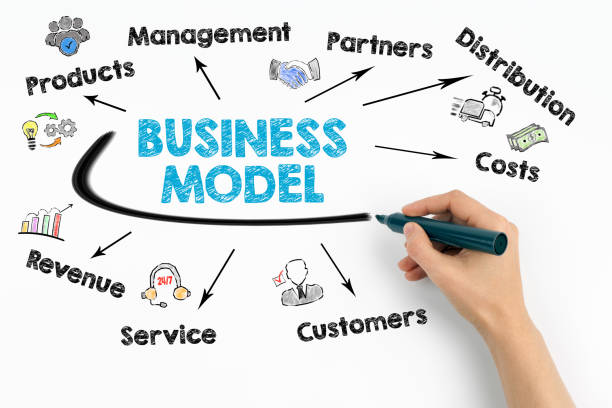
    Selecting the Business Model

    The factors like business, service, and target users constitute the outline of the app budget design. The length of the process increases with the level of intricacy demanded in the business app model. This means that as time passes, the cost will also increase.

    App Development Platform

    The app development platform depends on the business model you are using. A service must be made available if it requires an app on popular platforms. Native apps increase the budget proportion which demands more time to code, layout, and fragmentation. Additionally, iOS limits the number of screen sizes and variants, which allows mobile app development companies to create their products with a reasonable turnaround time.

    Development Team

    App development depends on the purpose and value proportion with core business functionalities. An app development company set up an in-house developers team based on the app’s complexity and adequacy. Putting together an internal app development team could push the budget too far. It also requires the resources of a creative team, including domain experts. A solid app development business would have resources with knowledge in a variety of fields and would provide exceptional service.

    Hosting and Security

    Android apps are the way to carry the data and exchange that in real time. You are recommended to deliver service uninterrupted that delivers smooth and with a dedicated server. Hosting an Android app with high-security features to the domain costs more for a dedicated server rather than for shared hosting services.

    App Maintenance

    After launching an application, it is essential to maintain it regularly for smooth functioning. App maintenance requires new features and improves the app’s performance. It costs for this to maintain and update an app to keep users engaged with the same application.

    What are the App Development Cost Stages?

    The app development process is divided into different stages to run the process smoothly and make a successful app. Each phase carries some cost as mentioned below:

    Discovery Stage

    The discovery stage is the initial stage in which the purpose and target audience is defined. The cost varies depending on the app’s complexity and the research required at this stage. It must be clear and concise so that everyone can understand. The more complex app requires deep research that costs more than a simple Android app. This phase consumes around 10% of the app development cost for the Android platform.

    Design Stage

    This stage’s costs depend on the number of screens required, design type, and experience level of a design team. It consists of wireframes, user experience design, and visual design. Before creating a wireframe of the project, you need to make documentation of the functional specifications. This phase requires 15% of the total development cost of an Android app.

    Development Stage

    This stage contains coding, debugging, and integrating various features. Numerous features determine the cost required to develop an Android app. You can estimate the cost and time of delivery based on the design received. The development stage consumes most of the part of the development cost around 60%. You must also consider the complexity and number of features required in an app.

    Testing Stage

    After developing an app, the app will go through a testing phase. It will be thoroughly tested to find and address the errors, bugs, and glitches. Testing is essential to assure the quality of an Android app and its performance with high-quality features. It takes 10% of the total cost of an app development comprising testing tools and testing teams.

    Deployment Stage

    When an Android app passes the testing phase successfully, then you will launch it to the target market. In this stage, the development strategy and platform on which an app is hosted affect the cost. It also consists of 5% of the app development cost for the testing of an app.

    Conclusion

    If you are planning to develop an Android app, you must consider all the factors essential for estimating development costs. This complete guide provides you with a complete understanding of factors affecting the development cost of an application. It will also suggest ways to minimize the startup cost of a mobile app and the cost associated with different stages. Spending money on app development will generate more revenue and value for this process.

    Frequently Asked Questions

    Q: How much does the Google Play Store cost to publish an Android app on it?

    Google claims one-time charges of $25 dollars to publish an Android app on the Play Store. It could take hours or even days to publish your app due to the huge number of apps on the Google Play Store and the new privacy policy. It is advisable to work with mobile app development businesses to produce even more faultless applications that are chosen right away.

    Q: How much does it take to develop an Android app?

    A successful and fully functional Android app develops within 6 months or more than a year. There are numerous factors that vary the time taken to develop an app.

    Q: How to estimate the cost of an Android app development process?

    Android app development cost is estimated at every stage depending on the complexity of an app and the experience level of the team working in each phase. The essential factors include app size, features, design, business model, and platform that affect the cost of app development.

    Q: Why do businesses choose Android app development?

    There are several reasons to choose Android application development that are listed below:

    • Android has a great user base as most individuals are using Android mobiles.
    • Google provides free tools and technologies for using the Android platform.
    • Android offers cross-platform compatibility and allows you to expand your brand awareness.
    • Android platform enables you to develop customized apps as per your requirements.
    • Android apps offer incredible features with amazing graphics and animation support.
  • API Development: A Comprehensive Guide

    Today, Application Programming Interfaces (APIs) facilitate seamless communication and interaction between diverse software applications. They fuel everything from Google ads to shipping monitoring and they are at the core of the most prosperous businesses. APIs have been developed to establish new revenue streams, streamline their go-to-market strategy, and provide greater value to their customers.

    What is API & How Does It Work?

    API is a set of guidelines, standards, or requirements that use the features or services of another app, platform, or device. It is one of the main features that enables app communication. Every app that works with data or enables communication between products or services is built on an API. It makes it possible for a mobile app or platform to share data with other apps or platforms, which enhances the user experience.

    Building an API documentation includes descriptions of function calls and has a variety of uses. It frequently facilitates or speeds up software development. APIs integrate functionality from other sources into already-existing solutions. Additionally, they can be utilized to create new apps by utilizing outside providers.

    Categories of APIs

    APIs are mainly of four types divided based on their release policies:

    Private APIs

    The application software’s interfaces are created to improve the company’s services and products. These APIs can be used to create new systems by outside developers and internal ones. Even though the app is publicly accessible, its user interface is only accessible to those who are working with API publishers. By putting a private strategy into place, the company can have total control over how the API is utilized.

    Partner APIs

    Partner APIs integrate seamlessly with two parties. In addition, they are freely promoted and given out to the business partners who have signed the publisher’s contract. By providing its partners with advantages in terms of capabilities and access to data, businesses can generate additional revenue streams. They can also ensure how exposed digital assets are used in the interim. Additionally, they check for third-party applications that use their APIs to provide a good user experience and keep their company brand.

    Public APIs

    APIs for developers are external or public APIs. Third-party developers can also access these APIs. You can spread your brand via a public API program which enables you to earn additional money. Open APIs and commercial APIs are the two subgroups of public APIs.

    Composite APIs

    Composite APIs are frequently combined with different services and data APIs. Composite APIs are created by combining already-existing API methods that enable several activities to be completed with a single call. This expedites execution while also enhancing the performance of the listeners in the web interfaces.

    How Does API Work?

    APIs share data between applications, systems, and devices. Every API type will have a unique operating mechanism because every API has its own set of protocols and definitions. In response to user activities, the API client is responsible for putting together requests and submitting them to the proper API endpoint. Endpoints are Uniform Resource Identifiers (URI) that give you access to particular database resources through it.

    api development

    Web servers are also abstracted through an API process. An API request will be made by the application to obtain a collection of data to display for consumption by the end user. The user interface is filled with the requested data when the request is made using API, which connects to the web server to retrieve it. The application needs to know to obtain the data it needs to display is how to access the APIs instead of the web server functioning. You need to know how to use the user interface to carry out your necessary duties.

    There are often a few essential pieces of information in most API requests:

    • Type of request
    • Authorization credentials

    Why are API Development Important?

    APIs enable developers to develop core applications that strive to do everything without having to start from scratch each time. Instead, they can use pre-made components that accomplish the job more effectively to contract out specific tasks. It might be advantageous for your company to create an API. If you want to create software for your website, you will use your API. The time it takes to include new features on your website and the time it takes for you to access those features will decrease as you add more features.

    Here are three main reasons why you should develop an API:

    Help with Business Strategy

    APIs assist companies with a range of responsibilities, from streamlining their backend to giving their clients a simpler way to engage. Developers can build their applications based on the company’s API or combine it with other applications and services. Businesses can make their data accessible by making it public through APIs. They also make use of their knowledge and proficiency in backend technology, API design, and providing the best value for your company.

    Managing the Data

    Most organizations require huge amounts of data to make choices. However, not every business has the time or resources to gather all of this information. You can gather data through an API without investing much time or effort. APIs can also be utilized when processing and analyzing massive amounts of data that are too complex to understand. When you can create an application, you employ a collection of procedures, protocols, and tools to enable the application to communicate with other applications on the network. Anyone can utilize APIs that can offer a wide range of features and services.

    Promote Business Growth

    APIs enable businesses to make their systems accessible through third-party websites and applications. There are many reasons why you need an API as they have been around for a while and have been utilized in various ways. It facilitates business by enhancing communication between teams and departments within an organization. APIs make it possible for several departments to collaborate on a product or service’s success.

    What are the API Terminologies?

    There are some commonly used terminologies for API development as follows:

    API Key

    An API Key is a special identification number that other applications can use to verify the identity of a user, developer, or API-calling application to an API. API requests are somewhat more secure than API keys, which authenticate the API rather than the user.

    api development

    Endpoint

    Endpoint is the place where end users and servers communicate with each other.

    JSON

    API exchange data using the JSON data format on the internet. This data exchange may take place between two applications or a server, and a web application.

    GET

    GET request data at the designated resource from the server.

    POST

    POST method creates a resource or updates data to the server.

    OAuth

    It’s an authorization framework or open-standard authorization for APIs. Without requiring a password, it provides secure and unlimited access to the end-user’s data that is to be used by the program or third-party websites.

    Latency

    Latency is the time taken by an API to process or respond to a request.

    Rate Limiting

    Rate limiting regulates both incoming and outgoing traffic rates. Additionally, it is described as the whole sum of API calls made by you.

    API Throttling

    API throttling is the method through which usage of an API is restricted for a set amount of time.

    What is API Testing?

    Application Programming Interface (API) testing is a sort of software testing that verifies APIs. The main aim of API testing is to examine the programming interfaces’ dependability, usability, performance, and security. API testing differs significantly from GUI tests as it doesn’t concentrate on the appearance and usability of an application.

    api development

    An API is a kind of code that permits data interaction between two applications. A typical application is made up of several layers, including an API layer. API layers defined requests, including how to make them and the data format utilized with a focus on the business logic of applications. API testing focuses on examining the business logic, security, and data responses of the application. Sending requests to one or more API endpoints and comparing the outcomes to expectations constitute a typical API test. DevOps, Quality Assurance (QA), and development teams automate API testing as part of their continuous testing procedures. API testing is typically carried out by utilizing software to make calls to API endpoints.

    Below are some closely followed steps for API testing:

    • Read the docs for Understanding the capabilities and anticipated inputs and outputs
    • Develop test cases to demonstrate the various API functionality
    • Run test cases and contrast the predicted and observed results
    • Examine the findings and note any problem that should be resolved

    What are the Some Essential Tools for API Development?

    APIs can be planned, created, and modified using API development tools in a safe development environment. These technologies make it possible to establish design standards, and finally create APIs all from a single dashboard. API development tools align their design strategies with the API management solutions including editing tools. However, these tools are more concerned with selecting external APIs to enhance a product than they are with creating and managing an API.

    Tools for API Development

    Postman

    By installing the desktop application or registering, you may use the Postman API development environment to create and publish APIs. It streamlines the collaboration process and simplifies each phase of the API lifecycle, enabling you to produce APIs more quickly and effectively. To implement API-first practices, integrate Postman with your key tools in the software development pipeline. The Postman platform can also be expanded using open-source software and the Postman API.

    Insomnia

    Insomnia is an API build tool that produces high-quality and high-performing APIs through standards and collaboration. Its simplified API client enables you to send GRPC, SOAP, REST calls, and GraphQL with ease. Use OpenAI specifications to speed up the design process and spot centralized issues to adopt a workflow that works better with your tools.

    SoapUI

    You can manage, build, and run various tests and SOAP, REST APIs, and GraphQL to produce better products. It is an open-source platform that offers the simplest approach to begin your journey into API testing. API testing should be integrated and automated into the team’s continuous delivery pipeline. With the latest technologies created specifically for verifying SOAP, microservices, REST, GraphQL, and other web services, your team will work more effectively.

    Hurl

    Hurl is a powerful command-line tool that runs HTTP requests as plain text. It executes requests, assesses queries, and records the value of response bodies and headers. Hurl can be used to fetch data and test HTTP sessions. To assert response headers and status codes, it supports multiple queries and predicates, including XPath and JSONPath. You may also use it to test the effectiveness of HTTP endpoints.

    Hoppscotch

    Hoppscotch is an open-source framework for developing APIs to send queries and replicate responses in real time. A full-duplex communication channel can be established using just one TCP connection. Get an HTTP connection as well, instead of polling and switching to a stream of updates. The SocketIO server can be used to send and receive data.

    Swagger

    Swagger’s open-source toolset accelerates API development process for teams, organizations, and users. With the aid of OpenAPI specs, you can create and describe APIs at scale while streamlining your workflow. Maintain automatic synchronization between your documentation, design, and implementation. In a tech stack with client libraries and server templates, you can create the APIs of your choice. Additionally, you will receive a complete format of design APIs and resource definitions before creating any code.

    Sandbox

    Use the sandbox to speed up the development of APIs and mimic SOAP web services. Create from the collaborative build, immediate deployment, integrated debugging tools, and API specifications. Stub fault injection with SOAP web services or RESTful API with dynamic responses to quickly recreate application behavior in real-time. By introducing additional fake web services that satisfy your testing requirements, you may scale your test environments fast and add simple or dynamic behavior to the stubs as needed. You can use the open-source Sandbox framework to launch Sandbox web services on GitHub.

    LoadView

    With LoadView, you can get dynamic and reliable API load testing for your company’s and customers’ needs. It supports web APIs, SOAP, and RESTful API calls that need multiple-step execution or authentication, such as XML and JSON. Make multiple API calls in the same way that your users do to find issues and fix them. Analyze systems by increasing the functional constraints in your testing. To define API tests and mimic traffic moving at the desired speed, you can also test your system properly.

    HTTPie

    HTTPie is a straightforward and reliable command-line API and HTTP testing client. It is designed to provide improved API, web services, HTTP server testing, and debugging capabilities. You will have complete JSON support for expressive and logical syntax for your API testing. You will receive API extensions that support request headers and data for your API testing in addition to improved authentication features.

    Dredd

    Dredd creates better APIs for users utilizing the API testing framework. It is a CLT for comparing API specification documents to the backend implementation of an API. After reading the API description, Dredd checks each answer to see if it matches the description in the document. Additionally, it allows for the creation of hooks, which serve as codes for each test setup. The languages that are supported are Node.js, Perl, Go, Python, and Ruby, and operating systems, including Linux, Windows, and macOS.

    Feature That Must Have Proficient API

    Here is the list of the most amazing features of proficient APIs:

    Documentation

    The API must have excellent documentation. You may eventually want to use your API, so you should make sure that the documentation is simple to read and comprehend. This can be done by implementing SDKs or API sandboxes, among other things. The API must have complicated documentation is a significant negative for your API. Both static and interactive documentation is possible. You may test out APIs and examine the output.

    Typically, it has two columns: one for humans and one for machines. The machine column has a terminal for making calls and contains information that clients and servers will be interested in when testing the API, whereas the human column contains descriptions of the API.

    Documentation

    Discoverability

    If you have accomplished the business goal, which is strong documentation, you automatically increase your discoverability and reach. You should be able to easily identify an API’s work on operation procedure and all of its features to the API’s discoverability. An API catalog that outlines in full everything that has to be documented about the API can be created for this purpose.

    Consistency

    When it comes to using APIs, consistency is crucial as developers can be using several APIs simultaneously. Developers might also use the API of one or more devices that are located in different places. To ensure a smooth workflow, such factors need to be taken into consideration. Additionally, this makes room for elements like security and authentication to take precedence.

    Accessibility

    User interaction is the key component of a successful API developed in a way that encourages engagement and vigorous user activity. You are searching for an easy-to-use API that can address their urgent needs, therefore make sure you can provide that for your user base.

    Validation

    Validation is one of the most frequently disregarded components of API development. It is the process of validating input from outside sources. Ensuring the data is what should help solve numerous potential issues to just confirm the kinds. An essential component of validation is knowing your limits and what you can and cannot control. The optimal approach is to validate the boundaries before applying logic. Apply validation to the data that a client delivers to your API before you do anything else with it.

    Testing

    Testing is a best practice, and it ought to be the main non-functional requirement. It might be difficult to define a test strategy for any project with API. Integration testing is one of the best techniques for testing APIs. According to this design, a test is developed by the development team to cover a certain section of the application flow from one particular point to another. Testing the API’s entrance point and simulating the service’s request point are both important components of an excellent integration test pipeline. You can cover all of the logic from the start of the API request to the service request. The mock service will provide you with a response that you can use to send back to the API response.

    Difficult to Misuse

    Integrating and implementing an API with good design will be simple and writing bad code will be less likely to happen. It provides helpful feedback and does not impose rigid rules on the API’s end user.

    What are the Best Practices for Building the Right API?

    Use Throttling

    App Throttling is a widely used API development technique that takes account of backing up APIs, rerouting traffic overload, and protecting it from DoS (Denial of Service) assaults.

    API Gateway

    API gateway must be considered as the enforcement point to apply API keys, set up throttling rules, or use OAuth. It allows only authorized users to view the data. API gateway gives you the ability to encrypt communications or modify private data that enables you to control usage and monitor an API.

    Overriding HTTP Method

    You must allow your RESTful API to override the HTTP method as some proxies only support GET and POST methods. To accomplish this, use the special HTTP Header X-HTTP-Method-Override.

    APIs and Infrastructure Evaluation

    Real-time analysis of APIs is now feasible, but the API server sometimes overheats the CPU and experiences memory leaks. Without evaluation, you can’t maintain a developer on call to handle such circumstances. To quickly complete this task, you can use a number of available tools, such as AWS Cloudwatch.

    Ensure Security

    The security of your API technology must be ensured, but not at the expense of usability. If any user takes longer than five minutes to authenticate, your API is not at all user-friendly. Use token-based authentication to protect your API.

    Documentation

    API development for mobile apps enables other mobile app developers to quickly comprehend the entire process and use the knowledge to provide a better user experience. In other words, successful API development will result in better API documentation, which will shorten project implementation time, improve API technology efficiency, and lower project costs.

    Final Thoughts

    Modern software development relies heavily on API development to facilitate seamless communication and integration across diverse apps and services. Most of the businesses must comprehend the idea of APIs, security considerations, testing procedures, and versioning strategies. In today’s interconnected world, mobile app development company can improve their skills, faster innovation, and forge fruitful collaborations by utilizing APIs.

    Frequently Asked Questions About API Development

    Q. What are REST and SOAP API development?

    Ans: REST API is an architectural design that establishes a set of guidelines for producing web services. It advises creating an object out of the data the client requests and sending the object’s value back to you via a client-server conversation.

    SOAP API is a simple object access protocol API, which is a widely used messaging protocol to communicate with operating systems using XML and HTTP. It communicates between applications and the creation, update, deletion, and recovery of data, including accounts, passwords, and unique objects.

    SOAP has a little bit of additional overhead at the start due to its envelope-style of payload transfer. Being lightweight is advantageous in those cases as REST is largely utilized for web services.

    Q: How to develop a good RESTful API?

    Ans: You can successfully make a good RESTful API by:

    • Sending and receiving data using JSON format
    • Nesting resources for hierarchical objects
    • Retrieving data with sorting, filtering, and pagination Providing accurate API documentation
    • Maintaining good security practices

    Q: What is JSON API?

    Ans: JSON (JavaScript Object Notation) API is a lightweight text format for storing and transferring data between two devices operating in different areas. This API fastens data transfers without affecting perceptibility and legibility.

    Q: What is API in software development?

    Application programming interface (API) enables two software components to communicate with one another with the help of protocols and definitions. This interface serves as a contract between two applications that structure requests and responses. APIs are divided into four main categories:

    • Open APIs
    • Partner APIs
    • Internal APIs
    • Composite APIs


    What is Web App Development

  • What is Web App Development: A Complete Guide in 2026

    There are many, but the main distinction between websites and web applications is that web applications allow user interaction. Many businesses prefer web applications to websites when gathering data for their marketing plans and developing goods or services that bring in money. In this article, you will get detailed information about web app development and different frameworks.

    What Exactly is this Guide About & How Will it Help You?

    This guide provides complete information about developing web applications and the tools to make a web app. It provides you with detailed knowledge and understanding of web app development concepts. This complete guide enables you to improve your skills and be confident among developers for developing web applications.

    What is a Web Application & What is a Web Application Development?

    What is a Web Application?

    A web application is a program that is accessed using a web browser and runs on a web server. The web app user interface is intended for sending data back to the development team that created it. The information provides insights into customer preferences, usage patterns, and interests that can be extremely helpful for product and marketing plans. The data can help desktop or mobile applications with optimization and other client-focused features.

    On the front end of web applications, web app developers use HTML, CSS, and JavaScript. The server-side programming languages like Ruby or Python used to create web pages may also be used at the back end of web apps.

    What is Web Application Development?

    Web application development is the designing, creation, testing, and deployment of web-based applications. A web application is a program accessed using a web browser and runs on a web server. Client-side and server-side are the fundamental components of web application development. The client side of a web application helps show the retrieved data to end users. In contrast, the server side of a web application is cheaper and quicker to develop.

    What is the Process of Developing a Web App?

    There are several key steps involved in developing a dynamic web app:

    Generate an Idea

    To develop web application, you have to generate an idea about the kind of application you want to create. It can come from solving someone’s problem ideally as your own. After generating an idea, validate your plan before implementing it. You can validate your idea by getting feedback from the audience and through other social media platforms.

    Hand holding drawing virtual lightbulb with brain on bokeh background for creative and smart thinking idea concep Hand holding drawing virtual lightbulb with brain on bokeh background for creative and smart thinking idea concep Generate an Idea stock pictures, royalty-free photos & images

    Market Research

    It is essential to do in-depth market research regarding your product. You can check for ratings and reviews of an application related to your product which will help you to come up with a better app. This will help you to know about your target audience and understand the location of the user.

    Define App Features

    It is crucial to integrate the right features into a web application as per the demand of the target audience. It is beneficial to focus on a simple functionality at the initial stage of web app development. Adding unnecessary features can frustrate your user whereas required functionality sounds attractive.

    UI/UX Design of an Application

    While entering an app, the first thing to get noticed is its look and how it interacts with the user. User-friendly control of the app’s features makes it attractive. While the user interface represents the app to the user, the user experience gives the commands to solve problems and how the app interacts with the user.

    Build a Prototype

    Before developing a complete product, the prototype is a Minimum Viable Product (MVP) with less functionality. It can be created at a low cost in less time using different tools. Additionally, a wireframe goes into great depth about how your app pages will look. When you interact with your wireframes to make them look exactly like they would on the actual app, you get a prototype.

    Choose Technology

    When the application development process commences, you must select the appropriate framework, libraries, and platforms. What you select depends on the app’s functioning and your particular preferences. There are various web application development tools to select an integration of what functions and what you feel comfortable with.

    Test Your App

    Before introducing an app in the market, it is important to test its functionality. It is essential to ensure that each iteration of your web application is bug-free. There are various methods to test web app functionalities including UI/UX, functionality, and regression testing.

    Release Your App

    After testing the functionality of an application, you can introduce your app to the market. For putting your app into action, you need to purchase a hosting provider on the cloud and a domain name. You can also choose Microsoft Azure or Google Cloud platform as a cloud service provider. If you go with any one of these, you will get everything you need for app release.

    Maintenance

    When the application development process ends up, the maintenance phase comes into action. Post-submission of an application requires regular updates and maintenance. Introducing new features sometimes keeps the target audience engaged and attracted to the usage of an application regularly.

    Internet symbol Internet symbol Maintenance stock pictures, royalty-free photos & images

    Which Type of Web Tech Stack is Used for Web App Development?

    Web Tech Stack is divided into two areas, including the front end (client-side) and the back end (server-side). Each of these stacks includes a complete set of tools that let you build sophisticated, powerful, and quick web apps.

    Front-End

    Front-end is a client-side that describes the look and feel of a web application on the internet. There are numerous front-end technologies used in the development process:

    HTML

    It defines the basic structure of a website and how content will display on the web page.

    CSS

    It formats the HTML content using styles, colors, fonts, and other elements of the front end.

    JavaScript

    This programming language makes pages more attractive and transforms HTML objects into dynamic objects.

    Front-End UI Frameworks

    Front-end frameworks enable you to create top existing web structures using popular frameworks.

    Back-End

    The back end is the server side that is invisible to end users. It operates in the background and gives the front-end functionality. Each application component knows how and when to respond to user queries because of the backend development.

    Database

    A database enables you to store users’ data for dynamic web applications. Databases include MySQL, PostgreSQL, and MongoDB store user data specifically when apps ask for the user’s data.

    Server

    The server is the place where the request of a client is received, processed, and acted upon. The two most prominent web servers are Nginx and Apache used for backend development.

    Programming Languages

    Choose the programming language for backend development as per the requirements and features required in an application.

    Storage

    The data stored in the database must be secure and have reliable storage on the backend. For securely storing data, Firebase Storage and AWS S3 come into play.

    What are the Types of Web App Development?

    There are five main types of web applications based on the look of an app and how it functions:

    Static Web Application

    The application is referred to as static because of its lack of stretch and nature. Every user of this app, which functions like a collection of static web pages, sees the same data. Since these pages are built on the server end, editing them is difficult. For the changes to appear, you must completely reload the page. They offer no interactive features.

    Dynamic Web Application

    A dynamic web application shows real-time data in response to user queries. These apps are more complex than static web applications and have a variety of interactive features and marketing strategies. Data stored in a database allows website administrators to edit information and add interactive elements. Languages such as PHP and ASP.NET are used to create dynamic applications.

    E-Commerce Application

    An e-commerce web-based application in any company lets you buy products online. Offering a user-friendly interface, managing payments, introducing new products, allowing electronic payments, and providing information about products are all important aspects of the business.

    Online shopping service concept. Young woman and man customers sitting on boxes ordering with huge smartphone app. Ordering with online payment. Purchase. Shipping. Isolated stock vector illustration Online shopping service concept. Young woman and man customers sitting on boxes ordering with huge smartphone app. Ordering with online payment. Purchase. Shipping. Isolated stock vector illustration E-Commerce app stock illustrations

    Portal Web Application

    Portal web apps are programs that allow authenticates, authorized users to access a company’s data repository. Portals will be most useful to businesses and corporations that let users create personal accounts and include multiple data like emails, chats, and forums to post material.

    Progressive Web Application (PWA)

    This web app makes use of contemporary technologies to create a product that combines the greatest web apps with native mobile apps for you. You can access progressive web applications anytime from anywhere. This program can be used right away without needing to be downloaded.

    What are the Advantages & Disadvantages of Web App Development?

    The web app development process has numerous benefits for both users and enterprises:

    Always Updated

    Web applications don’t need to be updated as frequently as regular apps do. The application’s link is updated to the most recent version of the website. Additionally, because all users have access to the same version of the web application at all times via the same URL, they are always using the most recent version of it.

    Cost-Effective

    Although it can be challenging to place a price on web app development, it is often less expensive than creating a mobile app. The app needs to be created to support all operating systems, which saves time during development. Web app development is a great option if you need to install new software into your company on a tight budget.

    Free from Downloading

    You can access web-based applications through any supportive web browser without installing them on any device. It affects the cost of an app as the web app link is free to use. You can access web applications on multiple platforms at any time.

    Cross-Platform Compatibility

    Web apps can be launched on any operating system because of their programming. These applications can be readily ported to phones running iOS, Mac OS, Android, and Windows due to their cross-platform capabilities.

    Easier Development

    If you want to develop a native application, you have to design it separately for different platforms. This implies that you will require many resources if you wish to have a website and a mobile app for every platform. Web applications need not develop separately for different platforms as it functions the same on any web browser.

    Everything with advantages has disadvantages also, below are some disadvantages listed of using web applications:

    Limited Functionality

    Non-native technology has never surpassed native technology in quality. Web applications, which are not native, can struggle to work together with all the hardware and operating systems of the particular devices you use.

    Reduced Speed

    An online application runs more slowly than an application hosted on a local server. Because a web application is directly connected to our browser, its size tends to grow. A web app’s speed can also decrease according to the quality of the internet connection because it is dependable online.

    Free photo internet speed test software concept

    Decreased Access

    For web apps to work properly or at all, internet access is necessary. The most engaging online apps won’t reply if you don’t have a web connection, even though PWAs do break this typecast.

    Less Security

    Although enforcing SSL lessens the likelihood of data breaches, most web apps lack quality control features. Security and safety are thereby threatened, posing a risk to sensitive information.

    Example of Web Application Development

    Below are some of the web application examples for beginners:

    Google Doc

    Google Docs is one of the best examples for web applications and the editing suite includes Google Doc, a free online word processor. Google Docs can work immediately and monitor your content even in a web browser. It is one of the best web applications that can create and edit documents offline to share with multiple users.

    Netflix

    Netflix is a web app that offers on-demand access to films and television shows for subscribers. It can work on multiple devices and operating systems. Netflix enables you to stream movies on several accounts.

    Salesforce

    Salesforce is a software-as-a-service (SaaS)-based customer relationship management (CRM) service. From the Salesforce web app, businesses may provide professional customer service. They can also link Salesforce with other technologies, such as HubSpot CMS.

    Pinterest

    Pinterest is the most widely used web app for social networking and image sharing. Businesses are even using the Pinterest web app to boost blog traffic and create new leads.

    Photo phone with pinterest popping up icons

    Medium

    Medium is one of the best web apps for producing online material for writers, readers, and journalists. By providing efficient web app solutions, Medium is successfully bridging the gap between content producers and viewers.

    eBay

    eBay is a digital auction house that is accessible to buyers and sellers from all around the world. It controls bidding and permits sales at set pricing. It provides you with various features including product reviews, filter customization, and robust search capabilities.

    Why Would you Make a Web App?

    There are several reasons to create a web app for businesses. Here is all the information you require regarding the benefits of web applications that boosts a company’s efficiency.

    Improved efficiency

    Web applications automate business processes so you can complete more tasks with notable accuracy and less wasted time. Having all of your data centralized in one location increases the permeability of your company, freeing up staff time and allows to run reports updated with real-time data.

    Simple scalable

    Web applications can be readily expanded and scaled to meet the changing needs of the business. Accurate data tracking of sales, products, new customers, and repeat customers is made possible by specially designed web applications for marketing organizations. The facts gathered and analyzed aid in planning and establishing ensuring marketing objectives and advantages of a web application.

    Less maintenance

    The consumer experience is thoroughly guaranteed when the progressive web app’s contemporary features and advantages are incorporated. Web services use the most recent and easily upgradeable programming language. The web app idea is modified to include additional features that require less maintenance.

    Easily Customisable

    Businesses expand with time, necessitating the requirement for a solution that can be modified to account for shifting objectives, aims, and other factors. You have the option to add your branding, customizations with extra features, authorization access, and more with a web application.

    Accessible on Multiple Platforms

    There are numerous benefits related to the accessibility aspect, this one may easily overtake the others as the most valuable. Any internet-connected gadget can have its content on the web application customized.

    What are the Different Types of FrameWorks in Web App Development?

    The development of web standards has made it clear that web app frameworks provide for smarter user and web application communication. They may respond to user input, making the app more responsive and simple to use across all devices.

    Free vector linear flat ui/ux background

    There are two main types of web frameworks:

    Client-side Web App Frameworks

    Client-side web app development frameworks operate directly inside the browser rather than handling the business logic. To handle the application’s user interface and client-side functionality, user interfaces can be put into use. These frameworks enable the creation of several animation features with the aid of single-page apps. Every client-side framework differs in its use and functionality, and the majority of them are written in JavaScript.

    Server-Side Web App Frameworks

    Server-side web app development frameworks take account of backend business logic. It helps to implement app functionality on the server and perform server-side tasks. These are built in a way that makes it possible to create various types of landing pages, simple pages, and forms. These frameworks manage databases, map URLs, handle HTTP requests, streamline the development process, and enhance security.

    Best Web App Development Platforms

    There are multiple platforms available today for web app development. We have a list of platforms to assist you in choosing the one that is most appropriate for your web app.

    Ruby on Rails

    Ruby on Rails is an effective web application framework for developing database-driven web applications using Model-View-Controller design patterns. It provides everything you need for creating high-speed and robust web applications.

    Angular

    Angular is a framework that aids in the development of robust web applications. It is a framework for creating robust, high-performance online applications that are also simple to maintain. You can build web apps that have high speed and performance.

    Django

    Django is a framework that aids in producing high-quality web applications. It was created to suit the strict needs of web developers while meeting the constraints. The apps are incredibly safe, quick, flexible, and scalable according to Django developers.

    Laravel

    Laravel is a web app development framework that adheres to the MVC architectural pattern. It features a straightforward syntax and a wide range of packages that increase its built-in API support. Database management, modular packaging system, and tools for managing and deploying applications are benefits of Laravel.

    Word Laravel and abstract cyberspace with binary code on dark background . Laravel PHP Framework programming language. Laravel stock illustrations

    ASP.NET

    ASP.NET is a cross-platform and server-side web application development framework. It permits two-way communication between the server and the client. ASP.NET also supports the creation of microservices, a modular software architecture that fosters greater scalability.

    Express

    Express is a simple and adaptable Node.js web development framework to create server-side web apps and APIs. It gives you the ability to design intricate routes and specify how web requests should be handled. Additionally, multiple middlewares enable programmers to quickly add features like authentication, logging, or error handling to their applications.

    Conclusion

    Many companies use web applications due to their high scalability and cross-platform operating capabilities. In addition to the revolutionary progressive web apps, there are client-side web apps, server-side web apps, and even single-page applications. There are numerous software development techniques available to create web apps, a blend of front-end and back-end technologies. Apptechies provides you with cost-effective and customized web applications as per your demand


    What is API Development

  • How Do Free Apps Make Money: Everything You Need to Know

    Today, mobile apps are an essential part of our lives to make money with free apps. You all want to succeed financially and build the best ad network mobile application. It is crucial to plan out an app income strategy before developing apps. Our industry experts will let you know about developing money-making applications and how apps generate revenue.

    Things to Keep in Mind Before Developing Money-Making Apps

    Before spending money on designing and developing your app, it is essential to take the time to consider a few factors. While you can conduct your own research, it would be great to receive technical guidance from a reliable mobile app development company or business experts that are knowledgeable about creating profitable apps.

    App Objective

    Before deciding on one of the monetization options, you must be informed of the type of your application. When thinking about how apps make money, it’s important to keep the app’s purpose in mind. You can choose the best monetization strategy for your application, such as content applications or service subscription models if you have a clear understanding of its intended use.

    Target Audience

    The target audience helps in defining how an app might make money depending on its intended audience. It is crucial to choose a monetization approach that won’t waste their time when developing mobile apps for business users. Before starting any plan, it is important to evaluate your target audience to properly use app monetization tactics to create an online income.

    Analyzing competitor

    Conducting a competitive analysis of potential mobile app concepts is necessary before deciding how to monetise an app. The insights help in gaining an understanding of methods for competing applications in the market. You can find the monetization business strategy for your application if you conduct an investigation and are aware of your competition. A solid marketing plan will also boost your advertising and sales for your mobile app development.

    Technologies

    Your choice of technology improves the user experience, distinguishes your app from the competition and also increases revenue from mobile apps. The money earned from mobile applications also depends on the type of technology we are using to develop them.

    Monetization of Free Apps Using Mobile Ad Networks and Tools

    If you want to develop the best apps making money or already have one, you must decide what monetization method to employ. We have gathered some of the best mobile app monetization ad networks and solutions.

    Amazon Publisher Services

    Web and app publishers may create, develop and monetize their digital enterprises with the help of Amazon Publisher Services (APS). It is a cloud-based marketplace that unifies all the products Amazon has created for publishers into a single package. These services enable publishers to increase sales with a single call to Amazon’s cloud-based marketplace, with no impact on latency. A big, competitive field of bidding and greater publisher transparency are responsible for the growth in revenue.

    Google AdMob

    Google can assist app developers in increasing the revenue from their apps using Admob. Admob matches advertising with your app as per the criteria you choose. Advertisers who want to market their products fund and commission the creation of the advertisements. The amount you make will vary because these advertisers charge varying amounts for different adverts.

    Yahoo

    You may access multiple Yahoo Gemini advertisers through Yahoo app publishing. On your app, Yahoo displays native, full-screen and banner advertisements. The biggest feature of this service is that it gives you access to Flurry Analytics and revenue opportunities.

    Unity

    Unity Ads is the most prominent ad monetization method for mobile game apps. It can use mobile apps to display a variety of ads, including augmented reality ads, playable ads, movies, and others. Operating systems, connections, and country target campaigns for CPM and CPI. Unity ads can be configured to integrate with plugins from MoPub, SkyRocket, or other mediating businesses.

    Tapjoy

    Tapjoy is the market leader in the offer wall category. The ad network links publishers with leading advertisers and offers virtual cash to mobile consumers who interact with playables, offerwall advertising, content lock, and interstitials. Users of gaming apps for iOS, Android, and mobile web who don’t want to use real money can now be monetized. Tapjoy supports real-time reporting and the CPC, CPI and CPM pricing models.

    StartApp

    StartApp targets and creates ad units that can help you achieve high eCPMs and fill rates. It offers various types of advertisements including playable, virtual reality, interstitial, splash, 360 ads, video and MREC banners. StartApp assists publishers in obtaining the most interesting ads through these different ad formats.

    Audience Network

    Meta Audience Network assists you in generating revenue with your iOS or Android app. A mobile app available on the Google Play Store or App Store and a Facebook account are required to start making money. As a Google mobile ad network, Meta Audience Network operates globally and supports the DIY monetization strategy to set up and make money from advertisements.

    MoPub

    MoPub is one of the best mobile ad networks for app developers and publishers worldwide. MoPub offers native, interstitials, banners, and rewarded advertisements. You can access several bid methods, including network reporting, Auto CPM, and sophisticated bidding with a network-supported instance. They offer technical help and troubleshooting that is more effective.

    AppLovin

    AppLovin is the largest real-time bidding exchange and more bidders are reportedly offered via its MAX mediation platform. The all-in-one solution supports native, interstitial, banner and rewarded video advertisements and runs on iOS, Android, Adobe Air, Unreal, Unity, FireOS, Cordova and React. The most effective ad combinations are found with the use of real-time QA and testing tools.

    AdColony

    AdColony is a mobile app advertising platform for video commercials that provides Instant-PlayTM HD video, AuroraTM HD interactive video and other playable technologies. It displays only top-notch advertising material to increase user engagement with mobile app ads.

    What Are the App Monetization Strategies?

    App monetization makes the app free to install and generates revenue through free apps. App monetization strategies are crucial to ensuring that your application makes money online and keeping the user experience intact.

    In-App Purchases

    This strategy enables you to buy services, content and exclusive features using tactics within the app. You can utilize these measurable and confirmed revenue statistics to generate app money. You make purchases within the app to enhance its usage. Ensure that the app’s monetization strategy enhances the user experience. Additionally, program store page, note that although your app is free, in-app purchases are necessary. You can reward customers for their purchases, let them know about time-limited discounts and entice them to make purchases in your app.

    In-App Advertising

    Digital advertising is a well-established means of monetization of app on the World Wide Web when mobile, followed by opening the Apple App Store and Google Play. This monetization approach was immediately adapted by app developers for mobile, with banner ads having to adjust to the smaller mobile footprint. Since that time, interstitial, video, native and text advertisements, as well as other options tailored to the mobile environment, have grown into app banner ads for mobile ads.

    Subscription

    The subscription-based app monetization model acknowledges that it has improved the company, growing its user base and income. You can download the app for free the first time, but after that, you have to subscribe for further special services. You must decide on a subscription approach that will turn you into a subscriber and stop current subscribers from leaving.

    Freemium

    This would be a successful user base expansion tactic, containing both free and paid features. You are able to use the application’s fundamental features when using the free version. Free apps have faster download times since consumers can test them out before paying for anything. Finding the ideal balance between offering too few and too many free features is important. If you have a sizable and engaged user base and can offer a desirable user experience to both paid and free consumers, you should employ it.

    Data Monetization

    Data monetization is a monetization strategy for apps that uses data and boosts profits. It is being used by businesses that are expanding quickly and more effectively. Direct data monetization sells direct access to data to outside parties. Insights and analysis, as well as raw data, might be sold. In contrast, indirect data monetization is a data-driven optimization that entails looking for insights in the data. You can use the data to understand consumer behavior and decide how to approach them to boost sales.

    Freemium Vs Premium

    Freemium and premium apps are responsible for generating revenues by providing free apps to the user and charging on some apps. Below is the difference between Freemium and Premium:

    Freemium Vs Paid Apps Market

    Our smartphones contain the majority of things we do today. Each year these or more apps with advanced functionality are available on Google Play and Apple App Store, creating rivalry among app developers. Over 8.9 million smartphone apps are currently offered for download worldwide, with 3.5 million of those found in the Google Play Store and 1.6 million in the Apple Store. On a mobile device, a user typically has roughly 40 apps installed. The highest-grossing applications are in the mobile gaming category and generate greater revenue. In general, non-gaming mobile apps only make up a third of overall sales.

    Freemium Vs Free Trial Apps Market

    A free trial is a customer acquisition strategy that offers potential customers a portion of a whole product for brief periods of time. While the freemium approach of customer acquisition gives potential customers unlimited, cost-free access to a portion of a software product. A Freemium appears to be a free trial with no time restriction.

    Conclusion

    You can develop free applications that are free for installing and earning money on apps. Artificial Intelligence/ Machine Learning, Augmented Reality and Virtual Reality are the technology trends that every company must incorporate into their apps to stay ahead of the competition. There are countless options for how much money does an app make after being submitted to stores. You just need to look over your selections and choose the best one.

    Frequently Asked Questions

    Q: Which mobile platform should I choose for building an application?

    Ans: There are multiple platforms available for developing mobile applications, including Appery.io, Mobile Roadie, Zoho Creator, GoodBarber, Appy Pie, AppMachine, and many more.

    Q: How do free apps make money without advertising?

    Ans: Subscription, freemium, affiliate marketing, and print-on-demand are the ways to make money from free apps without advertising.

    Q: What operating system is best for monetizing free mobile apps?

    Ans: If it’s not viable to run mobile apps on both iOS and Android, decide based on the preferences of the target market and the intended monetization strategy. It is advisable to first publish your software on Apple’s software store before using subscriptions and in-app purchases. An Android app is a better place to reach a larger audience and make the majority of money from advertisements.

    Q: How much does the Google Play Store pay per download of an Android app?

    Ans: The Google Play Store keeps 30% of the money earned from Android apps and gives the remaining 70% to the developers.


    Web App vs Mobile App Development

  • How to Handle Search Engine Optimization Challenges?

    Search Engine Optimization (SEO) is an ever-changing and challenging field that requires constant attention and adaptation. With new algorithm updates and increased competition, website owners and marketers must stay on top of their game to ensure their website ranks well in Search Engine Results Pages (SERPs). However, even the most seasoned SEO experts face challenges that can hinder their efforts.

    High Competition

    The number of websites on the internet continues to grow rapidly, making it difficult for businesses to stand out from the competition. Instead of trying to rank for broad and highly competitive keywords, focus on niche keywords that are relevant to your business. These keywords may have a lower search volume, but they are more specific and targeted, making it easier to rank for them.

    Lack of Quality Content

    One of the most important factors in SEO is high-quality, relevant content. However, producing quality content consistently can be a challenge for many businesses. This is especially true for businesses that have limited resources or are in highly regulated industries that restrict the type of content that can be created. Repurposing content can save time and resources while still providing valuable information to your audience.
    Quality Content Quality Content concept on tablet with glowing light bulbs Quality Content stock pictures, royalty-free photos & images

    Technical Issues

    Technical issues can significantly impact your website’s SEO performance. Common technical issues include slow page loading speed, broken links and duplicate content. These issues can result in a poor user experience and affect your website’s rankings. Regularly conduct technical audits of your website to identify and fix any issues. Use tools like Google Search Console to identify crawl errors, duplicate content and other technical issues.

    Negative SEO

    Negative SEO refers to the practice of using unethical tactics to harm a competitor’s website’s SEO performance. Common tactics include building low-quality links, creating fake social media profiles and hacking a website. Monitor your backlink profile regularly to identify any low-quality or spammy links pointing to your website. Ensure your website’s security measures are up to date to prevent hacking attempts.

    Title Tags and Meta Descriptions

    It is possible to get trapped in the same keyword cannibalization while crafting title tags and meta descriptions. We can produce competing pages using the same keywords in the title tags on multiple articles. Each page on our site should have its own title tags and meta descriptions. Duplicating them causes confusion for both website visitors and meta descriptions.

    Changing Algorithms

    Search engine algorithms are constantly evolving, making it challenging to keep up with the latest updates. Algorithm updates can significantly impact your website’s rankings and traffic, making it crucial to stay informed about any changes. Stay up to date with industry news and algorithm updates by following reputable SEO blogs and publications.

    AI Generated Content

    We can’t just create stuff with AI and then use it. Some of it isn’t grammatically correct or very well written, and some of it makes no sense at all. We can use AI material to get ideas and inspiration. It can be a quick approach to get a lot of material that we can then tweak and personalize. Make your material stand out by including your own keywords.

    Conclusion

    SEO is a complex and ever-changing field that requires ongoing attention and adaptation. By understanding common challenges and implementing the solutions we’ve discussed, you can improve your website’s rankings and drive more traffic to your site. Remember to focus on niche keywords, repurpose existing content, conduct regular technical audits and monitor your backlink profile.

    7 Best NFC Payment Apps: You Should Try in 2025

  • Cross-Platform App Development Made Easy with Flutter

    Flutter is an open-source framework for developing fast, top-notch mobile applications for both Android and iOS mobile operating systems. It offers a straightforward, strong, effective and simple SDK to create mobile applications in Dart, Google’s own programming language. Dart can be trans-compiled into JavaScript code and has many similarities to other programming languages like Kotlin and Swift.

    How is Flutter Different from Others?

    As Flutter app development process does not use WebView or the OEM widgets that came with the device, it is different from other frameworks. Instead, it draws widgets using a powerful rendering engine that it has developed. The majority of its features, including animation, gestures and widgets, are also implemented in the Dart programming language, making it simple for developers to read, modify, replace or remove elements. It provides the system’s developers with excellent control.

    Features of Flutter

    Cross-Platform

    Flutter is able to write code only once, maintain it and execute it on various platforms with this function. It helps developers save time, money and effort while developing Flutter apps.

    Hot Reload

    When a developer makes changes to the code, the changes are immediately visible to the hot reload. This indicates that the modifications are already apparent in the Flutter application and enables developers to address errors the right way.

    Accessible Native Features and SDKs

    With the help of Flutter’s native code, third-party integration and platform APIs, this feature makes the process of Flutter app development simple and enjoyable. This makes it simple for us to access the SDKs on both systems.

    Dart Programming Language

    Dart enables you to develop high-quality apps using Flutter which is easy to learn.

    Widgets

    Flutter framework provides widgets that can create customizable specialized designs. The two sets of widgets that Flutter offers are Material Design and Cupertino widgets that help to ensure a flawless user experience across all platforms.

    How Flutter Works?

    Flutter is a mobile app SDK that enables you to develop high-quality native apps for Android and iOS. With Google’s new Fuchsia operating system, it is also the main method for creating cross-platform programs. You can easily create user interfaces that are attractive, quick and responsive with the Flutter framework. Also, the framework is expandable, making it simple to include new features and functions.
    Stateless and stateful widgets are two different categories of widgets. Stateless widgets, as the name implies, have no internal state. These widgets are the simplest and are frequently used for buttons or text. On the other hand, stateful widgets have an internal state that can vary over time and is reflected in the way the widget functions and appears. User input fields and animation controllers both frequently make use of stateful widgets.
    With the Dart programming language, creating stateful and stateless widgets is simple. The Dart Analyzer and the Flutter Inspector are just two examples of additional app development tools you can utilize to aid in the development process.

    What are the Benefits of Using Flutter

    • Due to its hot reload capability, the Flutter app development process is exceptionally quick. With the help of this functionality, we may update or modify the code, and changes are immediately reflected.
    • It offers a better and more seamless scrolling experience, which speeds up the performance of applications as compared to other mobile app development frameworks.
    • Flutter minimizes the effort and time of testing. Flutter apps are cross-platform, so testers are not always required to perform the same set of tests for the same app across several platforms.
    • Widgets are the foundation of Flutter apps and are available in a wide variety of types. This makes it easy to create beautiful and custom user interfaces.
    • Dart Analyzer and the DevTools Suite are two top-notch debugging tools for the Dart programming language that make finding and fixing faults in Flutter apps simple.
    • Flutter applications can be created with many aspect ratios and screen sizes. It makes applications look beautiful on both tablets and phones.

    Businesses that Should Use Flutter

    Startups

    Startups should adopt Flutter, as it is free and simple to use. It also includes excellent tooling and a framework, allowing you to build an excellent app without spending a lot of money.

    Businesses that need to create an MVP

    Minimum Viable Product (MVP) has the bare minimum of features required to be successful. Flutter is an excellent option as it is quick and easy to use while building an MVP.

    Businesses with limited resources

    If you have limited resources, including money or time, Futter is a good choice. This is due to the fact that developing an app doesn’t take as much money or time.

    Conclusion

    We full fill the custom requirements and needs to develop mobile applications using the Flutter toolkit. Our skilled developers can be very helpful for those wishing to design high-quality apps that fulfill their needs.

    How Efficiently Motion Capture Works in the Animation Industry?

  • Top Emerging Technologies You Should Know About in 2026

    The digital landscape is evolving significantly because of the quick changes taking place in the world. Apptechies has skilled personnel who can meet current skill requirements and have the appropriate technical abilities. We are using these cutting-edge technologies to adapt to developments and stay competitive. Here are some technologies that are the most current technological innovations to keep an eye on.

    Artificial Intelligence (AI) and Machine Learning (ML)

    Artificial intelligence and machine learning are interconnected areas of computer science. These two technologies are the most prominent ones we have utilized to build intelligent systems. Machine learning is a subfield of AI aimed at using algorithms and data to simulate how humans learn and increase the system’s accuracy.

    Full Stack Development

    We are focused on developing applications that are both comprehensive and easy to use. It requires a detailed knowledge of both server-side programming and web development. We can work on the backend, frontend, database and debugging of websites or web applications.

    Data Science

    Data science works with enormous amounts of data using emerging tools and methods to glean valuable information, uncover hidden patterns and make business decisions. We also use it to make educated choices about marketing and product development. It acts as a tool for us to optimize processes and detect fraud. Business intelligence tools focus more on historical data and their insights are more descriptive in nature, while data science and business intelligence tools overlap in many of these areas.

    Business Intelligence

    Business intelligence transforms a pool of unusable data into usable information that inspires decisions and activities having an impact on the bottom line. Business customers can now access different data types, including semi-structured and unstructured data, such as social media, along with historical and current data from both internal and external sources. We can examine this data to learn more about how the company is doing.

    Metaverse

    A metaverse is a simulation of virtual reality that may be utilized for everything from social networking and entertainment to business and education. We construct wholly other, fictional or virtual worlds that closely resemble the real world. We also provide a singular and immersive online experience unmatched by anything else.

    Cloud Computing

    Cloud computing is the distribution of various services, such as servers, storage, databases, networking and software over the internet. We can store files and applications on faraway servers and then access the data via businesses offering cloud services over the internet.

    DevOps

    DevOps integrates cultural beliefs, procedures and tools to improve our capacity for rapid delivery of applications and services. It accelerates the delivery of higher-quality products by merging and automating the activities of software development and IT operations teams. With its speed, we are able to provide better customer service and engage in more profitable market competition.

    Cybersecurity

    Cybersecurity safeguards sensitive data and important systems from online threats. It counterattacks on networked systems and applications, whether those threats come from within or outside of an organization. The term can be broken down into a few basic categories and is used in a wide range of applications, including mobile and business computing.

    Blockchain

    Blockchain is an inside network that has a sophisticated database system and shares a business network. Data is stored in blocks that are connected to each other in a chain and stored in a blockchain database. It remains consistent due to the inability to delete or amend the chain without network consensus.

    HyperAutomation

    HyperAutomation uses different technologies, including automation technologies, machine learning and artificial intelligence to automate as many corporate activities as feasible. It identifies and automates any repetitive work and builds bots to carry out those tasks. It can play a significant role in creating flexible organizations that can change quickly.
    Overall, Information Technologies always have something new to look forward to. We are evolving with the top new technological trends every year and remaining up-to-date. This is all about emerging technologies that prove useful to you and keep you competitive in this digital era.

    Blockchain App Development by a Leading Company in USA

  • Top Things You should Consider Before Hiring an App Development Company

    With the increase in the number of apps being developed for the various platforms, selecting the right app development company is a crucial step.
    This blog looks at the top things you should consider before you hire an app development company for your project.
    You need to think about the following points before hiring an app development company:

    What is the Process of App Development?

    App development is a process that involves a lot of different activities. One of the most important and time-consuming aspects of the process is the app design.
    This is where you create the concept and user interface of your app. Another important part of the process is the coding of the app. This is when all the technical details are taken care of and the app is built.
    You also need to test your app and do a lot of research in order to make sure that your app is actually useful and can provide value to your users.

    What Are the Factors to Consider When Choosing a Mobile App Developer?

    As you can see, there are many factors that you need to consider when choosing a mobile app developer. When it comes to hiring a mobile app developer, it is very important that you choose a developer that has the right skills and the right experience for the job.
    An inexperienced developer may not be able to create the app that you need, or they may take too long to create it. An important factor to consider is whether the developer can create the kind of app that you want or if you will be able to get the app that you need from the developer.

    How Much Does It Cost to Develop An App?

    The cost to develop an app can vary greatly depending on the application and the platform. A simple application with few features and a single platform can cost as little as $5,000 to $10,000, whereas a complex application with multiple platforms and a variety of features can cost upwards of $100,000.

    How Long Does It Take To Develop An App?

    It’s a common question that we get asked quite often: How long does it take to develop an app? The answer to this question is that the time it takes to create your app depends on a variety of different factors. There are a few important things to consider when trying to figure out how long it will take to develop an app.
    When starting out, you’ll want to consider what type of app you want to develop, and also how many features you want to include. You’ll also need to consider the device that you want to develop for. If you have a more complex app with a large number of features and high-quality graphics, you’ll need to hire more developers to work on it, which will increase your app development time.

    Conclusion

    The right app development company can make all the difference to your business. It’s important to know that not every developer is the same. Before you choose an app company, it’s important that you do your research.
    We hope you’ve enjoyed our blog post about top things you should consider before hiring an app development company. If you have any other questions about app development or would like to chat with one of our team members, please contact us anytime at Apptechies. Thank you for reading!

    What is Flutter and How Can I Use It in My Marketing Campaign?

  • What is Flutter and How Can I Use It in My Marketing Campaign?

     Flutter is a mobile app SDK that can be used to build beautiful, high-performance apps for iOS and Android. 

    For now, let’s focus on the app SDK intended for developers. Let’s get this out of the way right now: Flutter is not another mobile operating system or an alternative to React Native. 

    It is not attempting to compete with Google or Apple or any other company in the industry. This is just another tool in your marketing kit, one you might choose to use if you have a project that needs it.

    What is Flutter?

    Flutter is an open source mobile app SDK that helps developers create applications for Android and iOS. The apps are written with a combination of Dart, a programming language that also powers other Google services, and the native interface of whichever platform they’re running on. The app’s code is compiled into machine code, not requiring an interpreter, which makes it run faster.

    The app can also be compiled into a static app that doesn’t require an internet connection and can be used offline. This is similar to how apps work on the web, rather than installing an app from the Google Play Store or Apple App Store.

    Why Use Flutter?

    Let’s start with the obvious: Flutter is another tool in your marketing kit, one you might choose to use if you have a project that needs it. If React Native isn’t the right fit for your app, Flutter provides an alternative for building cross-platform apps. What does that mean?

    In the simplest terms, cross-platform apps are the same program code that runs on both Android and iOS. A native app is built to take advantage of the platform-specific features and functionality of the device.

    A cross-platform app tries to account for the differences between the two platforms, but it won’t be as efficient as a native app. In other words, it won’t be quite as good.


    How to Use Flutter in Your Marketing Campaign

    First, let’s talk about the ideal circumstances in which Flutter would be a good fit for your marketing campaign. Then, we’ll get into the nuts and bolts of building an app with Flutter. – Target a new market – If you’re trying to reach customers who are new to your product, or you are targeting a new market, cross-platform apps could be a good idea.

    They allow you to reach more people, without having to build a separate app for each operating system. – Your product has complex features – If you have a complex product that needs several different features written into the app, it might make more sense to build a cross-platform app. – You want to engage with your customers – If you want to engage with your customers or allow them to engage with one another, then cross-platform apps could be a good option. They let you build communities, host user-generated content, or even send push notifications.

    Beautiful Interactive UI Built-in

    One of the most appealing features of Flutter is the built-in beautiful, interactive UI. Take a look at any of the apps built in Flutter, and you’ll see how easy it is to create a gorgeous UI.

    That’s because Flutter has widgets — reusable, scalable pieces of code that developers can use to create custom UI elements. There are a handful of widget libraries that come with Flutter, and you can also create your own if you need something specific.

    You can create and customize any type of UI, including complicated animations and transitions. You can also use your existing branding in your app by including images or text elements in your UI.

    Fast Development Time

    One of the biggest advantages of Flutter is that it offers a fast development time, so you can get your product out to the market quickly. You could develop an app with a native UI, but it would take longer — and it would be more expensive. Flutter has a plug-in for any IDE that is widely used, from Google’s own IDE to Visual Studio Code.

    It also has a visual debugger, so you can catch any bugs quicker and fix them more easily. You can also easily do hot reload, which allows you to quickly test your app as you’re building it, so you can see if there are any issues or problems.

    Cross-platform Support with One Codebase

    This is one of the biggest advantages of Flutter — you write one codebase for both Android and iOS, and then you compile it into two apps. This means that you can have cross-platform support with just one app, instead of having to build two separate apps.

    You have to decide which features go into which app — or, if you’re building an app with a community or interactions, you could put some of the features in both. This could be a great option. If you’re only targeting iOS or Android, you’re better off creating a completely separate app.

    Conclusion

    Flutter is a tool that you can use to build apps for both Android and iOS, and it can help you build them faster. Not every project you have will make sense for Flutter, but if you’re looking to build an app for both platforms and you don’t have a lot of resources, it’s worth considering.

    If you do decide to use Flutter, keep these things in mind: – It’s still new — there may be bugs or issues you encounter as you get started, so be patient and don’t be afraid to ask for help if you need it. – If you’re targeting both Android and iOS, make sure you use the same code for both apps, but just put it in separate files. – If you’re building an app with a community, you can use the same code for both platforms, but you may have to tweak some features to make them work on each OS.

    Finally, keep in mind that while Flutter is a great option for building apps, it’s not going to solve all of your problems. You should still think about your options and the best ways to use the tools available to you.

    Top Things You should Consider Before Hiring an App Development Company