Author: Ajay Chaudhary

  • IoT In the Automotive Industry: A Complete Guide

    IoT In the Automotive Industry: A Complete Guide

    The Internet of Things (IoT) is the key driving force for the automotive industry having witnessed significant advancements in recent years. IoT technologies in automobiles have revolutionized the way we interact with our vehicles and transformed the overall driving experience. In this guide, we will delve into the world of IoT in the automotive industry, exploring benefits and challenges.

    What is Automotive IoT?

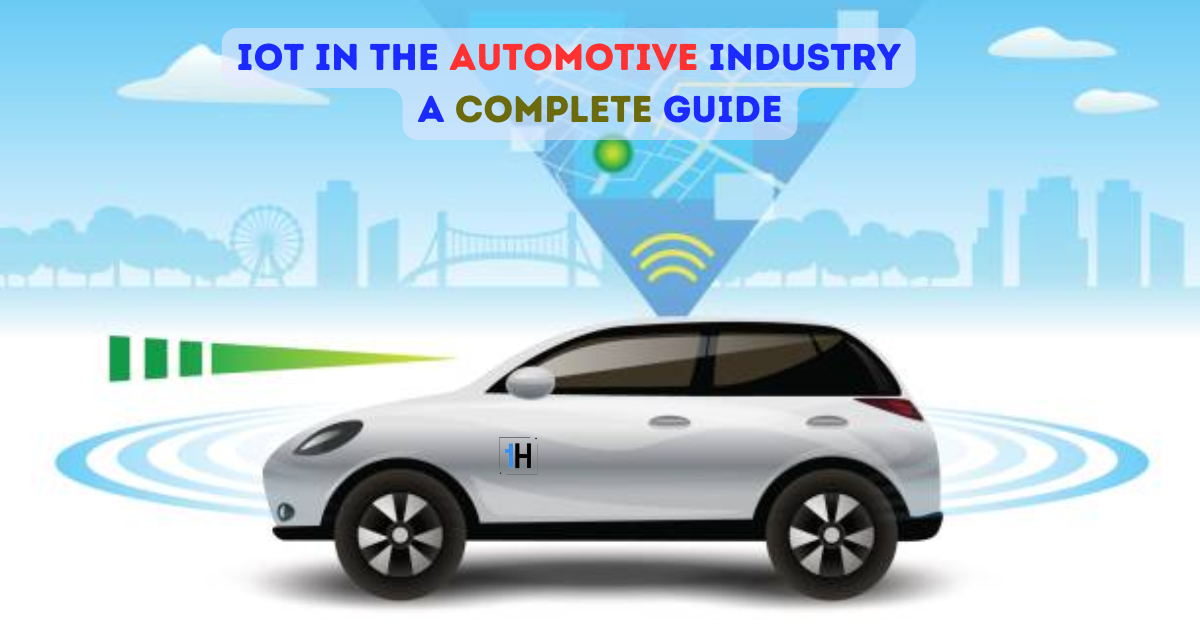
    Automotive IoT is the integration of vehicles with sensors, applications, gadgets, cloud computing, and other such components to function for predictive maintenance, OEMs, fleet management, and insurance. This integration enables manufacturers to implement innovations that can transform cars into artificial intelligence. IoT solutions in automotive make the vehicle smarter and can communicate directly with car-to-car, leverage predictive maintenance, and AI-powered driving assistance.
    Free vector internet of things iot smart connection and control device in network of industry and resident anywhere anytime anybody and any business with internet it technology for futuristic of the world

    What are the Benefits of IoT in the Automotive Industry?

    IoT brings numerous benefits to the automotive industry, like:

    Enhanced In-vehicle Experience

    You can have various navigation solutions, in-vehicle infotainment systems, driver assistance systems, and telematics that add efficiency and comfort to car ownership.

    Improved Car Maintenance

    Car maintenance ensures the vehicle remains in top condition regardless of the date of manufacturing. IoT enables mobile app development company to build IoT-based smart devices that can predict the failure of a component in advance. This feature provides the time to prepare and prevent downtime and costly repairs.

    Predictive Analytics

    Predictive analytics identifies patterns in the data to improve driving functions and transportation. IoT applications in the automotive industry detect quality issues and address them to improve the quality of a vehicle. It allows you to find the potential problems and optimize the safety features of a connected car.

    Remote Access to Information

    You can get information about your car from a remote location through an IoT-based mobile app. It provides info about the fuel level, and parking location that enhances the driving experience and saves time. We can develop IoT-based mobile applications with these advanced features to create essential insights from collected data.

    Improved Fleet Management

    Fleet management is the best IoT solution for the automotive industry to improve the efficiency of fuel. IoT sensors link with current telematics systems to give real-time insights into fuel costs. This lowers unauthorized operational expenses and enhances connected car maintenance. Additionally, it can assist managers in instructing drivers on smart automobile efficiency.

    Reduced Chances of Human Errors

    IoT provides reliable information on vehicle conditions, including GPS systems, weight measurement, tire pressure, and other features. With the help of IoT, manufacturers monitor vehicle performance in real-time while redesigning automobile inspection. You can use the information to enhance fleet management, offer advice to automobile owners, and exchange information with those in charge of developing emergency services.

    Connected Vehicles

    One of the most remarkable benefits of IoT in the automotive industry is connected vehicles. This feature connects vehicles with smart transport systems for clear communication between client and server. Vehicles can communicate pertinent data in real time to control traffic flow and lower the likelihood of accidents. Smart transport systems improve the efficiency of the whole fleet management which leads to new efficiencies.

    How IoT Expands the Automotive Industry?

    IoT enhances driving experience and improves the efficiency of vehicles. Here are some ways that IoT expands the Automotive industry:

    • IoT advances fleet management with new and advanced features, reducing the need for manual operations and making it more budget-friendly. IoT devices collect real-time data to generate meaningful insights with the help of advanced IoT solutions.
    • Connected cars share relevant information that prevents accidents and enhances road safety. Car drivers notify other drivers in case of an emergency to slow down the car or take preventive measures.
    • Detecting pre-failure conditions helps in avoiding unnecessary expenses and saves time to prevent vehicle breakdowns. IoT sensors detect and collect data to analyze the vehicle’s condition to prevent failures.
    • IoT enables infotainment systems that provide services like hand-free calling, navigation, music streaming, and voice assistance.
    • IoT collaborates with in-vehicle cameras that evaluate the relevant action to prevent the likelihood of mishappenings on the road. Semi-autonomous vehicles take control of parking, braking, driving, or lane changing.

    Challenges with IoT Implementation

    Despite the various benefits of the Internet of Things, there are numerous challenges to face while implementing it in the automotive industry. Some of them are listed below:

    Data Streaming

    Automotive IoT contains constant communication through sockets and sensors that relay data every second of the drive. Every data point including, road conditions, navigation, tracking, and traffic conditions required to be smoothly relayed. But this smooth transition was affected due to physical barriers like tunnels and bandwidth issues.
    Free vector cloud services isometric composition with big of cloud computing infrastructure elements connected with dashed lines vector illustration

    Long Deployment Time

    IoT integration with existing infrastructure takes a long deployment time with considerable time and effort. Modularized and standardized IoT solutions help to fasten the implementation process and simplify deployment.

    Risk of Cyber Attacks

    Smart cars and IoT devices are the potential entry points for cyber-attacks and unauthorized access. It is the main obstacle to IoT implementation in the automobile sector. It is difficult to secure communication and safeguard availability, confidentiality, and integrity.

    Power and Battery Consumption

    Mobile applications for connected cars consume more power and battery. The data transmitted from one vehicle to another requires high power and high battery life. Ensuring high performance and maintaining open sockets maximize the battery and power consumption.

    Signaling

    Connected cars maintain low-powered, low-cost connectors for data transmission and reception. Reliable connectivity is essential since there are numerous speed bumps for connected automobiles, such as tunnels, and poor network connectivity. Between connected vehicles, servers, and clients, data needs to be cached, replicated, and most crucially delivered in real-time.

    Cost Optimization

    Cost optimization and capital investment are the other important challenges of IoT implementation in the automotive industry. These industries are unable to find the areas where IoT can be of utmost help which leads to improper use of resources.

    Real-Time Navigation

    Setting up the right devices for getting real-time data on weather and road conditions. It is a challenging task to set up devices for generating live updates that can impact navigating data.

    Unstable Connections

    It is a challenge to maintain secure and stable network connections between vehicles and IoT cars. Factors like signal interference, congestion, and limited network coverage can affect the performance and reliability of IoT systems. Eliminating coverage limitation and conducting network assessment maintains a stable connection.

    Conclusion

    The Internet of Things (IoT) has transformed the automotive industry, bringing about a new era of connected and intelligent vehicles. From connected cars to predictive maintenance, IoT offers a wide range of benefits. However, challenges also need to be addressed to fully harness the potential of IoT in the automotive sector. As technology continues to evolve, the future of IoT in the automotive industry holds exciting prospects, including autonomous vehicles and AI integration.

    Frequently Asked Questions

    Q. What is a smart car system using IoT?

    Ans:  Smart cars are vehicles with advanced technology that enables you to control various aspects of your car through your smartphone. IoT sensors in smart cars enable you to collect real-time data to take appropriate actions even in case of emergency.

    Q. How is IoT used in automotive applications?

    Ans: The automotive industry uses IoT in various ways to:

    • Track and monitor the vehicles
    • Enable efficient logistics and fleet management
    • Monitor the behavior of a vehicle
    • Address potential problems effectively
    • Enhance road safety features

    Q. How has technology changed the automotive industry?

    Ans: Technology has a great influence on the automotive industry, including:

    • Manufacturing of the vehicles become much easier
    • The invention of self-driven vehicles
    • Take consideration of pedestrians and weather conditions
    • Improves the vehicle safety

    Predictive technology makes it capable of understanding voice commands

    Q. How AI is impacting the future of the automotive industry?

    Ans: Artificial Intelligence (AI) is evolving in various industries and the automotive industry is one of them. AI transforms the cars and future of transportation:

    • Vehicles learn to adapt to driving in different conditions
    • Autonomous vehicles developed to make informed decisions
    • Personalize driving experience as per individual’s preferences
    • Build smarter transportation networks
    • Facilitates seamless communication between vehicles and infrastructure


    Blockchain in Payments: A Complete Guide

  • iOS App Development | Step-by-Step Guide

    iOS App Development | Step-by-Step Guide

    With the ever-growing demand for mobile applications, learning how to develop an app for the iOS platform can be an invaluable skill. Businesses seek a way to take advantage of the benefits that come from well-designed and well-executed apps. Top-notch iOS apps are helping from startups to large corporations with numerous advantages. This guide will walk you through a detailed understanding of iOS app development and key things to keep in mind while developing apps for iOS.

    What is iOS App Development?

    iOS app development is the way of creating an app for Apple hardware, such as iPod Touch, iPad, and iPhone. The Swift or Objective C programming languages are used to create the software, which is subsequently uploaded to the Apple App Store. Apple is renowned for the protection it offers to lower the likelihood of any upcoming threats. Applications created in it therefore offer greater security than other apps.

    Since Apple devices don’t have enough storage to run heavy applications, iOS apps need to be built lighter for them. However, iOS applications for computers run locally for managing databases easily. iOS app development can be as easy as developing an Android app.

    Basic Requirements for iOS App Development

    Before starting the app development process, you must comprehend the fundamental criteria for creating iOS apps.

    Mac Operating System

    You require a Mac system running the most recent macOS version to develop an iOS app. Since the best configuration of the hardware enables efficient iOS app development. You must be familiar with utilizing the Mac operating system for the app development process. It’s time to sign up for an iOS developer account so that you are familiar with the ins and outs of the Mac operating system.

    Apple Developer Account

    It is time to register for Apple’s developer account. You will have the ability to download Xcode and access the iOS SDK after properly registering. You only need to create an Apple ID and fill out your personal profile with all the necessary details.

    Xcode Installation

    Xcode is the Integrated Development Environment (IDE) of Apple for creating iOS and Mac applications. You will use the graphical user interface of Xcode to carry out flawless iOS programming while developing iOS apps. Xcode includes development tools, compilers, frameworks, and iOS SDK.

    Programming language concept. System engineering. Software development. Programming language concept. System engineering. Software development. Xcode Installation stock pictures, royalty-free photos & images

    Familiarity with Swift or Objective-C

    Objective-C is an object-oriented programming language for writing effective and maintainable code for the Apple platform. Also, Swift is a new programming language created by Apple exclusively for creating iOS apps. It gives you access to features like generics, safety, options, and closure that facilitate quick and simple code.

    How to Develop an iOS App?

    In developing apps for iPhone devices, there are some crucial steps to follow that are as follows:

    Develop an Idea

    App ideas are crucial before beginning app development. Plan out the type of app you want to develop and the market segments that your app solution will serve. Market research is essential to comprehend the demands and desires of the users. Additionally, it guarantees that your app idea is original and has never been offered before.

    Download Xcode

    You must have the right tools before you can start developing apps, so get Xcode from the App Store. Once Xcode is downloaded, you may use it to create the user interface and write code that is easily responsive to the UI. Working with huge sections of code will be significantly simpler because your code is contained within Xcode.

    Select Programming Language

    You can use Swift or Objective-C to create iOS apps. You can write Swift code that will be entered directly into Xcode. On the other hand, Objective-C creates functionality in iPhone apps for manipulating data and objects. If you already work with C or Java, Objective-C should be simple to understand.

    Design User Interface

    An iOS app’s design is just as crucial as its functionality, so you should be careful during development. Well-designed UI impacts user experience, when your app is aesthetically pleasing, responsive, and simple to use. You should be able to see it and understand it with ease. Our designers design applications with an eye toward aesthetics or style.

    Backend and Frontend Development

    Development is the major event that has been finished with all the frontend and backend preparations. Frontend refers to the part of the software that you can see, including the navigation, user interface, and certain logic. However, the backend contains most of the processing carried out by web servers and databases. Thus, API connects these two components of an application.

    Testing an Application

    The most important phase of the development process is to test the developed iOS app. Xcode has an in-built simulator that enables you to test the applications. You can also employ a wide range of functional and non-functional testing methods to fully assess your app. It is frequently done to ensure the app is suitable for their needs and preferences.

    Working programmer Working programmer Testing an Application stock illustrations

    Deploying an App

    You can publish your app to the Apple App Store if it complies with their requirements. After the app gets positive reviews and becomes largely stable, it can then be published to the Apple App Store for evaluation. Pay close attention to any changes to the rules and policies for App Store submissions. Moreover, Apple App Store submission is different from uploading an app to the Google Play Store.

    Conclusion

    In iOS app development, you require a deep understanding of all stages and prior requirements in developing apps for all of Apple’s platforms. This complete guide dives into the complete process of developing iOS applications. We can refer you to the application’s numerous features, compare it with the competition and select whatever suits you. If you are developing your app with Apptechies, we will handle the whole publishing process to the App Store.

    Frequently Asked Questions

    Is iOS development harder than Android development?

    No, iOS development is generally easier than Android development. iOS development takes less time to develop and is cheaper to build and maintain than Android. For native mobile app development, iOS developers use Swift which is more convenient and requires less coding work.

    What language is used for iOS app development?

    Swift is one of the best languages for developing iOS applications. It is easier and quicker to create native apps in Apple’s ecosystem. In addition, there are some other programming languages that you can use like Objective-C, Java, C#, Dart, and JavaScript.

    Are Xcode and Swift the same?

    No, Xcode and Swift are different from each other. They both are iOS app development products for all Apple platforms. Swift is the programming language used to create applications for iOS, tvOS, macOS, and watchOS. On the other hand, Xcode is an Integrated Development Environment (IDE) that comes with predefined tools to build Apple-related applications.

    Why do iOS apps make more money?

    iOS apps make more money even with less than 15% of the market shares. It is due to iPhones being widely used in high-income countries like the United States and Japan where individuals spend more money on apps. In contrast, Android apps are well-liked in regions where users are reluctant to spend a lot of money on apps.


    Latest Mobile App UI/UX Design Trends for 2025

  • How Can You Find Investors For Your Mobile App Startups?

    In the fast-paced world of mobile app startups, finding investors is crucial for turning your innovative idea into successful ventures. Investors provide the necessary capital and support to help your mobile app startup thrive. However, attracting investors can be a challenging task who are looking for app ideas, especially in a competitive market. This complete guide will help you to know about the ways to find investors for your mobile app startup and increase your chances of secure funding.

    What are the Types of Investors for a Startup?

    Before looking for investors, you must be aware of the different types of investors for app funding. Investors can be required at any stage of business development. There are different ways available for app funding in the development market, including:

    Personal Network

    For the initial stages of a mobile app startup, investors are family and friends. You can consider them as initial investors for the beginning of the mobile app development company. These investors may or may not ask for equity in return for their investment in the business. The only drawback is that they may not stand in later development stages. You can invest the money in the market and research for a potential investor.

    Crowdfunding

    Crowdfunding is a way of fundraising that relies on collective efforts online and on other networks. It is imperative to develop strong marketing strategies demanding time, effort, and marketing funds. Investors demand early access to an application before launching it in the market. You can create a prototype of an original product that can save money and effort with the help of feedback. Every crowdfunding website has a distinctive focus and provides investors with a range of incentives.

    Crowdfunding

    Angel Investors

    Angel investors invest in the early stages of development to expand their businesses. They serve as a mentor that can be a game changer for mobile app development companies. Along with financial assistance, these investors also provide networking possibilities and valuable advice. You can attract angel investors through strong business fundamentals, compelling pitch, and practical mobile app development concepts.

    Venture Capitalists

    Venture capitalists are those investors who provide businesses with financial assistance and high-potential growth. Venture capital financing aims on entrepreneurs who have presented their need for existence and innovative business ideas. Venture capital firms can provide direction to technology companies and also participate in the decision-making process. The lengthy venture capital funding process is a result of the investor’s extensive evaluations of the mobile app idea investors.

    Banks

    Bank loans are the most convenient way for funding a mobile app development idea. Bank loans are beneficial for small businesses that provide more authority to make decisions. There are numerous banks and financial organizations available that provide low-interest loans for new businesses. Moreover, for bank loans, you have to show your evidence of collateral or income source.

    Online Lending Platform

    Online lending platforms perform similar functions as banks to get loans for a start-up. Peer-to-peer lending platforms, unconventional financing sources, or big investors trying to support small firms while making money off the lending terms. There are numerous best apps available for investors to invest in the business through mobile app development. Prosper, Upstart, Lending Club, Peerform, and many more are the best apps to find investors and lend money for developing a mobile app.

    How Many Funding Stages for Startups?

    There are multiple stages available in funding for mobile app startup, as mentioned:

    Pre-Seed Funding Stage

    Pre-seed funding stage refers to the time required for a startup to get its operations up and running. At the beginning of your startup, you must develop and analyze your idea. The time to get startup funding for your idea depends on the type of startup and the initial costs going into app development. In this stage, startup businesses may efficiently develop and deploy their mobile apps.

    Seed Funding Stage

    The initial pre-seed funding stage provides you with angel investors that show up in this funding stage. Investing your own money in the startup could be a risk, so find investors for mobile app development. You can allocate funds from the seed stage towards the growth of a mobile app development team with more experienced professionals. This seed funding stage becomes valid after developing a minimum viable product.

    Series A Funding Stage

    The series A funding stage starts with the active growth of a startup. This stage of the funding process benefits greatly from venture capital support. Mobile app investors are most at risk during the early stages of venture capital. A compelling elevator pitch draws more investors to the development of your mobile application. To maximize their returns, venture capitalists and angel investors look for companies with strong business plans.

    Series B Funding Stage

    The Series B funding stage is the one when an app’s success is most likely to occur. This stage enables your company to grow more quickly, but it also makes mistakes more likely. You can sell fewer share prices to venture capitalists while still keeping control of your company. You can also keep ownership of a business to satisfy client requests. This funding performs advanced market reach activities and dedicated teams.

    Series C Funding Stage & Beyond

    If your business is still operating at this stage, it is most certainly alive. You make enough money from mobile apps to cover expenses without additional funding. After the Series B funding stage, every other stage aims for substantial improvement and large-scale expansion. In addition, if a startup does not reach its growth milestone in Series C, then it will follow other stages beyond C. 

    How To Find Mobile App Investors for Funding?

    Most of the investors spent their money on selected projects to make it worthwhile. Prepare a meeting with investors to increase the chances of success. Some ways determine how to get secure funding for an app startup.

    Determine Your App Idea

    To get funding for your app, you have to document your app idea and represent it to the investors. Investors don’t want to invest in the app idea that already exists in the market. Your app should be different from others to solve your customer’s problem. You need to document your idea with complete details that give them complete traceability of the entire workflow.

    Determine Your App Idea

    Identify Competitors

    Research your mobile app idea to understand the current market trends in your app niche. It also helps to get the competitor’s information and the requirements of your target audience. Market research is essential for identifying competitors and convincing investors for app funding. Your app ideas will get validated through this thorough market and competitor analysis.

    Branding Your App

    Mobile app investors seek out brands with a positive reputation. A powerful brand is essential that can be identified through the color design, logo, and the company’s ideology. A product should logically incorporate your brand which helps investors see your idea more clearly. Branding an app attracts more investors to fund your app while starting up.

    Select Any Source of Investors

    You are required to find the right source of investors to fund your mobile app. Selecting the right investor for mobile app development leads to the success of your mobile app. There are various types of investors available in the market as mentioned in the above section. It will help you choose the right investor as per your preferences and the type of capital to acquire.

    Performing Marketing Activities

    It is a risky approach to market your product after launch. You should advertise your product earlier for testing ideas with potential users, find potential clients, and reach out to interested investors. You have to plan for marketing the product soon after the release. Marketing activities contribute to getting the best funding source for your app idea.

    What Do Investors Look For Mobile Apps Before Funding?

    Along with the type of investors, your mobile app idea and business plan should make them trust your startup. Here are some factors that investors are looking for before funding a mobile app.

    Domain and Industry Knowledge

    Mobile app investors will seek the best business if you are looking for finance for your venture. You might examine their prior market to decide whether to pitch them. They won’t make investments in businesses with inexperienced founders. You will need to create a persuasive pitch for yourself and your team to demonstrate that you are knowledgeable about the market.

    Unique App Idea

    You might think that your app is unique. Investors for the mobile app might have seen the concept elsewhere if it isn’t original. You must explain how your app differs from what your rivals are offering. Your Unique Selling Proposition (USP) depends on having a competitive advantage over other businesses. Every investor looks for a fresh and unique idea to invest in.

    Market Data

    You must demonstrate that there is a sizable market for your product to persuade an investor. The capital request should be logical. Investors in mobile apps should confirm that there is sufficient market money. You must offer the information required to demonstrate a sizable user base and market.

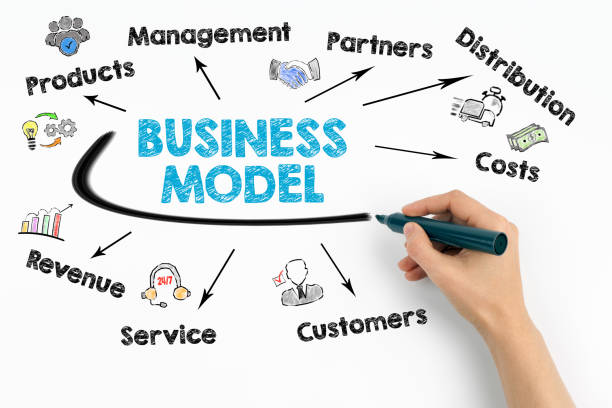
    Business Model

    Showcase the present business model you are using and describe how the strategy will increase the revenues. Numerous investors are looking for different plans and better qualities. To appeal to those looking for potential investors, you must tailor your plan and pitch.

    Business Model

    How Much Funding is Needed for an App?

    Every mobile app startup has a different budget requirement. The exact amount depends on several factors, including app complexity, idea, and development team. Before approaching app investors, working with your full-cycle app development company determines the expected cost of producing your app. Without any financial preparations in place, you run the danger of making a financial error that could cost your ambition.

    You won’t be able to even begin the development process with less funds. On the other hand, if you get more money than you need, you can wind up selling your firm to mobile app investors or giving away your owner’s share.

    Final Thoughts

    Finding investors for your new mobile app is a difficult but crucial endeavor. You can improve your chances of finding the right investors who share your vision by knowing your target audience. There are multiple platforms available where you can find investors for your startup. You must follow various strategies, including networking, utilizing online platforms, and creating a compelling pitch deck. Always be persistent, adjust your approach in response to criticism, and highlight the distinctive value of your new mobile app.

    Frequently Asked Questions

    Q. What is the Funding Process for Mobile Apps?

    Ans: Different types of funding process speed up the mobile app development process, such as:

    • Fundraising
    • Contributions
    • App Contests
    • Seed Funding
    • Bank Loans

    Q. How to Start an App Without Money?

    Ans: Investing money in mobile app development is beneficial for making an app to be successful. You can also start an app without money through the following ways:

    • Outlining your idea
    • Determining target audience
    • Choosing a platform
    • Select the development route

    Q. How to Gain the Attention of Investors?

    Ans:  Angel investors and venture capitalists accepted the firms for investment. Entrepreneurs must consider various approaches to attract investors’ attention and highlight the USP of their products. There are Some of the tested techniques as follows:

    • Expertise in your field
    • Brand your app’s mission and logo
    • Create an online presence
    • Construct a pitch deck
    • MVP is the secret to success

    Q. How Can MVP Assist Me in Raising Money for my App Idea?

    Ans: Mobile app investors hear about new app concepts every day. So, MVP aids in fundraising to define your app idea as functional. Your app’s demo offers a hands-on, interactive look at your offering. The likelihood of encountering bugs and problems is considerable regardless of the path you choose. Investors will be impres

  • How to Write an Effective Business Plan for Your Mobile Apps

    If you are planning to develop a mobile app, you should create a business plan for smooth workflow. A business plan is crucial to remember all critical aspects of the mobile app development process. It contains detailed information from the initial planning phase to the launch of a mobile app. If you want to know how to create a business plan for an app and analyze the current marketing trends, we assist you with this complete guide.

    What is a Business Plan & Why Do You Need It?

    A business plan is a written document that consists of all the details of a mobile app development process to achieve the desired goals. It is essential to document the internal and external audience to target them during the process. It helps to keep all the teams on track during the process to fulfill established goals.

    Here are several reasons to make a business plan for a mobile app:

    Minimizes the Risk

    When you make a business plan, you create a whole journey for the development process. It provides useful insights into various probable and unanticipated risks.

    Keeps Everything in Perspective

    It is common to forget several important aspects that could break the foundation of your business at a later stage. A business plan for mobile app development is a blueprint that contains all the crucial points. Blueprint contains all the important points and serves as a reminder of all those crucial aspects.

    Magnetizing Investments

    One of the most important reasons for mobile app development is to bring huge investments. It is essential for startup co-founders and attracting investors as well as sometimes for support of both. An effective business plan represents the vision while displaying the scope of a business idea and mobile app concept.

    Magnetizing Investments

    Delegating Effectively

    A business plan helps in managing and delegating development process tasks effectively. It provides a complete vision of the crucial tasks and is delegated to the responsible team to achieve established goals.

    Guide that Helps You Put Your Ideas Into Reality

    Designing a business plan before the beginning of the mobile app development will enhance the chances of success of an app. It helps to meet the goals at every stage and maximize the return on investment.

    Define the Application Type

    It is worth deciding what sort of mobile application you want to develop for solving particular problems. Businesses create an app for all kinds of reasons including, enhancing customer engagement, digital marketing, branding, and many more. It is tempting to rush into app development as other businesses similar to yours already have one.

    Market Research

    Market research is essential for understanding the target market potential of your customer. You can use market research methods like interviews, surveys, and focus groups to identify your target market. You might look at both primary and secondary data along with information about market size.

    Unique Selling Point (USP) of an App

    Identifying a Unique Selling Point (USP) is beneficial for selling your mobile app with an idea different from others. It also develops a summary of a product that explains everything about your product. USP represents different things about your mobile app that engages more users for using an app.

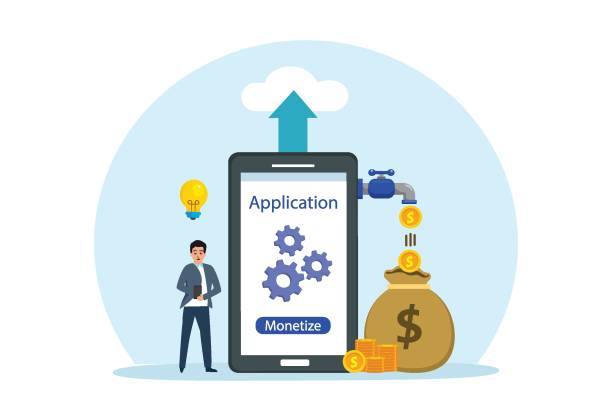
    App Monetization

    Businesses want to make money from mobile applications. They develop an app with the features users have to pay to use them. You must follow well-researched app monetization methods to make a positive user experience and expand your user base efficiently.

    Businessman with monetize apps on mobile phone Monetize vector concept. Businessman thinking an idea while standing with monetize apps on the mobile phone App Monetization stock illustrations


    App Marketing Plan

    Planning for marketing an app is essential before launching a mobile app in the market. It enhances the chances of a mobile app being successful and increases return on investments. App marketing planning comprises the details of all the tasks for delivering an app to the target market.

    Is the Business Plan for a Mobile App Different from Other Software?

    A business plan for mobile apps, websites, and other software is different from each other. It is different in monetization strategy, marketing approach, and feature sets. Thus, the business plan for these solutions also differs. Software development business plan structured similarly to the business strategy for a mobile app development company. However, a document determines its firm and product must have distinctive content. It is advisable to make a unique product with its target audience and goals.

    How Does a Mobile App Business Plan Look?

    Mobile app business plan divided into different segments to organize tasks in a better way. The best part of developing a business plan is to provide maximum transparency at every stage.

    Executive Summary

    Executive summary is the first and most important part of the business plan that every investor must read. It describes target audience, business objectives, and financial projections of the mobile app with an example. A well-designed executive summary acts as a standalone document to make initial decisions. It also describes the main functionality of an app to solve a problem that other apps cannot.

    Company Overview

    In the company overview section, you must document the company details. It contains mission, vision, corporate values, past achievements, structure, location, and competitive advantage. You can recommend subsections to your higher management and team members about your achievements. This will help you to convince your reader that you have a great team along with unique app ideas.

    Products and Services

    You must write briefly about your products and services focusing on its benefits for the users. Then move to the actual solution of how exactly your plan tackles the problem. It also consists of a brief description of the processes involved and need not to dive deep into the technical details. You can also highlight how your product surpasses already existing products and brief examination of your competitors.

    Marketing

    You should evaluate the current market trend and state of the field to justify your product in the competitive environment. This section contains customer behavior, target audience, current trends, and other important metrics. Then, create customer personas who are interested in your product. At the end, you must draw a conclusion based on marketing analysis which is composed of details including customer segments, market projections, and competitor’s inquiries.

    Management

    In this section, you have to explain the roles and responsibilities of every team member including their department and company associates. You have to explain all the critical tasks every employee must accomplish during the process.

    Finances

    You have to compile the whole information for making a financial model. This model enables you to predict cost, growth, revenues, and other important financial factors. Every business determines the charges of app development and then sets pricing for using their application. They use different pricing models including, freemium, subscription-based, and pay-per-use.

    What is Market Analysis & Market Strategies?

    Market Analysis

    Market Analysis provides information about the market status as the main factor of app idea realization. You should be able to make a short-term forecast and be aware of the present situation in your industry. There are various steps to take for market analysis:

    • Evaluate the existing business environment
    • Define the criteria of market research
    • Determine Service Available Market (SAM), Total Available Market (TAM), and Service Obtainable Market (SOM)
    • Search for direct competitors
    • Target audience analysis
    • Find out the Cost Per Acquisition (CPA) for your niche

    Market Strategy

    Mobile app market strategy is the way that enables you to hand over your product to the customers. You have to convince your investors that you have such a bridge to solve a particular problem through an app. While creating a business plan, you have to define all marketing strategies you are using in app development.

    Woman looking stock market Data on smart phone Woman looking stock market Data on smart phone Market Strategy stock pictures, royalty-free photos & images

    Conclusion

    Mobile app business plans are the most challenging and aren’t easy for startups. It is a document that reflects your passion to bring your app idea into reality. This guide helps to generate a complete business plan to run the app development process smoothly and effectively. Apptechies helps you to compile a well-structured business plan for attracting investors and successfully launching a mobile app.

    Frequently Asked Questions

    Q. What is a mobile app business plan?

    Ans: If you are planning to develop a mobile app, you should create a business plan for smooth workflow. A business plan is crucial to remember all critical aspects of the mobile app development process. It contains detailed information from the initial planning phase to the launch of a mobile app. If you want to know how to create a business plan for an app and analyze the current marketing trends, we assist you with this complete guide.

    Q. How much time does it take to create a business plan for a mobile app?

    Ans: As per our observations, it takes two to eight weeks to develop a successful business plan.

    Q. Is it possible to develop a mobile app without a business plan?

    Ans: Yes, it is possible to develop a mobile app without a business plan. However, a mobile app business plan is more than a document about app idea description. It is beneficial to generate a business plan before starting the app development process, especially for startup businesses.

    Q. How much does it cost to generate a mobile app business plan?

    Ans: The cost of generating a mobile app business plan depends on various factors including:

    • Length of the plan
    • Complexity
    • Amount of research required
    • Time taken for research


    How Zomato Works: Guide to the Business Model and Revenue Insights

  • Discover the 25 Best Augmented Reality Apps

    Discover the 25 Best Augmented Reality Apps

    Augmented Reality is a technology that improves the real world through computer-generated elements. It seamlessly integrates virtual objects with the physical environment, providing users with an interactive and immersive experience. AR apps use cameras and sensors of mobile devices to overlay digital content, creating a composite view of the real and virtual worlds. This article provides you with the best Augmented Reality (AR) applications and the types you need to know.

    What is an Augmented Reality App?

    An Augmented Reality (AR) app is a software application that integrates digital visual content into the user’s physical environment. These apps are utilized to add digital layers to actual objects for the majority of the time. This is similar to how the majority of virtual reality applications build digital layers for actual settings. AR apps use sensors to gather data in real time and combine digital and physical information.

    What are the types of AR Apps & Why Do We Need AR?

    Mobile app development company are using Augmented Reality (AR), the most popular technology trend that is evolving day by day. It enables you to visualize real-life environments with a digital augmentation overlay.

    Need of an AR

    AR technology is essential for a variety of purposes, including:

    • Improving productivity, eliminating actual workspaces, and producing remote operations
    • Enhancing awareness and loyalty of your brand among customers
    • Easy access to cover digital information on the physical one
    • Enhancing decision-making through suggestions and ideas for search terms
    • Turn your data and insights into easily understandable images or animations

    Types of AR Apps

    AR app development company promotes user experiences by embracing rich and innovative ways of representing digital content. It is made possible with the help of using different types of apps for augmented reality like:

    Marker-based AR Apps

    Marker-based AR applications are also known as recognition-based AR that identify the pattern of an image. It finds the object in front of the camera and displays the collected information on the screen. These applications use data from machine-readable barcodes to produce images. The replacement of the marker on the screen with a 3D depiction of the associated object. Object recognition depends on the marker that replaces it on the screen through 3D versioning of associated objects.

    market based ar apps

    Markerless AR Apps

    Markerless AR apps are the most prominent smartphone applications in the industry. These applications analyze the features displayed in real-time data without the camera. It analyzes data from the mobile’s GPS, accelerometer, and digital compass to determine the user’s concentration. These applications are used to display location-based data about what the camera can view on the screen.

    Projection-based AR Apps

    Projection-based AR apps create virtual 3D objects in the user’s environment and offer digital information. It projects artificial light onto actual flat surfaces to make an illusion of the position, orientation, and depth of an object. You can move freely around the environment within a designated zone. These types of apps support building cycle-specific digital IDs and feedback for process optimization.

    Superimposition-based AR Apps

    Superimposition-based AR apps are used to completely or partially replace an object’s original view with an updated augmented view for the human eye. Multiple views of a target object give superimposition augmented reality, with the opportunity to display additional pertinent information about that object.

    Location-based AR Apps

    Location-based AR apps rely on geographical data of specified locations to deliver digital images as markerless AR apps. It defines visual positions in your surroundings and maps the real-world environment. This Kind of AR app detects a match with the mapped location to superimpose digital imagery accordingly. It allows you to show your creativity and useful digital content to graphical points within an app.

    You Can Read Also: Top Trending App Ideas for Startups

    List of Top Augmented Reality Apps in 2026

    Augmented Reality (AR) apps are the best ways to experience real-time objects and provide solutions for various scenarios. Here is the list of top AR applications that you must know:

    Google Maps

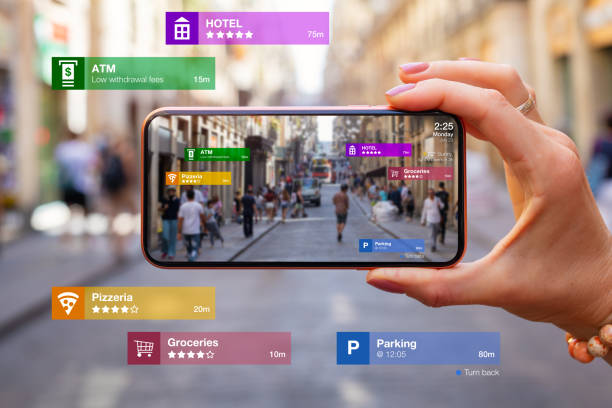
    Google Maps app has added AR capabilities that map instructions utilizing arrows for simple navigation. It enables you to view every virtual object through a camera as if it were a real one, giving you a realistic experience. Google Maps with AR features even persons with disabilities can use the app. Even persons with disabilities can use Google Maps with augmented reality features.

    Download: iOS and Android

    Rating: 4.3

    Google Translate

    Google Translate is the finest AR app for making it more practical and user-friendly. You can take a picture of the text and have Google Translate it into something you can understand. The ability to use it offline depends on the language pack that you have downloaded. This app is useful for resolving language issues when traveling to new locations.

    Download: iOS and Android

    Rating: 4.3

    GIPHY World

    GIPHY World is a free augmented reality app that brings GIFs and stickers to real life. This app allows you to add animated GIFs to the video and spice up communication. You can record real-world videos and take pictures to edit them with AR-based GIFs and stickers. The AR-generated media can be shared through email, phone, or social media.

    Download: iOS and Android

    Rating: 4.5

    Google Lens

    Google Lens has the AR ability to identify the object and provides you with the required information to enhance the search experience. It scans photographs for text, objects, images, and landmarks to give more information about them. Google Lens identifies the object, tells you what the text says, and also stores important numbers.

    Download: iOS and Android

    Rating: 4.4

    Snapchat

    Snapchat is the best and most widely used augmented reality-based social media application. It is an app that unleashes your creativity and builds entirely new augmented reality experiences for users. Snapchat has expanded a lot with AR technology and enhanced the consumer fanbase. 

    Download: iOS and Android

    Rating: 4.4

    Instagram

    Instagram is an evolving app for promoting businesses and increasing brand awareness among people. Well-known and most prominent brands use AR filters in Instagram stories to run their campaigns. AR-integrated Instagram enables you to attract more audiences and know them better.

    Instagram

    Download: iOS and Android 

    Rating: 4.3

    IKEA Place

    IKEA Place is also one of the best augmented reality apps that aim to make home decor virtually using AR technology. This app detects the area and puts the objects to suit the location before buying it from the IKEA store. It is beneficial in saving time, money, and effort in designing the interior. IKEA supports drag and drop functionality to move the objects and finalize them for home.  

    Download: iOS and Android 

    Rating: 4.4

    Augment

    Augment is a free augmented reality application that captures a 3D image of an object to place in a virtual environment before purchasing it. This app is widely used by e-commerce businesses and shop owners to create their product visualization for marketing purposes. It augments the image and embeds it on e-commerce websites or platforms.

    Download: iOS and Android 

    Rating: 3.9

    ModiFace

    ModiFace uses AR technology to scan the face and apply beauty products digitally in real time. This app gives you suggestions of beauty products, a hairstyle that suits you, and how to do your makeup. Shade calibration scans and analyzes information through AR about makeup shades and delivers photo-realistic results. Artificial Intelligence (AI) generated data is derived from data contributed by cosmetics companies through ModiFace SDK.  

    Download: Android

    Rating: 4.8

    Amazon

    Amazon has embedded AR features in it that enable you to try virtual products in real-world environments. As augmented reality is evolving, businesses are using AR features in product advertisements that make shopping easy and stay ahead of the competition. Amazon collaborates with L’Oréal to bring AR experience to beauty shoppers. 

    Download: iOS and Android

    Rating: 4.5

    Other Apps

    Various mobile apps are having AR features based on different categories. You could come to know what the market looks like and how it is evolving. Below are some other AR-featured mobile apps:

    • Magicplan
    • Roar
    • TapMeasure
    • Amikasa
    • Wana Kicks
    • YouCam Makeup
    • uMake
    • Pokemon Go
    • Shopify AR
    • Houzz
    • SketchAR
    • Quiver 
    • Knightfall AR
    • Holo
    • Angry Birds AR

    Final Thoughts

    Augmented Reality apps have opened up a new realm of possibilities, blending the virtual and physical worlds to create immersive and engaging experiences. From gaming to education, interior design to language translation, the top 25 AR apps mentioned above showcase the diverse applications of this transformative technology. By harnessing the power of augmented reality, tecHangouts enables you to step into the future and explore a world enriched with digital content.

    Frequently Asked Questions

    Q. What mobile app can I access augmented reality?

    A: There are a lot of mobile apps providing virtual experiences in different categories, including shopping, home decor, marketing, navigation, and cosmetics. AR-based mobile apps are Snapchat, Instagram, Google Maps, GIPHY World, Google Translate, IKEA Place, Augment, Amazon, and many more.   

    Q. Do you need a special app for AR?

    A: No, we don’t need a special app to enjoy or make an augmented reality experience. Today, there are numerous mobile apps available that provide AR functionalities as mentioned above. Moreover, web-based AR is another way to experience the real world virtually through webpages. 

    Q. How do I use AR on my iPhone?

    A: iPhone users can also use AR on their devices. Mobile apps are available in the Apple App Store to experience the virtual world using different methods:

    • Using Measures App
    • Using Snapchat
    • Using Warby Parker App
    • Using Maps App
    • Using ARki App
    • Using IKEA Space App
    • Using Clips App
    • Using JigSpace App


    React VS Vue: Everything You Need to Know

  • How to Develop an Android App: Everything You Need to Know

    Mobile applications are the most widely used way to increase sales and customer engagement towards the brand. Business owners develop their applications to generate more profit for their businesses. Android is an ideal platform for creating a lot of business opportunities and connecting more employees through it. This article will help if you want complete guidance on how to develop an Android app and the things to consider before developing it.

    Things to Consider Before Developing an Android App

    Before developing an Android app, there are various things to consider for successful development:

    things to consider before developing an app

    Conduct Market Research

    You should do extensive market research to know about current market trends. It helps in identifying the strategies your rivals follow and the mistakes they are making. You must avoid those mistakes and come up with the best strategy to develop an Android app. Market research also finds the demands of your target audience, evaluates them, and makes a correct decision on them.

    Target Audience

    After conducting market research, you must know about your target audience, their needs, and preferences. You will only then be able to build an Android app that meets their specific needs and resonate with the right group of individuals. Additionally, it is essential to monitor their changing needs and keep updating an app that remains valuable to them.

    Justify the Reason for App Development

    Before creating an Android app, you must have a clear vision for the app development. Having a clear understanding of the app functionality leads to great design and successful development. It is essential to keep a vision for development and must align with organizational goals.

    Get Monetization Options

    Monetization of an app is one of the main focuses of the Android app development process. There are several methods to monetize an app, including paid-premium apps, in-app purchases, freemium apps, in-app ads, subscriptions, and many more. Before selecting any monetization technique, you must ensure it is best for your audience and app. Choosing the right monetization option and planning accordingly leads to the chances of financial access.

    Determine the Development Cost of an Android App

    There are numerous factors to consider while determining the development cost of your application. These factors must be analyzed before setting up budget boundaries. The factors are divided into different stages of the development process and each stage carries a cost. The cost also depends on the geographical location and the nature of the company.

    Choosing the Best App Development Company

    You can choose the development method for creating an Android app on your own or hiring an app development company. For choosing the best Android app development company, you must check all the technologies they use, their app-making process, and their coding skills. You can also contact the companies they have already worked with.

    Plan for App Store Optimization (ASO)

    Once the development phase finishes, you publish that app to Google Play Store. It is required to optimize it to enhance its downloads and visibility to the users. There are various elements to optimize an app, including:

    • Application name
    • Visual graphics
    • Using relevant keywords
    • App description
    • Using reviews and ratings

    Ensuring Security Measures

    You must decide on the security measures in which an app needs sensitive data to operate. It contains the information to be collected and the way it is used. Mobile app security has grown to be a crucial issue that cannot be taken lightly. You should have the place to gather, manage, and retain the actual user data as well as to handle any security threats that might arise.

    Steps Required to Develop an Android Application

    Generating an Idea

    It happens when you shortlist an idea that is important and amazing. An app idea can only be viewed as a mobile app that can solve the problem of the target audience. Market research, competitor analysis, and establishing well-documented goals can determine an app idea. This will provide you with a thorough understanding of the market and enhance your market research.

    Design an Android Application

    Now, you have to design an application identifying the target audience, features, budget, and timeline. You conceptualize and visualize the basic functionality of an app and its user interface. Having a good user interface enhances customer engagement and should not be lost while using an app. After designing, figuring out APIs is the next phase in this designing process. It enables you to create an app from scratch and use an existing architecture to base your app.

    Android App Development

    You must create a fully functional prototype while creating an Android application. This is the time when you create a developer account and plan for publishing an app to the Google Play Store. An application is released to some users for testing purposes and implements all major features.

    Testing an Application

    Testing an Android application repeatedly will never be enough to guarantee that it is error-free and ready for every user. Mobile app software testing is conducted during the development stage and it could be expensive when you are too far along in this stage. During this stage, you should extensively test the application to ensure it adheres to the goals you had set for it.

    Launch and Maintain

    After successful testing of an Android application, you can now publish it to the Google Play Store. Once you publish an app, you have to maintain that app regularly to keep customers engaged and provide them with new features. Regular maintenance of an app makes the app updated to the current version and remains suitable for fulfilling your needs.

    Conclusion

    It seems to be an overwhelming and lengthy development process that requires time, effort, and money to invest in it. But if you do it right, it bridges the gap to consistently ensure quality and performance after release. If you follow the above mentioned steps carefully, you will get an app functioning smoothly and efficiently to meet your needs. While developing an app, you can also consult our technical experts and take help from them in app development.

    Frequently Asked Questions

    Q: How much time does it take to create an app?

    Ans: The time taken for creating an app depends on the various factors essential to developing an Android app. Basically, it takes 900-1000 hours to develop an app with minimum functionalities. Android app development time highly depends on the user requirements and app complexity.

    Q: What is the cost of creating an Android application?

    Ans: Android app development cost depends on the app’s complexity, location, complexity, and timeline. Typically, mobile app development companies cost $10000-$150000 for app development. They shift their budget as per the requirements of the customers.

    Q: How to ensure app success after launch?

    Ans: Once your app is launched on the Google Play Store, monitor it on a regular basis and make required changes as per current market trends. You can track key performance indicators for measuring the success of an Android app even after making changes to them.


    How to Build an ERP System

  • Basics of Patenting an Idea for an App: What You Need to Know

    Want to develop an amazing app? Along with an app development process, you must protect an idea of your app and how to create a patent for that. Your idea must be unique to safeguard an app and protect it from third-party to make it patent on their own names. This guide gives you complete information about safeguarding your apps from being duplicated by other developers.

    What is a Patent & Why is It Important?

    A patent is an intellectual property law that protects your unique app development ideas from illegal usage. It safeguards an application from being stolen and copied that considers you as a single owner of an app idea. Patented apps ensure false claims of your credits for an application and save it from being ruined.

    patenting your app

    Importance of Patenting an App

    Mobile applications need to be completely protected by the law. An official patent grants the opportunity to receive compensation for any violation of the applicable patent app law. Here are some reasons why it’s critical to patent app ideas:

    • The primary evidence of the originality and distinctness of your app idea is your patent for an app.
    • If you discover any copies of your original application, you have the right to file a lawsuit against the person or business that first released it.
    • Third parties wouldn’t commercially exploit your mobile app idea.

    What are the Various Patent Application Types?

    Different types of patents protect an application and secure your rights. You can apply for multiple patents to cover different aspects of an idea, including design and utility. Below are some main types of patents to prevent an app:

    Provisional Patent

    The provisional patent allows you to figure out invention work and your possession for the development process. You file for this application patent when you require priority date benefits for the application is under development process. It also prevents others from filing similar application development ideas. A provisional patent is less expensive than others and provides you enough time to file a provisional application. The United States Patent and Trademark Office (USPTO) will now ensure any public disclosure based on that provisional patent application.

    Design Patent

    A design patent protects the ornamental design from selling and making without the patent holder’s permission. These are difficult to search in a simplified way as there are very few words used in this design patent. App development companies have used design patents to protect elements of user interfaces and the shape of touchscreen devices. This patent remains in effect for up to 14 years from the filing date.

    Utility Patent

    USPTO receives utility patents, a typical kind of patent application. The invention must be brand-new and practical to qualify for a utility patent. It is a lengthy, technical manual that explains to the general public how to operate a novel device, procedure, or system. Genetic engineering and software transmitted over the internet test the utility patents.

    PCT Application

    PCT application is an international application patent that files for multiple countries in a single filing. Patent Corporation Treaty (PCT) rules the PCT application patent and authorizes it in all countries within 30-31 months. Additionally, it provides you with the International Preliminary Examination Report that gives the status of an invention to reduce the development cost and time.

    Continuing Patent Application

    Continuing Patent Application claims the priority on the previous patent application, including divisional, continuation, and continuation-in-part applications. Continuation permits to claim only amendments but continuation-in-part applications provide both description and amendments to the claim. For an invention that is distinct and can be divided, a divisional patent application must be filed separately.

    Reissue Patent

    If there is any mistake in an already applied patent and invalid for several reasons, you can apply for a reissue patent. This will not affect the original patent duration and get the full coverage. If a patent holder wishes to increase the scope of the invention described in the claim, a broadening issue must be submitted within two years of the grant. Furthermore, only the patent holder may submit a request for reissue in the US.

    Patent of Addition

    The patent of addition is all about specific amendments or modifications related to its patent. The adjustments or modifications may be made as a part of the regular process of enhancing an innovation or in response to input from the industry or the market. Patent of addition is accessible in these situations when one had already applied for or secured a payment. The subsequent improvement or modification lacks novelty or is non-obvious.

    Methods for Patenting App Ideas

    Below are some methods that determine how to get an app idea to be patented:

    Select the Type of Patent

    There are multiple types of patents available as mentioned above. You can choose any of them to patent your app idea from third-party developers to get copied.

    Consult with a Patent Lawyer

    You should hire a patent lawyer for getting your patent application selected seamlessly. It increases the chances of acceptance and exhibits a well-performed patent. Patenting an app idea is a legal process, getting advice from a professional will be beneficial for you. For smooth and better processing, everything should be transparent for both parties.

    Get an Idea into Reality

    The court always wants evidence. You must have all the necessary documents for the entire development process to grant a patent for your app idea. Additionally, you can create a prototype of your app to learn about its functionality. Knowing your app’s flowchart will help your lawyer to know about its procedures and functionality that need patenting.

    Do a Thorough Patent Search

    It is advisable to do a patent search thoroughly before filing a patent. You should hire a lawyer who conducts deep research for an app having similar functionalities. It prevents the wastage of time, money, and effort in patenting an app idea. Searching is more efficient rather than filing wrong information and similar app ideas of others.

    Apply for a Patent at the USPTO

    Once you have provided all the details of the inventive application, now you can apply for provisional and non-provisional patent applications. The most prevalent application is a provisional patent application without any claim and declaration, or even data disclosure statement. In contrast, non-provisional applications file with no claim on developed applications or without any reference.

    Submit Your Patent Applications

    After completing the above-mentioned steps, you can submit your application to the USPTO. Sometimes your application gets rejected, and you can submit it again for further processing which takes years to get patented. It is a lengthy process that requires a lot of paperwork and consulting your lawyer for guidance.

    How to Know Your Mobile Idea is Eligible for Patenting & Requirement?

    To determine the eligibility for patenting an app idea, you should consider below-mentioned crucial points:

    Invention

    Every country has its testing process and guidelines. Before submitting a final patent application to the trademark office, you must conduct a patent search test. The World Intellectual Property Organization (WIPO) ensures the patent is unique and able to solve any issue facing an app user.

    Qualified as Useful

    It is essential to make your app practically and theoretically perform well to make it patented. Your app must work well, especially theoretically. If your app is not as useful, you must prepare a claim to get ownership of it.

    Unique App Idea

    Before application development, you go through the app testing process and research market trends for that. Your idea must be unique and should not be copied from any other source. You should prevent your app idea from being revealed in any public document.

    Requirements for Patenting a Mobile App

    First Criterion

    The first criteria includes the required details from the flow of the coding to the functionality of an application. These details determine the fact that the application is useful and practical.

    requirements for patenting an app idea

    Second Criterion

    The second criterion is to check whether the functioning of an application is unique or not. It means that your application is novel and does not match with any other sources or format. You also need to ensure that similar applications have not been patented by others.

    Third Criterion

    The third criterion is that an application should be non-obvious. This means that your app will not be patented if it integrates pre-existing technology with minor modifications. If the application does not have any distinctive features or functionality from any other application, it will also not get approved.

    What are the Advantages & Costs of Patenting Mobile Apps?

    There are several possible advantages of patenting an app idea:

    • You can protect your app from copying, manufacturing, selling, or importing your invention without your permission.
    • To keep rivals at bay, you receive protection for a specific time.
    • You can utilize your invention.
    • You can license others to use your invention or you can sell them. It can provide you with revenue sources and maintain the royalty of your brand.
    • Patenting also protects the digital assets you create and those which are still in progress.

    Cost of Patenting a Mobile App

    The cost depends on the type of patent you choose. Provisional patent costs from $2000 to $5000. After using this patent, you can release an app in the market and check how well it can perform. Once the patent is issued, it expires after 1 year. On the other hand, non-provisional patents cost from $10000 to $15000. Administrators review it for several years and then decide if your app idea is eligible for a patent or not. There are some basic charges you need to pay for getting an app patented:

    • Patent Search Fee → $150-$600
    • Elementary Filing Fee → $70-280+
    • Patent Examination Fee → $180-700
    • 3.5 Years Maintenance Fee → $400-1600
    • 7.5 Years Maintenance Fee → $900-3600
    • 11.5 Years Maintenance Fee → $1850-7000+

    How Much Time Does It Take to Patent an App Idea?

    After calculating the cost, you might be wondering about the time it takes to get accepted. It takes 1-3 years to get patent approval. The patenting process commences with the examination process which is divided into various factors, including claims, specifications, drawings, and abstracts. Patent time also depends on the acceptance and rejection of an application and how many times it gets rejected and resubmitted.

    Why Not All App Owners Should Consider Patenting?

    Patent Can Block Vital Resources

    Mobile app development companies which are new to the business must be aware of the patenting process and its blocking effects. The patent process utilizes company and personal resources that are at risk. The cost of patenting is higher and can trouble startups financially under the red zone.

    No Patent is Guaranteed

    It is not sure about the confirmation of an application to get patented. There can be several reasons for rejection that can risk the business. The most restricted agreement cannot assure the safety of your product at the time of the breach. Various brands face this rip-off and patents will provide no help.

    Focus Original Thoughts Towards Perfection

    A patent only follows initial inventions, not the whole iterations during the process. Newly established businesses can make changes to their ideas and refile for patents every time.

    Final Thoughts

    Patenting an app idea is beneficial to protect your app idea from getting copied. Your unique app development idea enables you to make your app patented and reputable in the current market trend. However, it is a lengthy and tedious process because of its paperwork and testing procedures. Carefully following the mentioned steps and methods make your app a reputed brand.

    Frequently Asked Questions

    Q. Can You Patent an App Idea?

    Ans: Yes, you can patent your app idea through the methods mentioned above in this article. You can choose the type of patent as per your app requirements for protecting your app idea. It will be helpful for you to consult a patent lawyer who determines the eligibility of the patent type for your application.

    Q. Do You Need to Patent an App?

    Ans: Patenting an app depends on your needs. It is advisable to protect your app idea from others getting copied and illegally used.

    Q. What Documents & Information Do You Need to File a Patent Application?

    Ans: After completing a patent application, you must submit it with the USPTO. Due to increased paperwork, the process may become tedious after some time. You must provide the appropriate documentation, including the application form, provisional specification, statement and undertaking, declaration as to inventorship, and power of attorney. These documents must be verified separately before being finalized.

    Q. How to Search for Existing Patents?

    Ans: You must determine whether another party has patented your app idea or not. This calls for a careful examination of every related app idea that is now being offered or considered. There will be a functioning database that stores and retrieves the information. You can also find an existing patent by:

    • Describing your invention
    • Using patent search tools
    • Reviewing relevant results
    • Investing in a professional search

    Q. How Do You Make a Patent for an Application?

    Ans: If you want to create a patent for an app, you must follow below steps:

    • Get an application ownership
    • Research other similar apps
    • Search for a software patent lawyer
    • Get a disclosure of an app invention
    • Submit provisional and non-provisional patent application

    Q. How Can I Legally Protect an App Idea?

    Ans: After verifying your app idea, you must take appropriate actions to protect it. You can follow the below-mentioned steps:

    • Make your company LLC
    • Own the copyright
    • Use Non-Disclosure Agreement (NDA)
    • Create a brand and register the trademark
    • Pursue infringement cases


    Android App Development Fundamentals

  • Android App Development Fundamentals: A Complete Guide

    Android apps can be written using Java, Kotlin, and C++ programming languages. Your code gets compiled into an APK or Android App Bundle together with any data and resource files using Android SDK tools. An Android app bundle is a publishing format for an application that contains app projects and some additional metadata. Let us explore Android app development fundamentals, including Android app components, structure layout, activity layout and appropriate needed equipment.

    What Are Android App Fundamentals & Components?

    Android app fundamentals are the basic building blocks of Android application development. These fundamentals provide the foundation upon which you can build your Android app. Some of the key Android app fundamentals include:

    Services

    Services are the background tasks that the app performs and are time-consuming while pursuing the web. A service could require additional sub-services to carry out particular duties. These services aim to keep the app running continuously without interfering with any user interactions.

    Activities

    Activities is an activity-containing user interface related to screen interaction. Depending on the application, there may be one or more activities that begin when the application is opened. Main activity is an activity that is constantly present and follows the steps to carry out that activity.

    Broadcast Receivers

    Responding to messages from the system or from other apps requires the use of a broadcast. Each object in the broadcast receiver subclass of the BroadcastReceiver class is represented by an intent object.
    mobile tower transmission radar technology background design mobile tower transmission radar technology background design Broadcast Receivers stock illustrations

    Content providers

    A content provider transforms data from one application to another when another application requests it. The ContentResolver class is in charge of handling those requests. APIs in this class implement others to carry out transactions. The parent class of the ContentProvider class must be implemented by all content providers.

    What is the Structural Layout & Lifecycle of Activity in Android Studio?

    Here, Android app development is the fundamental structural layout of activity in Android Studio.

    Manifest Folder

    The Android Manifest is the XML file and the root of the project source set. The key details regarding the app consist of the Android operating system, Android development tools and Google Play. It includes the authorization that an application would want in order to carry out a particular task. Manifest comprises hardware and software aspects of the app, which control its Play Store compatibility. It contains unique activities such as broadcast receivers, package names, content suppliers and services.

    Java Folder

    Java files necessary for the app’s background are contained in the Java folder. It includes computation, storage, programming functionality, variables, popup messages and button functionality. The quantity of these files varies according to the nature of the generated actions.

    Resource Folder

    The resource folder contains different resources used within the app and sub-folders like layout, drawable, raw, mipmap and values. XML files specify the user interface layout and resource files such as audio or music files make up the raw.

    Gradle Files

    Gradle is a sophisticated toolkit that enables the definition of flexible custom build settings to manage the build process. While utilizing the components that are common to all versions of an application, each build configuration can define its own collection of code and resources. The Android plugin for Gradle offers procedures and programmable settings that are unique to creating and testing Android applications. You can conduct custom build setups to take advantage of the Android build system’s adaptability without changing the main source files for your app.
    Android app development fundamental lifecycle of activity in Android Studio:

    • OnCreate: It is executed when an activity is first developed.
    • OnStart: It is executed when the user can see an activity.
    • OnResume: It is executed when the activity begins user interaction.
    • OnPause: It is carried out while the user cannot see activities.
    • OnStop: It is executed when the activity is no longer visible.
    • OnRestart: It is executed when the activity stops and restarts again.
    • OnDestroy: It is executed when an activity needs to be ended.

    Selecting the Appropriate Tool

    There are various factors to be considered while selecting an appropriate tool for the development of an Android application. Most organizations have industry norms to take into account while considering the required equipment for app development.

    Platform Feature Support

    Many of the mobile applications can run on multiple platforms without needing to be specifically coded for each platform. When using cross platform development tools, this method enables you to spend less time coding for specific platforms and enables you to access mobile applications on a number of platforms, facilitating seamless data integration between systems.

    Speed Consideration

    Mobile applications, both native and cross-platform, must operate as quickly and effectively as web pages. This is necessary for practically all apps, but it’s especially important for gaming apps because they need a particular level of speed and performance to function. Mobile app development tools can assist you in using the best code and libraries for optimum speed, which is crucial.

    Cost of Development

    Calculating the ROI and cost of development while developing applications for mobile devices and other platforms Mobile app production costs can assist us in defining the value we expect from their applications. The amount of money we anticipate making from deploying it after creation with a specific mobile app framework, thereby calculating its return on investment.
    Budget management app. Personal financial control. Cash flow. Tiny woman manages the personal budget. Modern flat cartoon style. Vector illustration on white background Budget management app. Personal financial control. Cash flow. Tiny woman manages the personal budget. Modern flat cartoon style. Vector illustration app cost stock illustrations

    Security Risk

    Android apps, which include Wi-Fi security, cellular network security and software security, are becoming increasingly targeted in an era of expanding data breaches. Certain types of mobile apps containing payment systems or gateways must be tested with risk evaluations, practical penetration testing and vulnerability testing in addition to complying with data laws.

    Enhance Efficiency

    The best Android app development framework should be chosen, and working within the parameters of a system’s thin code pattern can help you create the most efficient mobile application. Selecting an Android app development framework that improves your experience and ensures high-quality output.

    After Launch Updates

    Select a development tool that streamlines all future routine maintenance. App workflows once deployed when deciding on the best mobile application development tool to utilize. Overall, we covered the fundamentals of Android app development, including activities, intents, layouts and more. You can create high-quality Android apps that are secure, user-friendly and functional using appropriate tools as per your requirements.

    Frequently Asked Questions

    Q: What are the basics for Android app development?

    Ans: Android programming languages like C++, Java and Kotlin, Android components like services, activities, broadcast receiver and content providers, the structural layout of Android Studio and activity lifecycle of an Android app are the basic building blocks of Android app development.

    Q: How Do I Start Learning Android App Development?

    Ans: You can start learning a programming language, understand the Android application lifecycle, learn the basics of Android applications, know about Android tools, start with a small project and lead to the next level of expertise.

    Q: How many days will it take to learn Android app development?

    Ans: Learning Android app development totally depends on how quickly you gain programming language skills. Otherwise, it will take as little as three months.

    Q: What are the 5 steps to developing an Android app?

    Ans: In the Android app development process, there are 5 basic steps to follow:

    Research

    Android app development companies must determine how suggested ideas may be combined into a single useful mobile app. You must take into account how people use mobile apps differently, incorporating the brand into design and functionality.

    Prototype

    Building a prototype is essential for a clear understanding of how the app is progressing and what needs to be modified. Prototype made available for use by the audience, along with a request for feedback.

    Design and Develop

    While Android app development refers to the code that powers the app, Android app design relates to the aesthetics or appearance of the app. Even if design and development start relatively early in the process, they can only be done properly when the research is finished and a first prototype is constructed.

    Testing

    Before being deployed, the app must be checked for bugs after it has been created and developed. The audience can be given access to a test version of the app and comments can be requested. Bugs and problems ought to be addressed during the testing stage.

    Deployment

    The final stage of Android app development is to deploy the app, or go live. As soon as users download and use the app, complaints will start to come in. As a result, you must be prepared to respond to all concerns and correct any issues within the program.

    Basics of Patenting an Idea for an App

  • Essential Insights on the Cost of Android App Development

    Android app development can be profitable but it requires some cost for the development of an app. The cost depends on the various factors of development, including the size and complexity of an Android application. This will help you to meet your goals and make a budget for your app development process on the Android platform. This blog provides you with an overview of determining app development costs and factors that help to reduce them.

    What is Android App Development?

    Android app development is the process of developing Android applications for all Android devices, including tablets, smartphones, and wearable devices. It employs different programming languages like Kotlin, Java along with different tools and frameworks. Developing an Android app requires a deep understanding of the working of an Android and what your user wants in their app.

    Benefits of Using Android App Development

    Cross-Platform Compatibility

    Android apps can work on different Android platforms, including Android tablets, wearable devices, and Android smartphones. A robust Android app can function across a wide range of hardware setups. Android platform offers best performance to the end consumers. An Android app may run smoothly and without interruption on any device, whether a tablet, phone, or desktop.

    Higher ROI

    You have to register for Android application distribution single time on a single-time charge. You will get an engaging Android app at a minimum development cost and address a huge audience globally. Android apps provide higher ROI as compared to other platforms. IDE Android Development Studio and Android SDK reduce licensing and development costs. This enables you to generate higher revenue on overall investment.

    Finance And Investment Concept - ROI Labeled Button On A Car Dashboard Finance and investment concept. ROI labeled button on car dashboard. There is ROI text on the button and it is pointing high efficiency. Horizontal composition with copy space and selective focus. Higher ROI stock pictures, royalty-free photos & images

    Easy Marketing

    Android platform provides convenient integration and rapid development of desired functionalities. You can launch multiple Android applications earlier than your competitors and claim more market shares. This platform helps in improving business apps to update them with requirements in a minimum time. Android apps are then ready to download anytime from any source.

    Scope for Innovation

    Android platform’s global presence is the greatest asset to target a selected audience. Android app developers may assist you to target a certain demographic with some cutting-edge features. High-end app solutions integrate with cutting-edge technologies at affordable prices, including AR and VR. Android provides various rooms for experimentation and creates new business possibilities.

    App Reliability and Security

    Android apps with in-built security features provide higher protection against cyber threats. Android platform ensures that there is no way for a security breach to enter and the app is protected well. Application security along with its reliability makes it different from other platforms and software.

    Effective Android Marketplace

    Android platform is the best platform for the approval of newly developed applications. It is easier for you to publish an app to the Google Play Store by paying a one-time fee only. You can timely launch the required upgrades by immediately scanning the end user’s input. Developers can keep an eye on feedback from actual users and periodically release updates. Additionally, Android apps are available for download from any source.

    How to Reduce the Cost of Android App Development?

    Ensure the Project Scope

    It is advisable to be sure about your project requirements and what you want to develop. This reduces the startup costs of an Android app development. If the project scope is not clearly defined by the developers, they will consider an aspect that might not be included in the project. This can lead to rework on the same project to fulfill its requirements and make the project spend more money on that.

    Conduct Market Research

    Market research provides a clear vision of the project to determine the budget for the Android app development process. Making a great project plan as per market research leads to the success of an app and the cost-effectiveness development process.

    Business man's hand with magnifying glass and various business graphs on light blue background Business man's hand with magnifying glass and various business graphs on light blue background Market Research stock pictures, royalty-free photos & images

    Minimize Design Expenses

    User Interface (UI) and User Experience (UX) are the essential components of an app design process. You can reuse and customize already existing UI templates to match your brand and project. It is affordable and aids in creating a prototype that can enhance business revenue. Simple app design reduces the cost of designing and serving space for an app.

    App Development Project Outsourcing

    In-house app development charges higher prices rather than outsourcing an app development process. A higher price does not always mean a higher quality of an Android app. It could disturb your budget and lead to unnecessary expenses. Mobile app development companies charge for outsourcing as per their geographical location.

    Create MVP Instead of Full-Fledged Product

    A minimal Viable Product (MVP) is the replica of the final product that provides you with the basic functionalities of an app. Making an MVP of the original product reduces the cost and time taken to develop an Android app. You will get feedback from users that will help in making the required product to target the right audience.

    Automate Repetitive Tasks

    Automating repetitive tasks reduces spending on the same tasks again and again. You can automate various tasks, including testing an app, sending milestone emails, and changing notifications. It saves time, money, and effort to put on the same task repeatedly.

    Take Account of Hidden Costs

    When you hire a mobile app development company, you must be aware of hidden charges to plan your budget accordingly. You should clear your goals and required features in the initial stage that reduce most of the development cost. You can negotiate with your partner to maintain expenses and reduce hidden charges. Hidden charges include:

    • API interface
    • Data storage
    • Social media integration
    • Android and iOS updates
    • Push notifications
    • Content development networks

    Share the Expenses

    An app developer and business must share the expenses for cutting the cost. Developers can ask investors for the funds and then share the profit with them. However, a business with a limited budget may decide to provide funding to a developer in exchange for full ownership of the app, ensuring that the development process is finished.

    Calculator to Determine Your Android App Development Cost

    An Android app cost calculator is the simplest and easiest way to make a rough estimate of the development cost. This calculator calculates the cost through various factors, including:

    • Number of features
    • Technical complexity
    • Custom design
    • Number of platforms

    The cost of an app depends on the nature and features required in the app. Then, this calculator provides a rough estimate of developing an app as per requirements. It determines your app’s budget considering all the Android app requirements.

    Factors That Affect the Android App Development Cost

    Android apps are one of the most prominent ways of generating traffic, increasing sales, and improving overall business growth. Various factors affect the app development cost are:

    Type and Size of an App

    Small apps are intended for a single platform and have minimum functionality with typical user interface components. Medium apps are also designed for a single platform but have customized user interfaces. These apps support multiple platforms but are less complicated. Moreover, large apps provide more features and are more complicated than these two other types of applications.

    Features and Functionality

    The most crucial factor of app development cost is the features required in an application. The more features you require in your app, you need to spend more money on it. It is advisable to focus on core features in the initial stage. This will give you a great user experience at a lower cost. With the advancement of app features and functionality, it will also increase the cost.

    App Store icon on an iphone "Cape Town, South Africa - August 23, 2011: App Store icon on an iphone 4, manufactured by Apple" Features and Functionality in app stock pictures, royalty-free photos & images

    Design

    The development cost widely depends on the application design that you first see after release. There are various designs to choose from and the pricing depends on the quality and type of design used. Graphics and animation make an app more intuitive and engaging which will hike the development cost.

    Selecting the Business Model

    The factors like business, service, and target users constitute the outline of the app budget design. The length of the process increases with the level of intricacy demanded in the business app model. This means that as time passes, the cost will also increase.

    App Development Platform

    The app development platform depends on the business model you are using. A service must be made available if it requires an app on popular platforms. Native apps increase the budget proportion which demands more time to code, layout, and fragmentation. Additionally, iOS limits the number of screen sizes and variants, which allows mobile app development companies to create their products with a reasonable turnaround time.

    Development Team

    App development depends on the purpose and value proportion with core business functionalities. An app development company set up an in-house developers team based on the app’s complexity and adequacy. Putting together an internal app development team could push the budget too far. It also requires the resources of a creative team, including domain experts. A solid app development business would have resources with knowledge in a variety of fields and would provide exceptional service.

    Hosting and Security

    Android apps are the way to carry the data and exchange that in real time. You are recommended to deliver service uninterrupted that delivers smooth and with a dedicated server. Hosting an Android app with high-security features to the domain costs more for a dedicated server rather than for shared hosting services.

    App Maintenance

    After launching an application, it is essential to maintain it regularly for smooth functioning. App maintenance requires new features and improves the app’s performance. It costs for this to maintain and update an app to keep users engaged with the same application.

    What are the App Development Cost Stages?

    The app development process is divided into different stages to run the process smoothly and make a successful app. Each phase carries some cost as mentioned below:

    Discovery Stage

    The discovery stage is the initial stage in which the purpose and target audience is defined. The cost varies depending on the app’s complexity and the research required at this stage. It must be clear and concise so that everyone can understand. The more complex app requires deep research that costs more than a simple Android app. This phase consumes around 10% of the app development cost for the Android platform.

    Design Stage

    This stage’s costs depend on the number of screens required, design type, and experience level of a design team. It consists of wireframes, user experience design, and visual design. Before creating a wireframe of the project, you need to make documentation of the functional specifications. This phase requires 15% of the total development cost of an Android app.

    Development Stage

    This stage contains coding, debugging, and integrating various features. Numerous features determine the cost required to develop an Android app. You can estimate the cost and time of delivery based on the design received. The development stage consumes most of the part of the development cost around 60%. You must also consider the complexity and number of features required in an app.

    Testing Stage

    After developing an app, the app will go through a testing phase. It will be thoroughly tested to find and address the errors, bugs, and glitches. Testing is essential to assure the quality of an Android app and its performance with high-quality features. It takes 10% of the total cost of an app development comprising testing tools and testing teams.

    Deployment Stage

    When an Android app passes the testing phase successfully, then you will launch it to the target market. In this stage, the development strategy and platform on which an app is hosted affect the cost. It also consists of 5% of the app development cost for the testing of an app.

    Conclusion

    If you are planning to develop an Android app, you must consider all the factors essential for estimating development costs. This complete guide provides you with a complete understanding of factors affecting the development cost of an application. It will also suggest ways to minimize the startup cost of a mobile app and the cost associated with different stages. Spending money on app development will generate more revenue and value for this process.

    Frequently Asked Questions

    Q: How much does the Google Play Store cost to publish an Android app on it?

    Google claims one-time charges of $25 dollars to publish an Android app on the Play Store. It could take hours or even days to publish your app due to the huge number of apps on the Google Play Store and the new privacy policy. It is advisable to work with mobile app development businesses to produce even more faultless applications that are chosen right away.

    Q: How much does it take to develop an Android app?

    A successful and fully functional Android app develops within 6 months or more than a year. There are numerous factors that vary the time taken to develop an app.

    Q: How to estimate the cost of an Android app development process?

    Android app development cost is estimated at every stage depending on the complexity of an app and the experience level of the team working in each phase. The essential factors include app size, features, design, business model, and platform that affect the cost of app development.

    Q: Why do businesses choose Android app development?

    There are several reasons to choose Android application development that are listed below:

    • Android has a great user base as most individuals are using Android mobiles.
    • Google provides free tools and technologies for using the Android platform.
    • Android offers cross-platform compatibility and allows you to expand your brand awareness.
    • Android platform enables you to develop customized apps as per your requirements.
    • Android apps offer incredible features with amazing graphics and animation support.
  • Mobile App Development Process | Step-by-Step Guide 2026

    Mobile App Development Process | Step-by-Step Guide 2026

    The mobile app industry is continuously growing through a transformative phase. With the latest tech stack & innovations, we can run applications on multiple platforms. For instance, Mobile application development involves developing software for smartphones, tablets, and digital assistants on Android and iOS. Apps can be preinstalled, downloaded from an app store, or accessed via a mobile browser. Programming languages like Java, Swift, C#, and HTML5 are used for development.

    According to Statista, global mobile users in 2021 were 7.1 billion, with estimates indicating that this figure will climb to 7.26 billion by 2022. The number of mobile users globally is expected to reach 7.49 billion by 2025. This explains why the need for mobile app development services is increasing yearly.

    Thus, if you want to develop a mobile app for your business, you’ve come to the correct place. This blog discusses the important features of mobile app development, such as the development process, techniques, platforms, development costs, and suggestions for avoiding failures and achieving success with mobile app development. Let’s get started right now.

    What is Mobile Application Development?

    Mobile application development builds software designed to run on mobile devices like smartphones, tablets, and even smartwatches. It encompasses the entire lifecycle, from ideation and planning to coding, testing, deployment, and maintenance. Moreover, some apps can leverage mobile features like GPS, Bluetooth, a camera, a microphone, and other functions that are pre-built into a smartphone.

    What is Mobile Application Development

    Therefore, mobile app development involves

    • Building installable software.
    • Setting up backend services for data access via APIs.
    • Testing the app on intended devices.

    Developing scalable mobile apps involves addressing screen sizes, hardware needs, and various development aspects. As mobile app development jobs rise, entrepreneurs, startups, and developers must have a well-defined and understood process.

    What is the Importance of Mobile App Development in 2024?

    The year 2024 is undeniably a tech-driven era with cutting-edge technologies, and Mobile App Development stands out as a key player. According to Statista, the worldwide revenue from mobile apps is set to hit $171 billion by 2025. Users dedicate over 80% of their digital media time to mobile apps (eMarketer).

    Mobile device usage has surged, with people dedicating more time to their smartphones and tablets. So, it is a great opportunity to invest in mobile app development. Before diving in, let’s briefly explore its importance:

    Enhance Customer Loyalty

    Due to mobile apps, organizations & enterprises can interact with their target audience more deeply & efficiently. It gives a suitable platform to communicate with them through push notifications, updates, and offers.

    Customer engagement is vital to informing them about your latest products, services, and ongoing promotions. By interacting with your customers, you indicate that you care about their experience with your brand.

    Expanding Reach and Accessibility

    Did you know that as of July 2022, DataReportal revealed 5.34 billion unique mobile phone users worldwide? That’s a massive pool of potential customers!

    Mobile apps have the power to connect with a broader audience compared to traditional channels, especially in remote or underserved areas. This unlocks new markets and creates fresh opportunities for businesses, NGOs, and educational institutions.

    For business owners, expecting scalable and sustainable growth is essential. Thus, mobile app development for your online business is a strategic step in achieving your goal.

    Boost User Experience

    In contrast to traditional websites, mobile applications provide a personalized and immersive user experience. With user-friendly interfaces, smooth navigation, and interactive elements, they are tailored specifically for mobile devices.

    Prioritizing user experience in mobile app development ensures users can swiftly access information, accomplish tasks, and engage with the app effortlessly.

    Data Gathering and Insights

    Data gathering and insights are pivotal in mobile app development as they empower businesses to understand user behavior, preferences, and trends. Through analytics, developers can see how users interact with the app, identify popular features, and find improvement areas.

    This data-driven approach improves user experiences, optimizes app performance, and guides decisions for future updates. By using valuable insights, mobile app developers can enhance functionality, customize content, and create more engaging and user-friendly applications, ensuring ongoing success in the ever-changing digital landscape.

    Simplified Business Processes

    Internal company procedures can be streamlined with mobile apps, increasing productivity and efficiency. They can improve communication and collaboration among staff members, automate operations, and provide real-time updates. This workflow modification could lead to increased operational efficiency and cost savings.

    How Many Types of Mobile Applications?

    There are numerous types of mobile applications. Let us explain the main category of the apps based on the platforms below:

    Native Apps

    Native apps are designed for an Android or iOS operating system. They leverage the unique features of each OS, such as contacts or cameras. However, an app built for iOS won’t work on Android and vice versa. This is because they are tailored to the specific programming languages of each OS, like Xcode and Objective-C for iOS and Eclipse and Java for Android. Native apps ensure high performance and a great user experience, utilizing the device’s features. You can find them in OS-specific app stores.

    Technology Used in Native Apps

    Native apps are developed using specific technologies based on the operating system:

    For iOS Apps

    • Objective-C
    • Swift
    • Xcode

    For Android Apps:

    • Java
    • Kotlin.
    • Android Studio
    • C++
    • React

    Pros of Native Apps

    • Optimized Performance
    • Enhanced User Experience
    • Offline Functionality
    • App Store Optimization

    Cons of Native Apps 

    • Development Cost and Time
    • Limited Cross-Platform Compatibility
    • App Store Approval Process
    • Updates and Maintenance

    Hybrid Apps

    Hybrid apps offer a blend of native and web app advantages. They use HTML, JavaScript, and CSS, making them compatible across different operating systems. Developers can avoid platform-specific languages like Objective-C or Swift and leverage standard web technologies such as JavaScript, Angular, HTML, and CSS.

    The JavaScript/HTML code is encapsulated using frameworks like Cordova, connecting seamlessly with device functions. Hybrid apps, like native apps, are distributed through app stores like Google Play and Apple’s App Store. They are ideal for apps not requiring high performance or full device access. However, native apps maintain an edge in performance and device optimization.

    Technology Used in Hybrid Apps

    • HTML
    • CSS
    • JavaScript
    • React Native
    • Swift
    • Wrap-Up
    • Xamarin
    • Apache Cordova

    Pros of Hybrid Apps

    • Cross-Platform Development
    • Cost-Effective Development
    • Faster Development Time
    • Easier Maintenance

    Cons of Hybrid Apps

    • Performance Limitations
    • Limited Access to Device Features
    • Dependence on Third-Party Frameworks
    • Potential for User Experience Compromise

    Web Apps

    Web apps, or mobile web apps, are accessible through internet browsers without the need for installation or storage space. They seamlessly adapt to various devices & screen sizes, providing a responsive and feature-rich experience. The distinction between web and native apps can be subtle, as both share similar features and responsiveness.

    However, a key difference lies in offline functionality. Native apps can operate offline and online, while web apps require an active internet connection. Since web apps are hosted on web servers and not installed locally, they update automatically without requiring manual updates on users’ devices.

    Technology Used in Web Apps

    • C#
    • C++
    • JavaScript
    • Ruby
    • TypeScript
    • PHP
    • Python
    • CSS
    • HTML5

    Pros of Web Apps

    • Cross-Platform Accessibility
    • No Installation Required
    • Easier Maintenance
    • Immediate Updates

    Cons of Web Apps

    • Limited Access to Device Features
    • Performance May Lag Behind Native Apps
    • Dependence on Browser Capabilities
    • Limited Offline Functionality

    Progressive Web Apps (PWAs)

    A Progressive Web App (PWA) utilizes modern web technologies to deliver an app-like experience. PWAs can be installed on a user’s device, allowing launch from the home screen, similar to native apps. They offer features like offline content access and push notifications, enhancing user engagement.

    While comparable to mobile web apps, PWAs distinguish themselves by being installable on the user’s device. It offers offline content access, supports push notifications, and generates a native app experience.

    Technology Used in PWA

    • JavaScript
    • React PWA Library
    • AngularJS
    • CSS
    • HTML5
    • VueJS
    • Magento PWA Studio
    • PWA Library
    • WebAssembly

    Pros of PWAs

    • Offline Functionality
    • Cross-Platform Compatibility
    • Faster Loading Time
    • Improved User Engagement

    Cons of PWAs

    • Limited Access to Native Device Features
    • Browser Support Variability
    • Limited Presence in App Stores
    • May Lack Full Integration with Device APIs

    Which Platform is the Best for Developing a Mobile App?

    There are numerous options available to choose the best Mobile App Development Platforms for 2024. At Apptechies, we are here to guide you with the list of top 5 platforms to develop an app. Moreover, each platform helps you develop an app, and its unique features make your development more easy & frequent.

    Microsoft Xamarin

    Microsoft owns Xamarin, an open-source, cross-platform Android app development platform. It can develop apps for mobile operating systems such as Android, iOS, and Windows using C# and NET. It provides developers with a range of development tools, testing, debugging, and deploying programs. It may be connected with cloud services such as Microsoft Azure.

    It allows developers to share scripts between Windows and macOS. Developers can use tools, frameworks, and an active community to construct a development environment with the help of APIs, components, backend services, etc.

    Adobe PhoneGap (Cordova)

    Cordova is a well-known open-source mobile app development framework that enables developers to build cross-platform apps with HTML, CSS, and JavaScript. It includes a collection of plugins and APIs to access native device capabilities and functions such as GPS, camera, and storage.

    Cordova also integrates with various services and tools for developing and deploying apps, including continuous integration and delivery. However, one disadvantage of Cordova is that it may not give as smooth a user experience as other platforms because the app may not be as well-optimized for each operating system.

    Android Studio

    Android Studio stands as Google’s official Android Integrated Development Environment (IDE), offering many features for mobile app development. Developers can effortlessly write source code, debug, and test application quality.

    Moreover, it supports multiple programming languages such as Java, Kotlin, Swift, C++, etc., and it receives continuous updates to align with the latest developer trends. Android Studio is customizable to individual needs, and its expansive community of Android developers provides support in case of challenges.

    Flutter

    Flutter is an open-source mobile app development platform. It is developed by team of Google. It empowers developers to create Android, iOS, and web apps using a unified codebase. Also, it offers various features and tools, facilitating the construction of visually appealing and responsive applications. Flutter boasts the Hot Reload feature, enabling developers to witness real-time results when making code changes & saving time and effort.

    Moreover, Flutter provides tools and services for backend app development, integrating cloud-based services and functionalities like user authentication, data storage, and push notifications. However, it may have limitations when building apps with intricate graphics and animations compared to other platforms.

    React Native

    React Native is an open-source and user-friendly cross-platform app development platform developed by Meta. It facilitates the creation of native applications compatible with Android, iOS, and web platforms. Developers can efficiently develop, test, and deploy apps using JavaScript and the React library, ensuring a swift development and deployment process.

    Moreover, React Native utilizes a syntax similar to CSS but does not rely on HTML or CSS. To harness native views, it leverages the JavaScript thread’s messages. Several popular applications, including Skype, Airbnb, and Amazon Prime, have been successfully developed using React Native.

    Process of Mobile App Development

    Requirement Gathering & Analysis

    Turning your app concept into reality requires thorough preparation. The success of your project hinges on robust research and strategic planning. It is a vital step to optimize resources for long-term benefits.

    You can initiate the process with in-depth exploration, addressing crucial questions. Moreover, you can consider some key aspects such as:

    • Identification of potential app market and audience
    • Creation of app user personas
    • Competitor research (presence, strengths, and weaknesses)
    • Budgeting and resource allocation
    • Establishing app goals and objectives
    • Choosing the app marketplace (Android &/or iOS)
    • Selecting the best development method/software
    • Formulating a promotion and marketing strategy

    Prepare a product roadmap when you’ve determined the needs for your app. Examples of this are prioritizing mobile app requirements and categorizing them into delivery milestones.

    Prototyping & Wireframing

    A wireframe serves as the initial sketch or blueprint of your software. This structure representation is instrumental in conveying expectations. Also, it outlines the fundamental aspects of the app for developers and team members.

    You can develop a two-dimensional visual guide or skeletal framework for your app. It’s essential to grasp that the primary purpose of wireframing and prototyping isn’t to showcase the app’s appearance but, more crucially, to illustrate its functionality.

    In this process, define key elements such as navigation, page elements, object categories, conversion areas, Call to Action buttons, and more. This strategic approach ensures a clear roadmap for the app’s development, emphasizing how it will operate.

    UI/UX Design

    UI/UX design in mobile app development involves developing a visually appealing and user-friendly interface. The process begins with thorough research into user needs, preferences, and market trends. Wireframing and prototyping help map out the app’s structure. Designers then craft an intuitive user interface (UI) with cohesive visual elements.

    User experience (UX) design ensures seamless navigation and functionality. Iterative testing gathers feedback for refinement, optimizing the app for an engaging and satisfying user journey. The final design balances aesthetics and usability, crucial for a successful and functional mobile app.

    Development

    After completing the design, we move to one of the most important parts is development. It is mainly divided into two parts – Front End and Back End.

    Frontend

    When it comes to a mobile app’s front end, it’s the user’s main point of interaction. Three primary approaches govern its construction:

    Platform-specific: Crafted exclusively for individual mobile platforms, optimizing code for each (iOS and Android). While potentially more costly, the payoff lies in enhanced speed and responsiveness.

    Cross-platform: These solutions run on several platforms using a single codebase, ensuring connectivity with numerous operating systems. This method is distinguished by its low cost and reusability of code.

    Hybrid: It combines platform-specific and online app features, enabling developers to build code using traditional web technologies. This code runs within a native shell, making it platform-agnostic without the lengthy development effort necessary for cross-platform solutions.

    Backend

    The backend phase in app development focuses on constructing databases and server-side components crucial for your app’s performance.

    At this stage, your project team selects appropriate programming languages, initiates coding, and chooses database engines and hosting environments.

    This backend segment is pivotal, as it shapes your app’s scalability for the future. Collaborating with seasoned software developers becomes paramount to ensure seamless expansion with a growing user base. Their expertise will navigate you through key development phases, guaranteeing a system that scales effortlessly.

    Quality Assurance & Deployment

    After the development phase concludes, thorough testing of every aspect of the app follows. This involves analyzing the UI/UX, design, features, functionalities, buttons, overall appearance, performance, content, and user experience.

    While it might seem straightforward, testing is an intricate process critical for any app project. Identifying flaws, bugs, and shortcomings at this stage is essential to prevent issues post-launch. Refer to our comprehensive mobile app testing guide for a professional approach.

    Once content with the product and after implementing the necessary changes, the next step is deployment and distribution. Submit your app builds (Android &/or iOS) to the marketplace. Typically, this means the Google Play Store and Apple App Store. Depending on the app type (e.g., PWAs), you might share it directly over the web as a file, URL, QR code, etc.

    Support & Maintenance

    The next crucial step after completing the development process is thorough app testing. This includes checking the UI/UX, design, features, buttons, and overall performance. Testing ensures identifying and fixing any flaws or bugs before launch. For a detailed guide on mobile app testing, refer to our resource to test your apps effectively.

    Deployment and distribution are the next steps once satisfied with the product and all changes implemented. This involves submitting your app builds (for Android and iOS) to the respective marketplaces, like the Google Play Store and Apple App Store. Depending on the app type (e.g., PWAs), you may share it directly over the web through a file, URL, QR code, etc.

    How Much are the Costs of Building a Mobile App?

    A smartphone application can cost between $25,000 to $150,000 to develop and up to $300,000 for specialized & complex apps. The term “tentative” is employed due to the numerous variables influencing the overall development cost, including app complexity, features, and functionalities. Moreover, it involves the development process and other considerations.

    Today, we’ve carefully considered all these factors. Here’s an average breakdown of mobile app development costs based on complexity:

    Frequently Asked Questions

    Q. How does a mobile app get developed?

    Ans: The following seven steps outline the process of developing a mobile application.

    • Requirement Gathering & Analysis
    • Prototyping & Wireframing
    • UI/UX Design.
    • App Development.
    • Quality Assurance & Deployment
    • Support & Maintenance

    Q. What are the most significant mobile app development technologies?

    Ans: No-code and low-code app builders, along with technologies like Python, Flutter, Java, Android Studio, React Native, Xamarin, Firebase, Xcode, and Ionic, are top choices for mobile app development. No-code is beginner-friendly, while others are ideal for professional developers.

    Q. What abilities are required of a mobile app developer?

    Ans: An experienced app developer requires essential skills in programming languages (Java, Kotlin, React.js, React Native, GIT), UI/UX design, cloud infrastructure, cross-platform development, backend computing, and staying updated on industry trends, among other specific skills.